
Unbreakable VPN Connection to Stop Verizon from Tracking You by Combining Starlink, Wi-Fi, 4G, 5G, and DSL with Speedify
Verizon Wireless was caught inserting a hidden tracking tag into unencrypted web requests as they crossed its network. Verizon’s own equipment added the tag, so no browser setting or extension could strip it out.
Encrypting the traffic is what defeats a tracker like that. Speedify is an app that encrypts your traffic like a VPN before anything leaves your phone or laptop, and can use Wi-Fi and 4G/5G cellular at the same time. Speedify’s speed and failover gains need two or more internet connections; on one connection, Speedify works as an encrypted VPN and can be a little slower. This post breaks down how Verizon’s tracking tag worked and what using Speedify prevents: a tag cannot be attached to a request nobody can read.
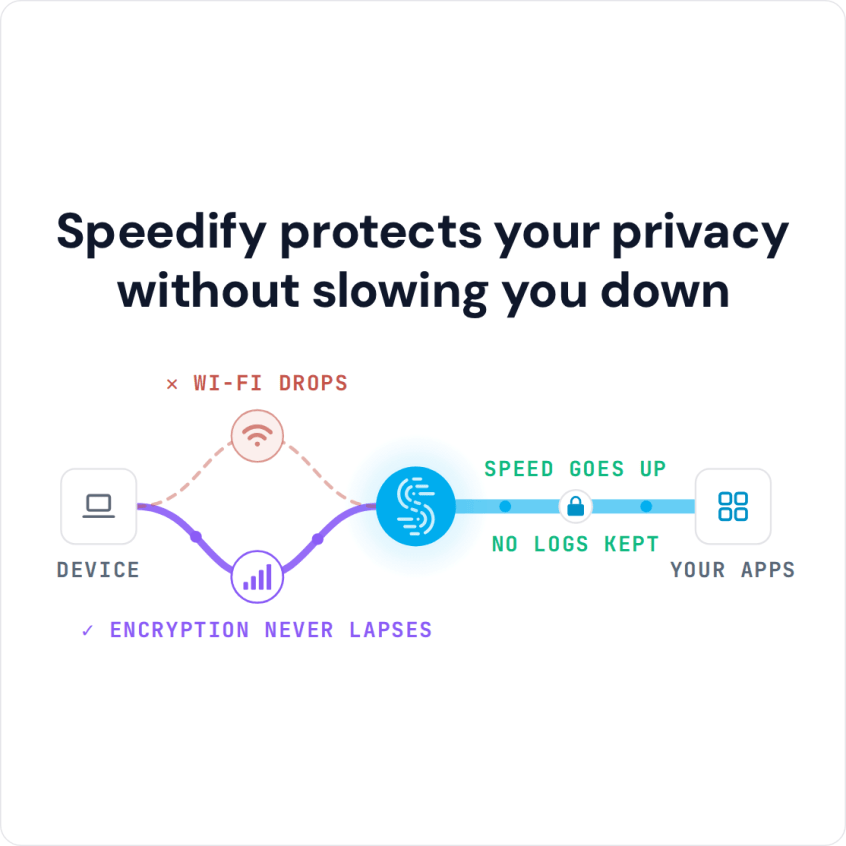
Speedify protects your privacy without slowing you down
How Verizon’s Perma-Cookie Tracking Header Worked
Verizon’s tag was not a traditional cookie: Verizon injected a unique ID into HTTP requests on their way out. Checking the cookies and headers leaving a browser showed nothing, because Verizon added the ID in routers on its own network. That is why AdBlock and other browser plugins could do nothing about it.
Tests on Verizon Wireless at the time showed several things:
- Verizon Wireless added the tag to every HTTP request crossing its network. Phones on 3G or LTE and computers on a Verizon MiFi were all tagged.
- The tag was a Verizon Wireless practice; Verizon Fios home internet did not show the tracking header in these tests.
- Verizon could tag HTTP requests but not HTTPS requests. Facebook, Google, Yahoo and Twitter already used HTTPS, so Verizon could not tag activity on those and many other sites.
- Verizon added the X-UIDH header on its wireless network, so when a device was on Wi-Fi, the header was not added and the device could not be tracked this way.
- Verizon’s hard-to-find opt-out did not stop the tagging; it only stopped Verizon from taking advertisers’ money for the data.
The tracking was an invasion of privacy by a company its customers pay every month. It is also puzzling: the header covered only the part of a person’s browsing that happened on mobile, on unencrypted sites, when Wi-Fi was not available, which is hardly a complete picture for advertisers.
Whether or not the data was worth much to advertisers, the fix is the same: encrypt the traffic so nothing can be added to it.
What Verizon Can See of the Websites You Visit Today
Verizon, like any internet provider, can see which websites you visit unless your traffic is encrypted through a VPN. HTTPS hides what you do on a page, but the provider still sees the site’s name. In 2016 the US Federal Communications Commission fined Verizon over the tracking header and required it to get customer consent before sharing it with other companies. With Speedify on, Verizon sees only an encrypted connection to a Speedify server.
Stop Verizon from Tracking You with Speedify
With Speedify running over a Verizon MiFi, the X-UIDH header disappeared. That is because Speedify, as a next generation VPN for mobility, wraps your traffic in encryption, so Verizon and other ISPs cannot read or edit it without breaking the data. Speedify also helps with staying safe while using public Wi-Fi networks. Speedify keeps no record of the sites you visit, though it does record connection metadata (IP address, device ID, connection time and data used).
Speedify is built for combining multiple Internet connections simultaneously, such as Wi-Fi and a phone’s 4G/5G cellular, for faster downloads and uploads, so hiding from a snooping ISP does not have to slow browsing down when you have two connections.
Three ways to stop Verizon from tracking and selling your data:
- Opt-out from the program: even if you cannot opt out of Verizon’s traffic monitoring, you can at least stop Verizon from selling your data.
- Watch for the lock by the URL box: websites that handle any of your personal information should use HTTPS, which your browser shows as a lock in the address bar.
- Use a VPN: Speedify encrypts your traffic, so Verizon sees only an encrypted connection to a Speedify server, not the sites you visit. Speedify runs on Windows, macOS, Linux, Android and iOS.
Now you know how to stop Verizon and other internet service providers from tracking you. Get started with Speedify for FREE: create a free account and use up to 5 GB per month.
Speedify
Get started with Speedify today.
Speedify combines Wi-Fi, 4G/5G cellular, Ethernet, Starlink and satellite into one faster, more reliable internet connection. Free to try: 5 GB a month with a free account. No credit card required.
🚀 Speed
Faster uploads and downloads, because Speedify uses all your internet connections at once.
📶 Stability
If one internet connection drops, Speedify moves your traffic to the others in milliseconds.
🔒 Security
AES-256 encryption on every internet connection, on any network you join.



15M+ downloads worldwide. 75K+ five-star reviews on iOS and Android.