
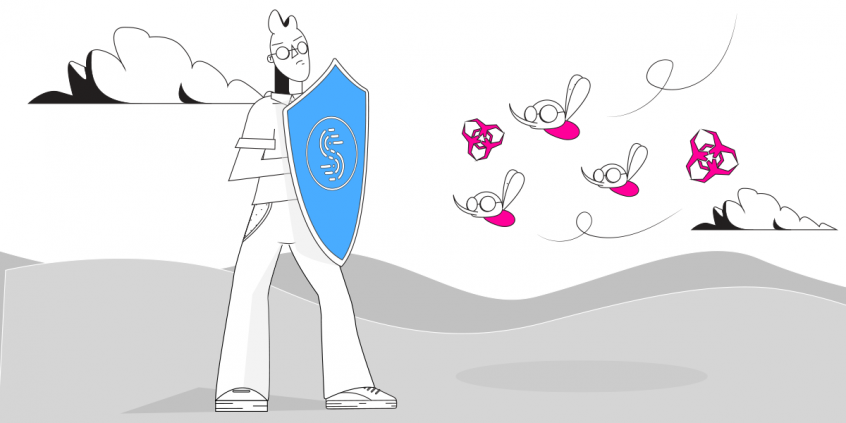
Unbreakable VPN Connection to Be Protected from Ransomware Attacks by Combining Starlink, Wi-Fi, 4G, 5G, and DSL with Speedify
Ransomware locks up the files on your computer and demands payment to unlock them. No VPN stops that: the defences that matter are security updates, backups and antivirus software.
Speedify helps with a different risk. Speedify encrypts your internet traffic so nobody on the network can read it or alter it on the way, and it runs over Wi-Fi and 4G/5G cellular data at once, which keeps those all-important backups uploading instead of stalling. Five defences against ransomware are explained below, along with Speedify’s honest place among them.
What is Ransomware?
The name “ransomware” is a combination of 2 terms: ransom and software – it’s a type of malicious virus that blocks access to data on a device until a ransom is paid. It usually spreads by running infected files (e.g. email attachments, downloaded files from shady websites) but it can also attack without the user’s intervention, by exploiting network vulnerabilities.
After being infected, the virus will display a message requiring a payment in order to unlock (or decrypt) the data. Read more about ransomware here.
How to Protect against Ransomware Cyberattacks.
Some of you may be thinking “what are the chances of me being attacked?” especially if you haven’t experienced such issues before? Take if from security experts: it’s never too late! Here at Speedify we strongly recommend prevention when it comes to cyber attacks.
Alex Gizis, CEO of Connectify, a US company developing security software, says: “As technology advances and more devices get connected online (IoT, smart homes), cyber attacks are getting smarter and will target more device types. The ransomware on computers is just the tip of the iceberg. How would you feel if you wouldn’t be able to use your car or get locked out of your surveillance system?”
See below 5 steps you should immediately take to protect yourself:
1. Keep your operating system up to date with the latest security patches.
Whether it’s Windows, MacOS, Android or iOS, those updates are released for a reason, not just annoy you with their pesky notifications. In fact, WannaCry is exploiting a vulnerability in the Windows operating system which was addressed by Microsoft back in March 2017.
So – allow the operating system to update itself automatically, as critical updates may be released within hours of a massive attack.
2. Backup your data regularly.
This new generation of cyber threats are often one step ahead of security companies and use vulnerabilities not yet discovered by the good guys. So, it’s important to keep your sensitive data somewhere safe – on another hard disk / flash drive or in the cloud.
If you have a lot of data to protect, we recommend an automated cloud backup service such as Dropbox, Google Drive, or Apple iCloud.
3. Use a VPN to Secure your online activity.
Many businesses and public places offer free wifi to attract customers and to provide a public service. However, these companies are not IT professionals and the truth is your online privacy is not their number one priority – so how sure can you be that they have followed standard security practices to keep you safe while connected to their network?
Public wifi networks are attractive targets for hackers because they are usually easy to compromise and so many different people use them that they never run out of new targets.
The best way to protect yourself while on the Internet is not to be discoverable by a potential attacker. You can do it very easily with a VPN. It will create a secure and encrypted “tunnel” between your device and a remote server in the cloud so that a hacker will not be able to scan and push malware your way.
Speedify is a next generation fast VPN that encrypts your traffic without slowing your browsing. Best of all – you can use it on all your devices (Windows, MacOS, Android, iOS) simultaneously on the same subscription! Speedify for Teamsis also available for small businesses and enterprises, bringing the same level of security in a centralized environment.
4. Don’t open email attachments from unknown sources. Use an antivirus.
While VPNs can protect you not to get infected when somebody from outside pushes that, it won’t be able to help you if you are the one downloading or running a malware file.
With email attachments, even if appears to be coming from somebody you know, check out the message body – is the communication style similar to what you’re used to? Were you expecting something from them? Email attachments are one of the most frequent sources of infection, with people running them without thinking about it first.
So, it’s important to have an antivirus solution running on your machine, just in case. There are many free alternatives for this space, including Windows Defender from Microsoft, which is included in Windows.
5. Be extra careful when browsing dodgy websites. Use an ad blocker.
Used to browsing websites that are not for a general audience – torrents, adult, gambling, etc? You should know by now to be very careful when using them. Those websites are usually full of all kind of scareware and pop-up ads, and will most likely push malware browser extensions or apps to your device. These are strong infection vectors and are an “invitation” for hackers to have their way with your computers / mobile devices.
So, an efficient ad blocker can help you with your efforts of seeing the relevant content you’re looking for. Connectify Hotspot has a built-in ad blocker you can use to save up to 55% of bandwidth, not to mention the protection factor.
Already infected with ransomware?
Depending on the ransomware type, here are ways you can get around without paying; if on a Microsoft Windows system, one of them would be to boot in Safe Mode and run a malware removal tool from one of the security vendors.
If you cannot do this, as is the case of WannaCry, we strongly encourage you not to pay! Think about it – if you do pay, this will only encourage the attackers to develop more sophisticated methods of hacking. Plus – even if you pay, you can’t be sure they will unlock your files.
A better solution would be to go to a data recovery specialist and see if they can do anything about it.
Stay Safe out There with Speedify!
The best way to protect yourself against ransom attacks is prevention. Make sure you’re running an updated operating system and backup your most valuable files. Also – get invisible on the Internet – that’s something we can help with!
Speedify
Get started with Speedify today.
Combine Wi-Fi, 4G/5G cellular, Ethernet, Starlink, and more into one faster, steadier connection. Free to try — no credit card required.
🚀 Speed
Faster uploads and downloads by bonding all your connections at once.
📶 Stability
Automatic failover in under a second when any connection drops.
🔒 Security
AES-256 encryption on every connection, on every network you join.



15M+ downloads worldwide. 75K+ five-star reviews on iOS and Android.