
What Is a Wi-Fi Access Portal (Captive Portal)? Get Connected with Speedify, an Unbreakable VPN Connection that Combines Starlink, Wi-Fi, 4G, 5G, and DSL
A captive portal login is the welcome page that nearly every hotel lobby, airport and coffee shop hotspot shows before the internet works: you accept the terms or log in, then you get online. The page is also called a Wi-Fi access portal, and it is the point where public Wi-Fi is least private. When that page does not appear at all, see getting a missing captive portal to load.
Speedify is an app that encrypts what you send and carries it over the Wi-Fi and your phone’s 4G/5G cellular connection at the same time.
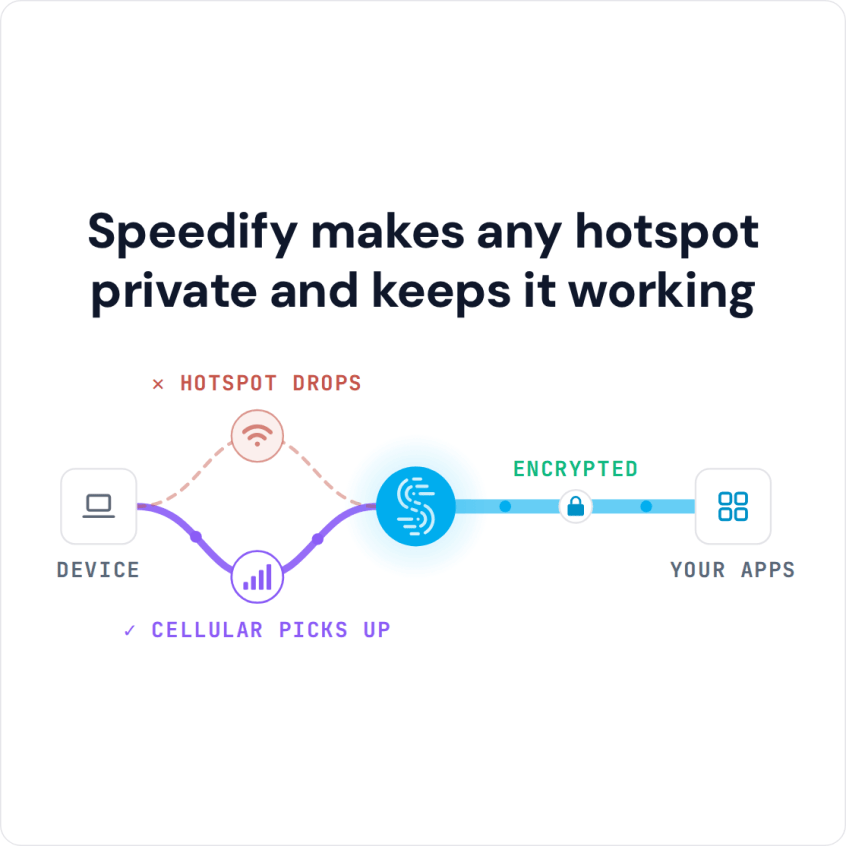
Speedify makes any hotspot private and keeps it working
This article explains what a Wi-Fi access portal does, the trouble it causes, and how Speedify gets you past it and keeps you private and online afterwards. Staying online through the switch needs a second internet connection such as your phone’s 4G/5G cellular; on the Wi-Fi alone, Speedify works as an encrypted VPN and can be a little slower.
Common Issues with Wi-Fi Access Portals
A Wi-Fi access portal solves problems around regulation and terms of use, but it causes others. The most common is that the Wi-Fi access page does not show up. Opening a website that starts with http:// (not https) often brings it up; for more fixes, see how to fix a Wi-Fi login page that does not show up.
A bigger problem is online security and privacy. When you connect to a public Wi-Fi network, your device is exchanging data, syncing your emails, social media accounts and other profiles. But what if somebody intercepts that traffic and gets a hold of your credit card numbers, social media password, confidential emails and messages, and browsing history?
Online privacy is an easy thing to achieve with a VPN. Already using one? You may have noticed that you can’t connect to a network that is using a Wi-Fi access portal while you are connected to the VPN. In some cases you can connect to the VPN after you log into the Wi-Fi access portal, but in most cases VPNs won’t work at all.
The reason a regular VPN fails on a Wi-Fi access portal network comes down to what the hotspot lets through before you log in.
VPNs and Wi-Fi Access Portals: What Happens in the Background
When you join a Wi-Fi network that runs a captive portal, the router gives your device an IP address but blocks all other internet traffic until you log in; only the login page gets through. A VPN sends every request, including the one for the login page, through its encrypted tunnel to the VPN server, and the hotspot will not carry that tunnel until you log in. So the login page cannot load, the VPN cannot connect, and an ordinary VPN leaves you two choices: turn it off to log in and give up your privacy for a while, or not use the network at all.
Or you can use Speedify as your VPN to stay both connected and protected on Wi-Fi networks with access portals.
How Speedify Works on Wi-Fi Captive Portals
When you join a Wi-Fi hotspot with a login page, Speedify will:
- Show you a notification asking if you want to log in.
- Keep you connected over 4G/5G cellular, so your other online activities (Microsoft Teams or Slack calls, streaming, gaming) keep working, encrypted by Speedify, and calls and streams do not drop.
- If you click the notification prompting you to connect to the Wi-Fi hotspot, Speedify will pop up the login screen in a window.
- Once you log in, Speedify immediately starts using the Wi-Fi connection too, and moves traffic from cellular to Wi-Fi without stopping anything you are doing online.
Speedify’s technology for combining internet connections lets Speedify use several Internet connections at once. In the example above, Speedify uses both the Wi-Fi and the cellular connection on your smartphone or laptop.
Behind the steps above, Speedify works like this on a captive portal network:
- When Speedify detects a captive portal, it automatically moves the traffic to and from the login page outside of the encrypted VPN tunnel.
- Once you successfully log onto the network, Speedify moves that direct traffic back to the VPN tunnel.
- You can also use the split tunneling feature (Bypass) for specific services, which sends their traffic directly from your device, outside the encrypted Speedify tunnel.
Connect to hotel, airport and cafe hotspots with your traffic encrypted from the moment you sign in. Speedify keeps no record of the sites you visit and does not sell personal data; it does record connection metadata such as your IP address, device ID, connection time and data used.
Speedify
Get started with Speedify today.
Speedify combines Wi-Fi, 4G/5G cellular, Ethernet, Starlink and satellite into one faster, more reliable internet connection. Free to try: 5 GB a month with a free account. No credit card required.
🚀 Speed
Faster uploads and downloads, because Speedify uses all your internet connections at once.
📶 Stability
If one internet connection drops, Speedify moves your traffic to the others in milliseconds.
🔒 Security
AES-256 encryption on every internet connection, on any network you join.



15M+ downloads worldwide. 75K+ five-star reviews on iOS and Android.