
Watch the Best Live TV Streaming Services for Cord Cutters without Buffering or Disconnects
Live TV stutters in the middle of a game and the picture drops to a blur, on internet you pay well for. The cause is usually not the streaming service: it is short dips in the single internet connection feeding your player. If your player is a Fire TV Stick, see how to stop Fire TV Stick buffering.
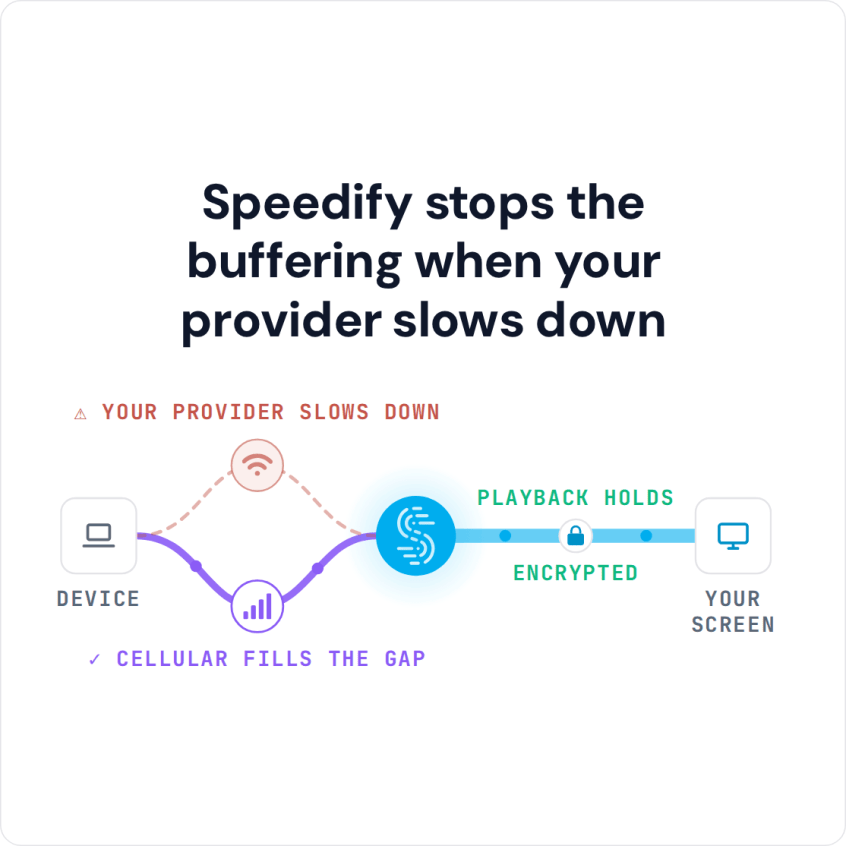
Speedify is an app that spreads your traffic across several internet connections at once, including Wi-Fi, 4G/5G cellular, wired Ethernet and Starlink, so when one sags the others carry the video and playback keeps its bandwidth. Combining needs two or more internet connections: on one connection, Speedify works as an encrypted VPN and cannot stop that connection from dropping.
Read on for why some videos stop to reload, how to set Speedify up for live TV, and what to expect when a channel is not offered where you are.
Cord Cutter Streaming Issues: Why the Video Player Keeps Buffering
You can hit this even when you pay your ISP for a fast internet connection. A full HD (1080p) streaming video should load smoothly on a 10 Mbps connection, even with some browsing or social media on the side. So why do cord cutter streaming issues show up on broadband connections?
Here are some possible causes:
- There are temporary technical issues with your ISP, and you may be getting lower bandwidth than what you’re paying for. Run an online speed test to check.
- Your ISP has peering issues with the streaming platform. For example, YouTube may load and play fine while Twitch, Vimeo, Hulu and others buffer and load slowly.
- Your ISP may be throttling data to some platforms. The symptoms are similar to the above, only this time it’s intentional from the ISP. Check here if your ISP is throttling your connection.
- If you’re traveling or on the move, your laptop or mobile device may lose connectivity while roaming between WiFi hotspots and cellular data.
Of course, if the bandwidth that you’re getting according to the contract is too low, you should expect this type of issues. In this case, the best solution would be to upgrade to a better Internet package or combine 2 or more connections.
Fix Cord Cutter Buffering by Combining Connections with Speedify
Speedify is a VPN app that lets your cord cutter streaming devices use multiple Internet connections simultaneously, which gives your streaming videos more bandwidth. With two or more connections, a dip on one no longer has to mean buffering, frozen or slow loading videos.
Speedify also fights packet loss: it resends lost packets and, with two or more connections, sends them over the other connections, which helps minimize the packet loss rate behind stuttering video. On a single connection, Speedify cannot make that connection faster.
Speaking of stable Internet, Speedify also comes with auto failover protection. This means that if one of your connections fails, Speedify automatically reroutes all the traffic through your available connection. This happens in the background without you having to do anything. You just get to keep enjoying your cord cutter streaming videos.
Cord Cutter Devices That Can Run Speedify
Speedify runs on computers and mobile devices with Windows, macOS, Android and iOS. If your cord cutter hardware runs one of these, download, install and run Speedify, and you’re done. Speedify’s knowledge base answers setup questions.
If you use a streaming device or a gaming console as your cord cutter hardware, you need to share your Speedify connection via WiFi. For what to install on it, see the best apps for cord cutters.
How to Set Up Speedify for Cord Cutter Streaming
- Download Speedify on a Windows or Mac computer, or on the iPhone, iPad or Android device you watch on.
- Open Speedify and create a free account (the free tier includes 5 GB per month), or sign in.
- Give it a second internet connection: on a computer, keep your home Wi-Fi or Ethernet and add a phone tethered with a USB cable (an iPhone works on Windows and Mac; an Android phone on Windows and often on a Mac); on a phone or tablet, keep Wi-Fi on and turn on cellular data. Video uses a lot of data, so check your cellular plan first.
- Connect. Speedify uses both connections at once and moves the video to the working one when one drops.
- For a smart TV, streaming stick or console, share the Speedify connection from the computer over Wi-Fi and connect the TV to it, then open your streaming app.
Cord Cutter Streaming Content Restricted by Region: What Speedify Can and Cannot Do
The main reason for restricting content, streaming video and music platforms is licensing issues.
Other reasons for blocking content are:
- compliance with local laws: local governments may consider certain content inappropriate
- protecting marketing partners: some movies, TV shows or sports events are licensed to be shown only in certain countries or regions by specific providers.
Speedify does not unblock geo-restricted content: streaming services such as Hulu and the BBC show the library licensed for the region you are in, whichever server you pick. If a streaming app refuses to play while Speedify is on, Speedify’s Bypass setting (Settings > Bypass) can send that service’s traffic outside the encrypted tunnel.
You also get an encrypted connection: Speedify uses advanced encryption and keeps no record of the sites you visit, though it does record connection metadata such as your IP address and the data you use.
If you are a serious cord cutter and want steady, high quality streaming, use Speedify with two internet connections: when one dips or drops, the other keeps the video playing.
Speedify
Get started with Speedify today.
Speedify combines Wi-Fi, 4G/5G cellular, Ethernet, Starlink and satellite into one faster, more reliable internet connection. Free to try: 5 GB a month with a free account. No credit card required.
🚀 Speed
Faster uploads and downloads, because Speedify uses all your internet connections at once.
📶 Stability
If one internet connection drops, Speedify moves your traffic to the others in milliseconds.
🔒 Security
AES-256 encryption on every internet connection, on any network you join.



15M+ downloads worldwide. 75K+ five-star reviews on iOS and Android.