
Why Am I Being Asked to Log into Xfinity WIFI?
Xfinity hotspots ask you to sign in because the service is tied to your account, and when that login page will not load you are connected with no way through.
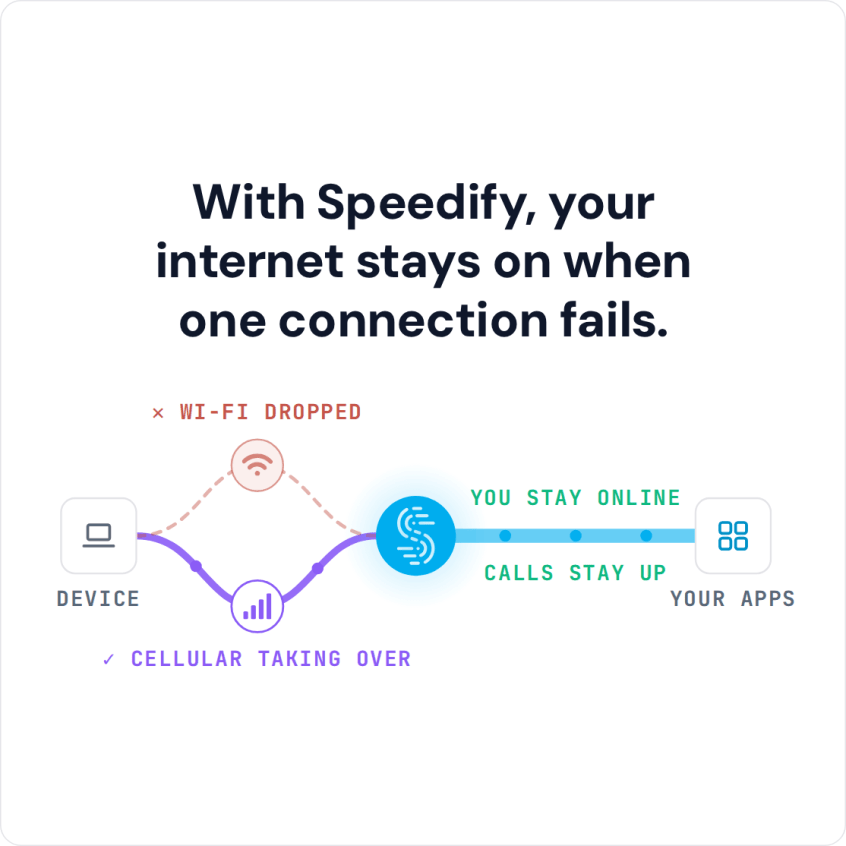
Speedify is an app that combines Wi-Fi with your phone’s 4G/5G cellular, so you are not waiting offline while the portal resolves, and it lets the sign-in page load rather than blocking it. On the Xfinity Wi-Fi alone, Speedify works as an encrypted VPN and cannot keep you online before you sign in.
With Speedify, your internet stays on when one connection fails.
Read on for why Xfinity asks you to log in, the common failures, and how to fix a login page that will not appear. If you would rather skip it, see whether you can bypass the Xfinity login page.
Common Issues when Logging into Xfinity WiFi or Any Captive Portals
Almost all connectivity issues concerning Xfinity WiFi are documented here. The most common issues that you can get when connecting to any WiFi hotspot in general are:
- Slow speeds or intermittent internet access. Having a large number of users with high internet activity can cause the Wi-Fi hotspot to get congested, which can cause issues with the internet speed.
- Unable to connect to the internet. This is either due to an ISP issue (no internet), equipment problems (Wi-Fi router) but also if you don’t get to use the captive portal login page because it doesn’t display.
- Connectivity dropouts. The most common cause of this is Wi-Fi interference or the Wi-Fi router is too far from you.
Xfinity Wi-Fi Login Page Won’t Load: How to Fix Connectivity Issues
Here’s what you can do to troubleshoot any connectivity issues with your Xfinity WiFi:
- Check if you’re within Xfinity WiFi coverage. You can check this map.
- Check if Xfinity is down in your area using their status page.
- If you are having issues displaying the Xfinity captive portal page, try and reload the login page or try rebooting your device.
- If you’re using a VPN while trying to connect to Xfinity WiFi, use a smart VPN like Speedify.
Speedify’s captive portal assist feature helps you stay protected while logging in to Wi-Fi networks that use captive portals. If you have more than one internet connection available, you can improve your internet speed and stability by combining them.
Here is how Speedify handles captive portals:
- when it detects a captive portal, it automatically moves the traffic to and from the captive portal login page outside of the encrypted VPN tunnel
- once you successfully log onto the network, Speedify moves that direct traffic back to the VPN tunnel
- you can also use the split tunneling feature (Bypass) for specific services, which sends their traffic outside the encrypted VPN tunnel.
Speedify Fixes Loading Issues of Xfinity WiFi Login Page
You will finally be able to use the extensive network of Xfinity WiFi hotspots without the associated hassles. Speedify lets the login page through instead of blocking it, and if your device connects to a bad Wi-Fi hotspot, a second internet connection such as 4G/5G cellular keeps you online.
Speedify is a fast VPN with advanced encryption tailored to your device. It also allows you to combine two or more Internet connections at once for their aggregated speed and stability.
Now you can safely browse the internet without compromising your speed and reliability. Don’t shut off your VPN just because the Xfinity WiFi login page won’t load. Use Speedify!
Speedify
Get started with Speedify today.
Speedify combines Wi-Fi, 4G/5G cellular, Ethernet, Starlink and satellite into one faster, more reliable internet connection. Free to try: 5 GB a month with a free account. No credit card required.
🚀 Speed
Faster uploads and downloads, because Speedify uses all your internet connections at once.
📶 Stability
If one internet connection drops, Speedify moves your traffic to the others in milliseconds.
🔒 Security
AES-256 encryption on every internet connection, on any network you join.



15M+ downloads worldwide. 75K+ five-star reviews on iOS and Android.