
Internet Connectivity – Biggest Challenge for Remote Learning
The lesson starts, your child’s camera freezes, and by the time they rejoin the class has moved on. Two other people in the house are on calls at the same time, which is usually the whole story.
Speedify is an app for a laptop, tablet or phone that uses two internet connections at once – home Wi-Fi and cellular data, for example – so one busy connection stops deciding whether a class works. Find out which remote learning problems come from the connection and which do not, and what to do about the ones that do.
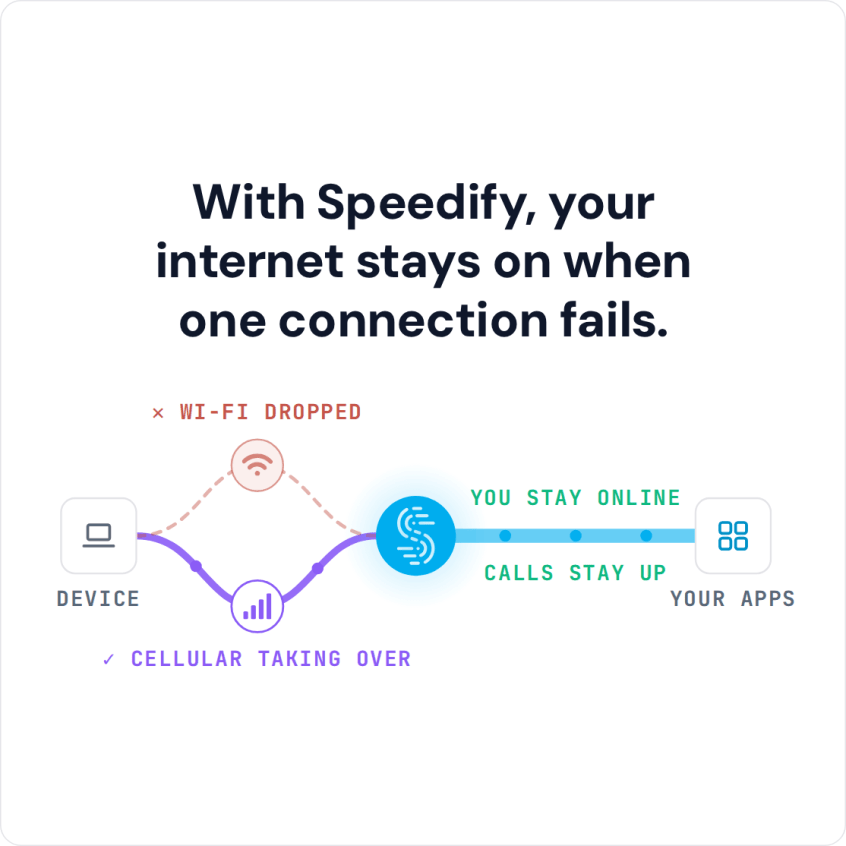
With Speedify, your internet stays on when one connection fails.
#1 Remote Learning Challenge: Slow and Unreliable Internet Connectivity
We’ve all been there, at least in our spare time: seeing that buffering wheel all too often on videos, being disconnected from video calls or not being able to understand what others are saying due to choppy audio and video. This reflects in your daily activities now, since the Internet connection is the same one it was a few months ago. So that’s not good.
Count the times you or somebody in your online class says “can you hear me?” or “I can’t understand what you’re saying”. If those phrases come too often in the conversation, then you’ve got a hardware, software or an Internet problem you need to address.
Plus – think also of the opportunities online learning offers you. If you’d have no technical challenges, you could go beyond video by making your class interactive, as a teacher. You could use online collaboration tools for brainstorming, quizzes and other creative activities.
Troubleshooting Internet Connection Challenges of Remote Learning
Disclaimer: we won’t focus here on whether your webcam and microphone are set up correctly. Or if the settings are right for your Zoom / Google Classroom / other remote learning tool you’re using. We’ll just assume those are all good.
The real remote learning challenge is that troubleshooting Internet connection issues takes time. It’s like taking a second job as your own IT support person. You have to at least follow these steps:
- Restart your modem / router.
- If possible, use a wired connection to your computer. Or at least move closer to the Wi-Fi router.
- Close non-essential teaching apps that might be hogging the bandwidth. Also ask your family to restrain from streaming videos or getting on video calls while you’re teaching remotely.
- Test your Internet speed to make sure you’re getting the speed you’re paying for.
- Call your Internet Service Provider and wait until they solve the issue… that’s days, usually.
In certain situations there’s the possibility of recording your class and making them available for download for students. But in most cases, you have to do synchronous teaching.
So, the essence of making the most out of online learning is a solid Internet connection that’s fast, stable and also secure – we’ve all heard of those Zoom bombings. Meet Speedify, your solution to avoid remote learning challenges.
Speedify Helps You Avoid One of the Disadvantages of Remote Learning: Poor Connectivity
Speedify is an app you can install on the device you’re using to teach online – computer, tablet, smartphone. It is a bonding VPN service that allows you to use all of your Internet connections at once, whether you have a Starlink, Wi-Fi, 4G / 5G cellular, DSL or any other type of connection. By doing this, you will get a “super-pipe” with faster speed and increased reliability, as well as being protected from online snoops that are after your data.
The increased Internet speed is achieved through a technology called channel bonding, which Speedify uses. That also allows you to remain connected online even if one of your connections drops.
How do you get a second Internet connection to use at the same time, you ask? It’s simple: you probably have a smartphone – you can just tether that to your computer and use its cellular data. It’s even simpler if you use a tablet or the smartphone to teach – just enable the cellular connection. Don’t worry about paying more – with Speedify you can specify how much cellular data it should use, so you don’t go over your plan.
Speedify
Get started with Speedify today.
Speedify combines Wi-Fi, 4G/5G cellular, Ethernet, Starlink and satellite into one faster, more reliable internet connection. Free to try: 5 GB a month with a free account. No credit card required.
🚀 Speed
Faster uploads and downloads, because Speedify uses all your internet connections at once.
📶 Stability
If one internet connection drops, Speedify moves your traffic to the others in milliseconds.
🔒 Security
AES-256 encryption on every internet connection, on any network you join.



15M+ downloads worldwide. 75K+ five-star reviews on iOS and Android.