
Unbreakable VPN Connection to Fix Slow ExpressVPN by Combining Starlink, Wi-Fi, 4G, 5G, and DSL with Speedify
Scrambling your data is not what makes ExpressVPN feel slow – the single internet connection underneath ExpressVPN is. When that one Wi-Fi link or cellular signal is busy, every upload and download waits in the same queue. That single connection is the core difference in how ExpressVPN and Speedify compare.
Speedify is a privacy app that merges several internet connections into one faster route, so a large file transfer uses your Wi-Fi and your phone’s 4G/5G cellular data together and finishes sooner, still protected the whole way. Three fixes for a slow ExpressVPN are covered below, along with what using Speedify does for your download and upload speeds. If you use VyprVPN instead, see why VyprVPN is slow.
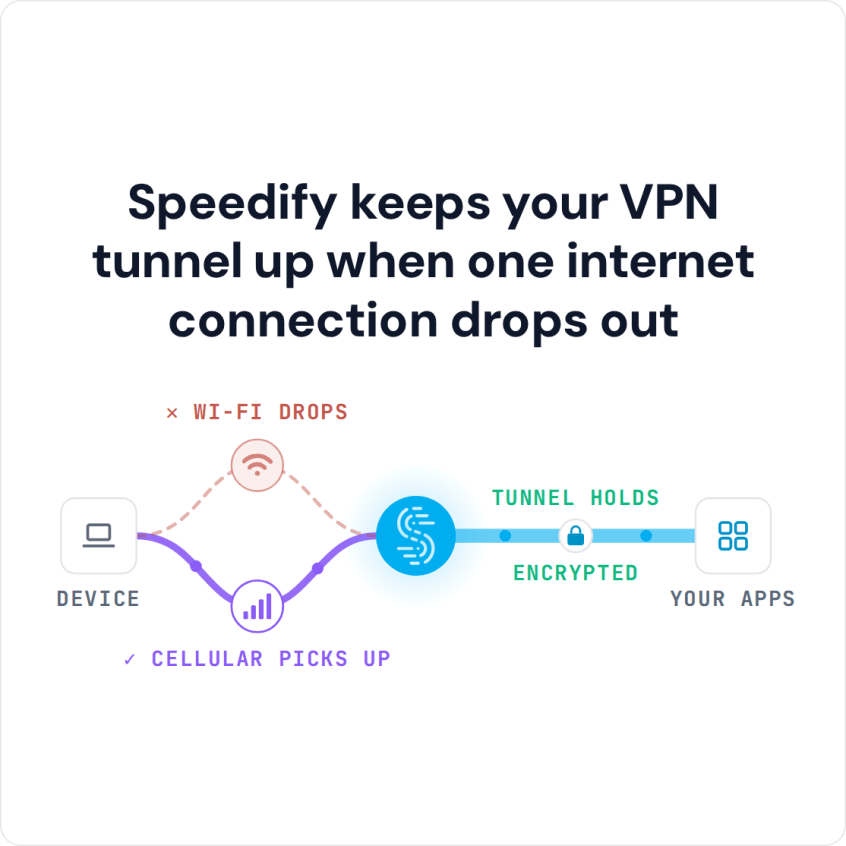
Speedify keeps your VPN tunnel up when one internet connection drops out
Why Is Speedify faster than ExpressVPN?
Speedify works differently than conventional VPNs like ExpressVPN because it does much more than just encrypt your data. It unleashes the full power of your desktop or mobile device by allowing you to use multiple connections simultaneously. This is done by using the channel bonding technology, which allows operating systems (Windows, macOS, iOS and Android) to use all available Internet connections at the same time, providing you with more bandwidth and faster connection speeds.
And, of course, if you’re using multiple connections at the same time, you’ll also benefit from our automatic Internet failover mechanism, which makes sure you’ll always be online.
Unlike other VPN services, Speedify will:
- Not drain the battery of your laptop, smartphone or tablet
- Route traffic over Wi-Fi as much as possible
- Increase the speed of your Internet connection, if used to combine multiple connections
Are you getting slow ExpressVPN speeds? You don’t have to choose between speed and security. You can have them both at the same time with Speedify! Get started today – it’s free!
Speedify
Get started with Speedify today.
Combine Wi-Fi, 4G/5G cellular, Ethernet, Starlink, and more into one faster, steadier connection. Free to try — no credit card required.
🚀 Speed
Faster uploads and downloads by bonding all your connections at once.
📶 Stability
Automatic failover in under a second when any connection drops.
🔒 Security
AES-256 encryption on every connection, on every network you join.



15M+ downloads worldwide. 75K+ five-star reviews on iOS and Android.