
Are your iCloud backups Slow? Does Syncing to iCloud take forever?
To speed up an iCloud backup, treat it as an upload problem: a backup that never finishes runs in the background over one connection, and phones are cautious about using cellular for backups at all.
Speedify is an app that lets an iPhone or iPad upload over Wi-Fi and 4G/5G cellular together, so a large backup has more room. That needs both connections at once: on Wi-Fi alone, Speedify works as an encrypted VPN and can be a little slower.
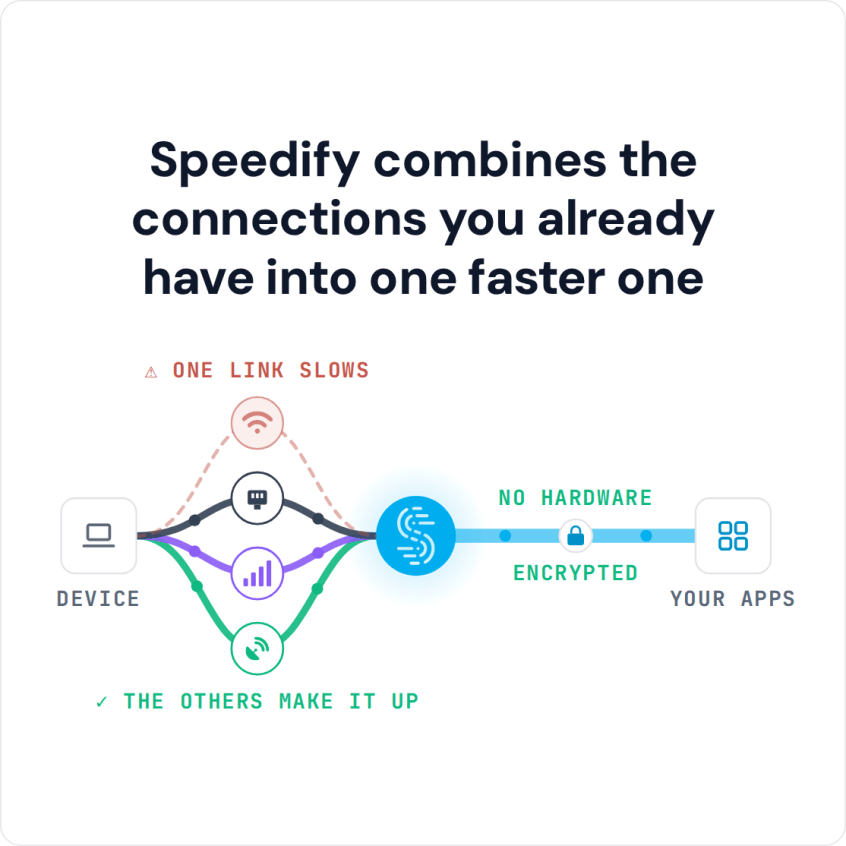
Speedify combines the connections you already have into one faster one
Take a look at why iCloud backups and syncing take so long, the device setting that limits them, how Speedify speeds them up, and how safe your iCloud data actually is.
How to Speed Up iCloud Backup with Speedify
- Download Speedify on your iPhone or iPad from the App Store (it needs iOS 17 or later).
- Open Speedify and create a free account (the free tier includes 5 GB per month), or sign in.
- Keep Wi-Fi on and turn on Cellular Data, so the device has a second internet connection.
- Tap Connect and allow the VPN configuration when iOS asks. Speedify sends traffic over Wi-Fi and 4G/5G cellular at once and moves it to the working connection when one weakens.
- Open Settings > [your name] > iCloud > iCloud Backup and tap Back Up Now.
iCloud Backup Slow: Common Causes and Free Fixes
The first iCloud backup is the slowest because it uploads everything; later backups only send what changed. Home internet plans usually upload much slower than they download, and the backup shares that upload with everything else on the network. To speed up an iCloud backup, keep the iPhone on Wi-Fi and plugged in, check that iCloud has enough free storage, and turn off backup for large apps you do not need in Settings > [your name] > iCloud > Manage Account Storage > Backups. On iPhone models with 5G, Back Up Over Cellular is an option in the iCloud Backup settings.
Any signal disruption during a sync or backup delays all iCloud activity: photos may not upload, videos may not transfer, and backups can take hours or fail. Bad weather, heavy use of the network, or interference from other wireless devices can all weaken the signal.
How Speedify Helps a Slow iCloud Backup: Wi-Fi and 4G/5G Cellular Together
Instead of limiting your device to just Wi-Fi or just cellular, Speedify lets your iPhone or iPad use both connections at the same time. The upload capacity of the two connections adds up, so photos, videos and backups have more room to upload. Uploads sent over cellular count against your data plan.
Speedify continuously monitors your internet connections and signal strength as it runs in the background. If one of your connections fails, Speedify uses its auto failover to reroute all the data traffic to the other internet connection until the first connection can safely be reestablished.
This means a short drop in your Wi-Fi signal does not stop the upload: Speedify keeps the data flowing over cellular until the Wi-Fi is back.
How Speedify Protects iCloud Data on Public Wi-Fi
Your iCloud account holds your photos, messages and backups. Speedify encrypts the traffic between your device and the Speedify server, which protects it from snoops on compromised Wi-Fi networks.
When you use Speedify to improve your iCloud performance, you are also taking an important step in protecting yourself from cyber threats.
If you want faster iCloud uploads and a more secure connection on public Wi-Fi, download Speedify and use Wi-Fi and 4G/5G cellular together.
Speedify
Get started with Speedify today.
Speedify combines Wi-Fi, 4G/5G cellular, Ethernet, Starlink and satellite into one faster, more reliable internet connection. Free to try: 5 GB a month with a free account. No credit card required.
🚀 Speed
Faster uploads and downloads, because Speedify uses all your internet connections at once.
📶 Stability
If one internet connection drops, Speedify moves your traffic to the others in milliseconds.
🔒 Security
AES-256 encryption on every internet connection, on any network you join.



15M+ downloads worldwide. 75K+ five-star reviews on iOS and Android.