
Unbreakable VPN Connection to Fix Slow NordVPN by Combining Starlink, Wi-Fi, 4G, 5G, and DSL with Speedify
NordVPN is slow, or makes your internet slow, for the same reasons every VPN can be: your traffic is encrypted, travels to a NordVPN server before it reaches the site, and all of it goes over one internet connection. You are not the only one noticing it. Some speed loss with any VPN is normal, and the fixes below cut it down.
Speedify is an app that combines Wi-Fi, 4G/5G cellular, Ethernet, Starlink and satellite internet connections into one faster, more reliable connection, and encrypts your traffic like a VPN. With two or more internet connections, such as Wi-Fi plus your phone’s 4G/5G cellular, you have more speed to work with. On a single connection, Speedify works as an encrypted VPN and can be a little slower, so it is not a fix for VPN speed loss on one connection.
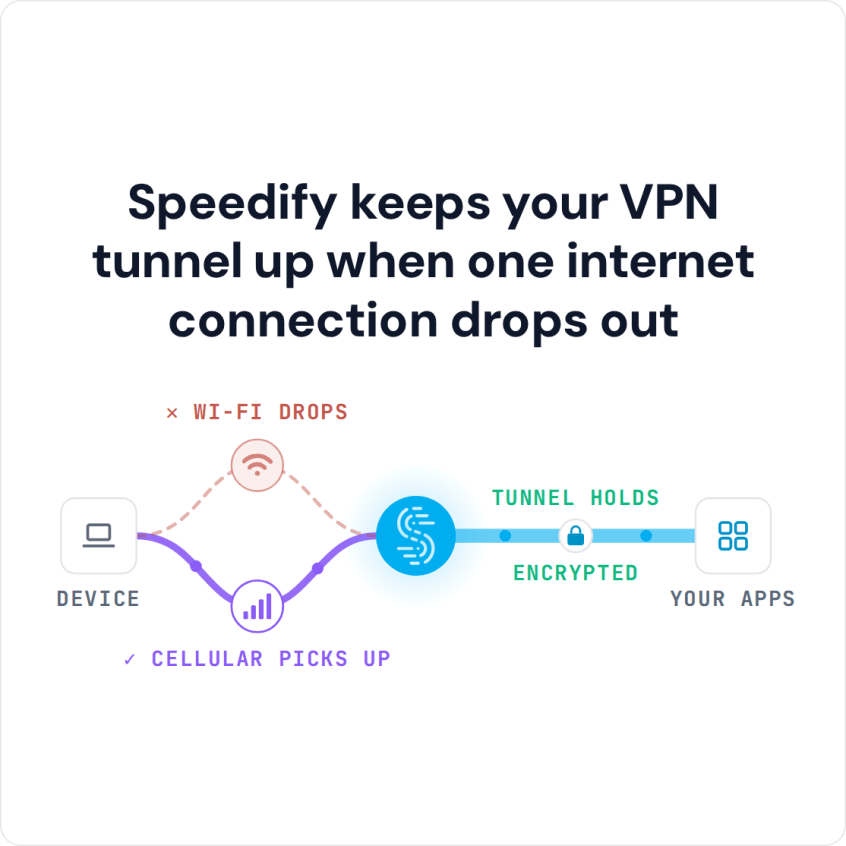
Speedify keeps your VPN tunnel up when one internet connection drops out
Coming up: why NordVPN runs slowly, the fixes worth trying, and how Speedify adds speed when you have a second internet connection.
Why NordVPN Is Slow
Three things decide how much speed NordVPN costs you: the distance to the NordVPN server, how busy that server is, and the quality of the one internet connection under the VPN. The protocol matters too: NordVPN recommends NordLynx, its WireGuard-based protocol, for speed.
If NordVPN also takes a long time to connect, the server you picked is likely busy or far away, or your network or security software is slowing the connection down.
If NordVPN keeps disconnecting rather than just running slowly, the usual cause is the internet connection under it: weak Wi-Fi, or a phone switching between Wi-Fi and 4G/5G cellular. A VPN on one connection has to reconnect each time that connection drops; with a second internet connection, Speedify moves your traffic to the other one instead.
How to Make NordVPN Faster
Pick a closer server: choose a server in or near your own country instead of a distant one, or let NordVPN’s Quick Connect choose for you.
Switch the protocol: in the NordVPN app’s settings, try NordLynx if you are on OpenVPN, or OpenVPN if NordLynx will not connect on your network.
Test without the VPN: run a speed test with NordVPN off. If your internet is slow without it too, the cause is your Wi-Fi or your internet provider, not NordVPN.
Fix the connection underneath: move closer to the Wi-Fi router or use Ethernet, and close apps that upload or download in the background.
How Speedify Adds Speed with a Second Internet Connection
If those fixes are not enough, the limit is the one internet connection. Speedify lets your phone or computer use more than one Internet connection at a time, for example Wi-Fi plus 4G/5G cellular, and checks the quality of each one. If one connection becomes unreliable, Speedify moves your traffic to the others so your internet use is not interrupted. Your traffic stays encrypted, which protects you from snooping ISPs, public Wi-Fi hackers and other online threats. Like any VPN, the trip to the Speedify server can add a little latency.
Set Up Speedify with Two Internet Connections in Five Steps
- Download Speedify on the computer or phone you use (Windows, macOS, iOS, Android or Linux).
- Open Speedify and create a free account (the free tier includes 5 GB per month; Linux needs a paid plan), or sign in.
- Turn NordVPN off first: a phone runs only one VPN at a time, and two VPN apps on a computer can get in each other’s way. On a phone, tap Allow when it asks to add a VPN configuration.
- Add a second internet connection: on a phone, keep 4G/5G cellular turned on while you use Wi-Fi; on a computer, use Wi-Fi or Ethernet plus a tethered phone or a USB 4G/5G adapter.
- Speedify connects to a Speedify server automatically and uses both internet connections at once. If one drops, your traffic moves to the other and the VPN stays connected.
Get started with Speedify now for free: a free account includes 5 GB per month on Windows, macOS, iOS and Android. Speedify keeps no record of the sites you visit; it does record connection details such as your IP address and the data you use.
Speedify
Get started with Speedify today.
Combine Wi-Fi, 4G/5G cellular, Ethernet, Starlink, and more into one faster, steadier connection. Free to try — no credit card required.
🚀 Speed
Faster uploads and downloads by bonding all your connections at once.
📶 Stability
Automatic failover in under a second when any connection drops.
🔒 Security
AES-256 encryption on every connection, on every network you join.



15M+ downloads worldwide. 75K+ five-star reviews on iOS and Android.