
Unbreakable VPN Connection to Fix Slow VPN Issues by Combining Starlink, Wi-Fi, 4G, 5G, and DSL with Speedify
A VPN takes so long to load pages, and slows down your internet, because it sends everything through one VPN server, often a distant one, over one internet connection. The detour adds delay, and a single internet connection can only move so much data at a time. If the VPN is slow to connect in the first place, the server may be far away or busy, so try one closer to you.
Speedify is an app that combines Wi-Fi, 4G/5G cellular, Ethernet, Starlink and satellite internet connections into one faster, more reliable connection, and encrypts your traffic like a VPN. With two or more connections, such as Wi-Fi plus your phone’s 4G/5G cellular, uploads and downloads get faster instead of slower. On a single connection, Speedify works as an encrypted VPN and can be a little slower, like any VPN. If you use VyprVPN, here is why VyprVPN is slow.
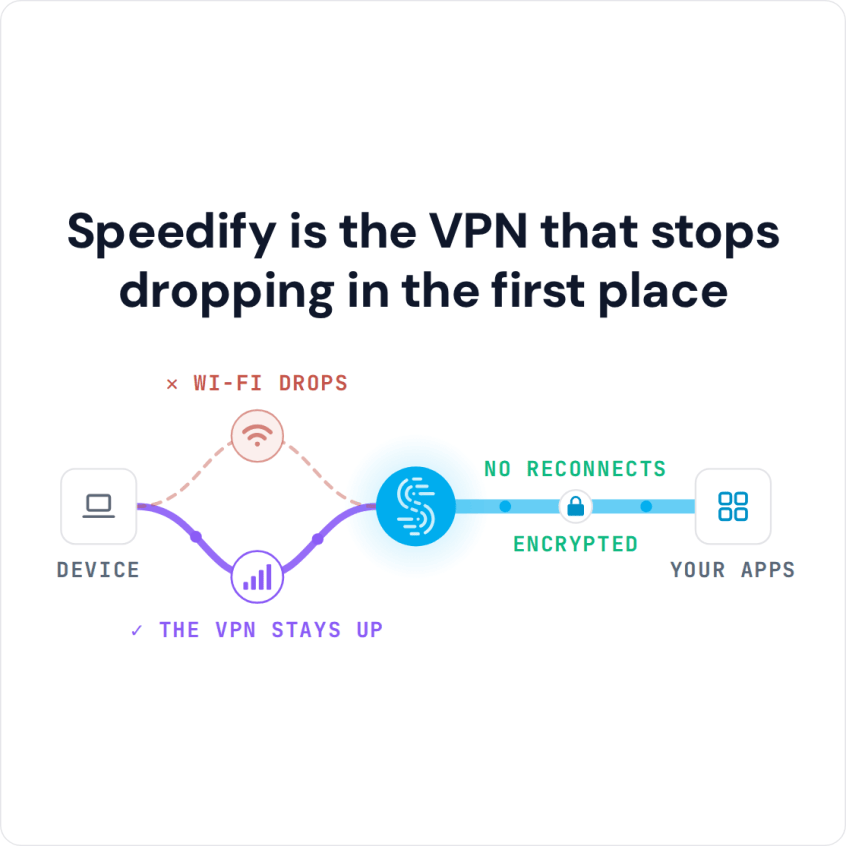
Speedify is the VPN that stops dropping in the first place
This article explains how most VPNs are built, why that design costs you speed, and what Speedify does differently.
It’s Not Just You Who’s Having Trouble With a Slow VPN
If you search the help pages on any VPN service they will tell you to check the same things when trying to fix a slow VPN experience:
- Check your internet router
- See if your ISP is throttling your connection
- Use the server closest to you geographically
Reading the same advice over and over again can make you feel like you are the problem. The checks are worth doing, but often the router is fine, your internet provider is delivering the speed it promised, and you already use the closest server.
Somewhere in the FAQ or help section of most VPN websites is a note that your internet connection will slow down when you use a VPN. That slowdown comes from the way traditional VPNs work.
How Most VPNs Work and What Causes Them to Slow Down Your Internet
A slow VPN usually comes down to design. Most VPNs work the same way: your computer is connected to a remote server over a single secure socket, and all of the data sent to and from your computer or mobile device is first routed through that server.
The data is encrypted between your device and the server. That stops the Wi-Fi network and your internet provider from seeing which websites you visit, and the sites you visit see the server’s IP address instead of yours. From a security standpoint, this works well.
But from a usability standpoint, the design is awful. Having only a single socket connected to the secure remote server, as most VPN services do, limits your bandwidth. Data-heavy activities like streaming video, playing online games or video chatting create a traffic jam, and it can get so bad that those apps become unusable.
If anything happens to your Internet connection, such as a Wi-Fi signal that fluctuates, you will probably lose the connection to the VPN server and have to wait for the VPN to reconnect before you can use it again.
How Speedify Avoids the VPN Slowdown with Two or More Connections
Speedify is a VPN that combines internet connections. Instead of one socket over one connection, Speedify creates several transport connections, over every Internet connection on the device, to a Speedify server, so you keep a VPN’s encryption while combining multiple Internet connections for speed and reliability.
Data is encapsulated and divided packet by packet between the connections, so even a streaming video app that sends all of its data over a single socket can be split across connections. This packet-level combining is different from load balancing; see the differences here.
You can also set a priority for each connection (Automatic, Primary, Secondary, Backup or Never), so you decide how much Speedify leans on a metered 4G/5G cellular connection. Everything, including uploads, downloads, web browsing and streaming video, can be accelerated by Speedify when it has two or more connections.
Speedify’s error correction technology also recovers lost packets before they slow your connection: Speedify resends a lost packet and adds forward error correction, and with several connections sends lost packets over the others. On a single weak connection at the edge of Wi-Fi or cellular range, that keeps pages and calls more usable, but the speed gains need two or more connections.
Try Speedify with a free account: the free tier includes 5 GB per month on Windows, macOS, iOS and Android.
Speedify
Get started with Speedify today.
Combine Wi-Fi, 4G/5G cellular, Ethernet, Starlink, and more into one faster, steadier connection. Free to try — no credit card required.
🚀 Speed
Faster uploads and downloads by bonding all your connections at once.
📶 Stability
Automatic failover in under a second when any connection drops.
🔒 Security
AES-256 encryption on every connection, on every network you join.



15M+ downloads worldwide. 75K+ five-star reviews on iOS and Android.