
Updating: 24 Hours Remaining -.-
To make a Warzone download faster, let it pull from two internet connections at the same time. Speedify is an app that combines two or more internet connections at once, for example Wi-Fi plus 4G/5G cellular, into one faster, more stable connection.
Instead of waiting on a single line for a 20+ GB Warzone update, Speedify lets the download use the combined speed of both connections, and if one connection drops, the download keeps going on the other.
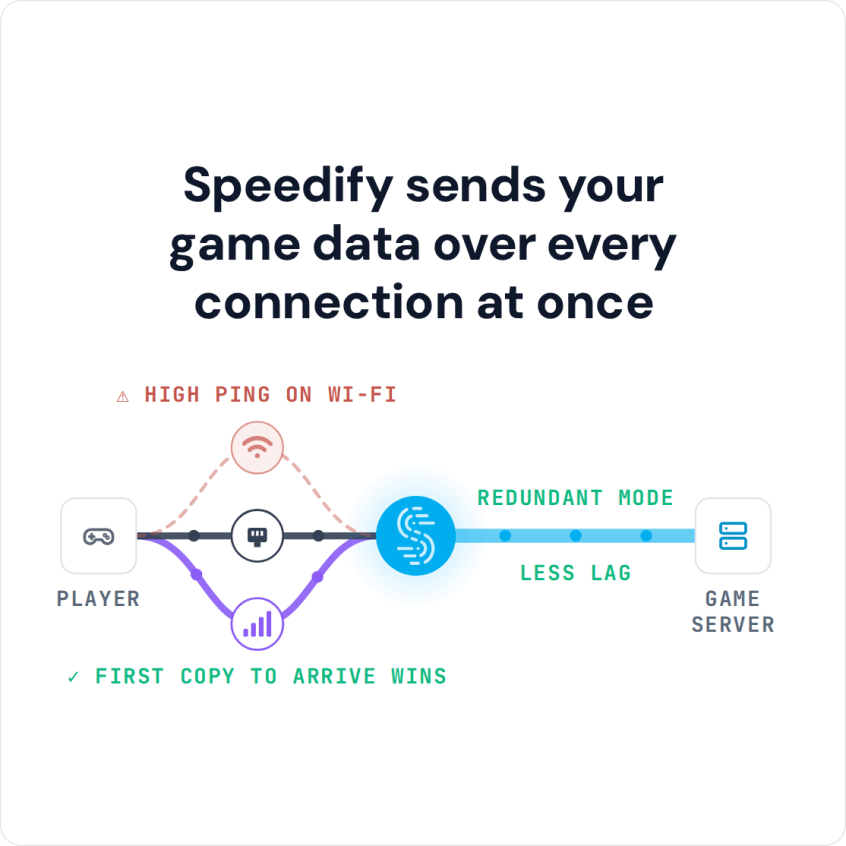
Speedify sends your game data over every connection at once
How do I use WiFi and 4G/5G cellular at the same time with Speedify?

Pick your two internet connections and your device below and we'll take you to the step-by-step setup guide.


How to Download Warzone Faster with Speedify in Five Steps
- Download Speedify on the Windows PC you play Warzone on.
- Open Speedify and create a free account or sign in. The free tier includes 5 GB per month, less than one Warzone update, so a full update needs a paid plan.
- Connect a second internet connection alongside your main one: tether your phone by USB for 4G/5G cellular, plug in Ethernet, or join a second Wi-Fi network with a USB Wi-Fi adapter.
- Check that Speedify shows both connections. If the phone shows as Secondary, set its priority to Primary so the download uses both connections fully.
- Start the Warzone update in Battle.net or Steam and let it run over both connections.
Why Warzone Updates Are 20+ GB and Take So Long to Download
Infinity Ward keeps Warzone fresh by adding new features, game mechanics and map changes every season, and that comes at a cost: updates are often 20 GB or more. Depending on your connection, an update can take hours or even days to download. When this post was first written, players outside the US also reported download speeds limited to about 1 Mbps on the day a new update came out.
Combine Two or More Internet Connections to Download Warzone Faster
Speedify combines internet connections and encrypts your traffic like a VPN. For a big download, the part that matters is that Speedify uses several different connections at once. If you have unlimited data on your phone, you can tether it to your computer over USB and combine your home internet with the phone’s 4G/5G cellular. Or, if your neighbors let you use their Wi-Fi, you can combine their Wi-Fi with your Ethernet connection. The download gets close to the combined speed of both. Speedify also lets you pick a server country, which can help if downloads are slow from your region.
With two connections of similar speed, a 20+ GB update can download in about half the time it takes on one connection.
Speedify also has failover protection: if one of your connections disconnects, your download does not stop. Speedify moves it to the other connection until the first one is back, then combines both again. The same failover keeps live streams running, and the extra upload speed can raise stream quality.
Speed and Security: Speedify Encrypts Your Traffic Like a VPN
Speedify also encrypts your connection, so your traffic is protected from snooping on public or shared Wi-Fi while you download.
With only one connection available, Speedify can still help by reducing internet packet loss.
You can download and try Speedify for free: the free tier includes 5 GB per month, enough to test it on your connections before a full Warzone update.
Speedify
Get started with Speedify today.
Speedify combines Wi-Fi, 4G/5G cellular, Ethernet, Starlink and satellite into one faster, more reliable internet connection. Free to try: 5 GB a month with a free account. No credit card required.
🚀 Speed
Faster uploads and downloads, because Speedify uses all your internet connections at once.
📶 Stability
If one internet connection drops, Speedify moves your traffic to the others in milliseconds.
🔒 Security
AES-256 encryption on every internet connection, on any network you join.



15M+ downloads worldwide. 75K+ five-star reviews on iOS and Android.