
Unblock Miniclip and Get Access to 8 Ball Pool, Soccer Stars, Agar.io, Football Strike and Many More! Get an Unbreakable VPN Connection by Combining Starlink, Wi-Fi, 4G, 5G and DSL with Speedify
To get Miniclip unblocked at school, college or work, you need to hide the game site from the network filter. Networks at schools, colleges and offices filter game sites to save bandwidth, and some countries filter them nationally, so you are not the only one staring at an 8 Ball Pool tab that will not load.
Speedify is an app that combines Wi-Fi, 4G/5G cellular, Ethernet, Starlink and satellite internet connections into one faster, more reliable connection, and encrypts your traffic like a VPN. Your traffic goes to a Speedify server outside the local network, so the filter has nothing to act on, and Miniclip games do not lag once they open. The guide below covers why Miniclip gets filtered and how to get 8 Ball Pool running with Speedify.
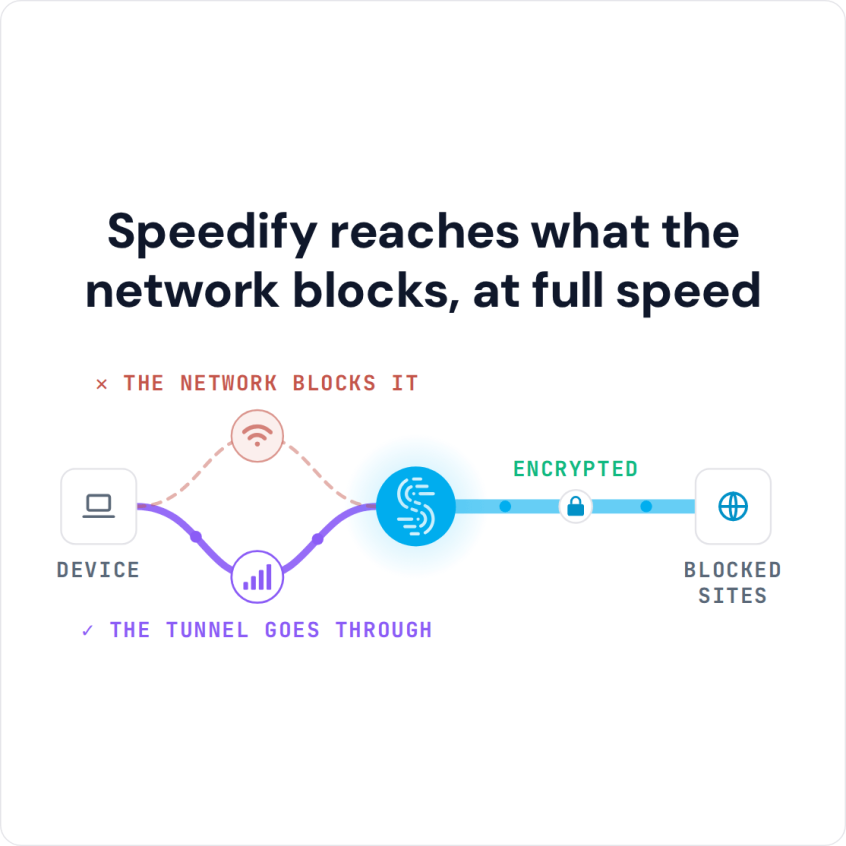
Speedify reaches what the network blocks, at full speed
Why Miniclip Will Not Load at School or Work
Apart from the rare case of Miniclip being down, the most common reason is a network restriction. This usually happens on school, college or office networks. Network administrators often restrict access to content they consider inappropriate or that uses heavy bandwidth, and online games fall into both groups.
But getting websites and services blocked can happen at a much higher level than just local networks. Some countries have strict policies when it comes to internet access.
So, what can you do to get Miniclip unblocked on your network?
How to Get Miniclip Unblocked at School or Work with Speedify
- Download Speedify on the computer or phone you use at school or work. Speedify runs on Windows, macOS, iOS, Android and Linux.
- Open Speedify and create a free account (the free tier includes 5 GB per month), or sign in.
- On a phone, tap Allow when your phone asks to add a VPN configuration.
- Speedify connects to a Speedify server automatically. The school or office network now sees only an encrypted connection to that server, not the apps and sites you open.
- Open Miniclip in your browser or the 8 Ball Pool app and play as usual.
Why a VPN Unblocks Miniclip and What It Does to Speed
Don’t waste your time looking for web proxies or ways to avoid Miniclip restrictions. The easiest way to get Miniclip unblocked is to use a VPN. The same works for other browser game sites, like getting Kongregate unblocked.
The problem with VPNs is that they slow down your Internet connection: you trade some internet speed for privacy. So pick a fast VPN service and test it on your own network before you buy a subscription; Speedify’s free tier (5 GB per month with a free account) lets you do that. Almost any VPN can get Miniclip unblocked, so speed is where VPNs differ.
This is where Speedify’s approach to combining internet connections helps: Speedify can combine multiple Internet connections at once, such as Wi-Fi and 4G/5G cellular, for more bandwidth than either gives alone. With just one internet connection, Speedify still adds encryption and moves your traffic to a server outside the school network.
Why Speedify Gets Miniclip Unblocked Without Slowing Games Down
Speedify is a VPN that combines internet connections, built with speed as a top priority. Speedify runs on Windows PCs, Macs, iPhones, iPads, Android devices and Linux computers. Once you install and run Speedify, you can get around restrictive school and work networks, and the extra internet connections make up for the speed a regular VPN costs.
By default, your laptop, phone or tablet uses only one internet connection at a time. A regular VPN forces all of the encrypted data through that one connection, whether it is Wi-Fi or 4G/5G cellular. Speedify lets your device use two or more connections simultaneously and monitors connection quality in the background, moving traffic away from a connection that slows down.
Beyond getting around school and work restrictions, Speedify gives you a steadier internet connection wherever you are and keeps securing your online privacy on networks you do not control, all while getting Miniclip unblocked.
Speedify
Get started with Speedify today.
Speedify combines Wi-Fi, 4G/5G cellular, Ethernet, Starlink and satellite into one faster, more reliable internet connection. Free to try: 5 GB a month with a free account. No credit card required.
🚀 Speed
Faster uploads and downloads, because Speedify uses all your internet connections at once.
📶 Stability
If one internet connection drops, Speedify moves your traffic to the others in milliseconds.
🔒 Security
AES-256 encryption on every internet connection, on any network you join.



15M+ downloads worldwide. 75K+ five-star reviews on iOS and Android.