
Unblock Twitch Anywhere: Use Speedify VPN to Combine Starlink, 4G / 5G Cellular, Wi-Fi and Others to Forget About Twitch Buffering
You can get Twitch unblocked at school, work or on any other type of restricted network while and also fixing the sometimes slow and buffering Twitch. Use Speedify – the only app that combines all of your Internet sources like Starlinks, 4G, 5G, DSL – with its VPN-grade encryption.
The reason why Twitch might be restricted include Internet censorship and/or technical issues. Speedify, as a VPN, can help with any type of restricted network, allowing you to browse and use online services such as social networks safely by protecting your privacy.
In this article you’ll learn how you can get Twitch unblocked anywhere with Speedify VPN.
Speedify does more than get Twitch unblocked. See Speedify for Twitch.
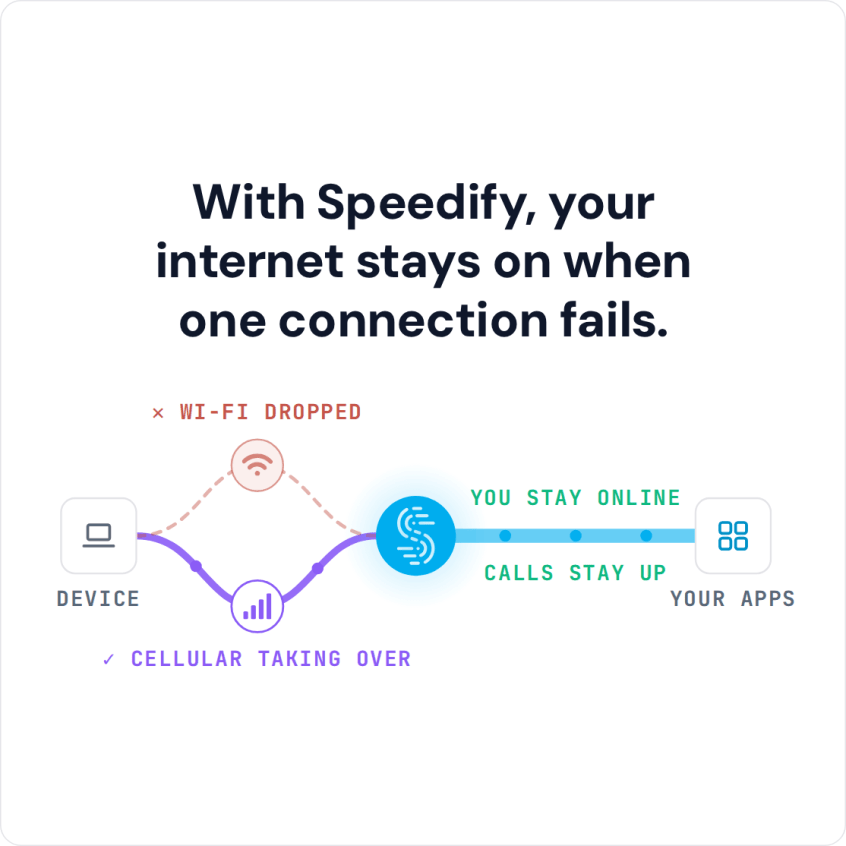
With Speedify, your internet stays on when one connection fails.
How to Get Twitch Unblocked
Schools and offices can’t shut off the Internet or make websites or services shut down. What they can do though is block certain URLs from being accessed on their networks – in this case, the Twitch app and website.
Speedify unblocks Twitch by masking your online activity to the network you’re using to connect to the Internet. The Speedify software app is the only VPN app that allows you to use all of your Internet connections at once on your device – computer, smartphone, tablet, router – while making your traffic anonymous to ISPs. You will get the fastest available speed for the Internet. Plus you’ll be able to use your school or office Wi-Fi to visit whatever websites you want without the network being able to block you. The network thinks you are simply visiting the URL that Speedify uses to connect you to the VPN.
Twitch Unblocked Anywhere: Just Get the Speedify App!
All you need to do is get the Speedify app from our website or the Apple Store or Google Play Store and run it on your computer or mobile device. Speedify will take care of the rest. It will make your Twitch traffic undetectable to the ISP or network administrators.
Speedify also runs in the background, monitoring the quality of your Internet connections. It uses automatic failover mechanisms to make sure you will always stay online. If one of your connections disconnects or becomes unreliable, your Twitch experience isn’t compromised. Speedify simply reroutes all the data through your other working Internet connection until the troubled connection is functional.
Fast, Stable and Unblocked Twitch Experience with Speedify
Speedify is the simple, secure, and speedy way to connect to the Internet. You never have to worry about getting Twitch unblocked at school again. It was designed to make sure users could have the security of a cutting-edge VPN connection, without having to sacrifice any speed. Your data is safe from prying eyes and you are protected from compromised Wi-Fi networks. You also have complete access to the Internet, including Twitch.
Speedify uses advanced encryption to keep your connection running securely and smoothly. You don’t have to put up with some administrator trying to block you from enjoying Twitch with your friends and family whenever and wherever you like.
Speedify is the safest and easiest way to get Twitch unblocked.
Speedify
Get started with Speedify today.
Combine Wi-Fi, 4G/5G cellular, Ethernet, Starlink, and more into one faster, steadier connection. Free to try — no credit card required.
🚀 Speed
Faster uploads and downloads by bonding all your connections at once.
📶 Stability
Automatic failover in under a second when any connection drops.
🔒 Security
AES-256 encryption on every connection, on every network you join.



15M+ downloads worldwide. 75K+ five-star reviews on iOS and Android.