
How to Test if Your ISP is Throttling Your Internet Speed
Video that streamed fine last month now buffers every evening, always after eight, always on the same connection. Speed tests look normal. That pattern is what throttling looks like from the inside. ISP throttling is your internet provider deliberately slowing your connection, either for specific services such as video streaming or after you use a set amount of data, and an ISP throttling test compares your normal speed with the speed you get on those services.
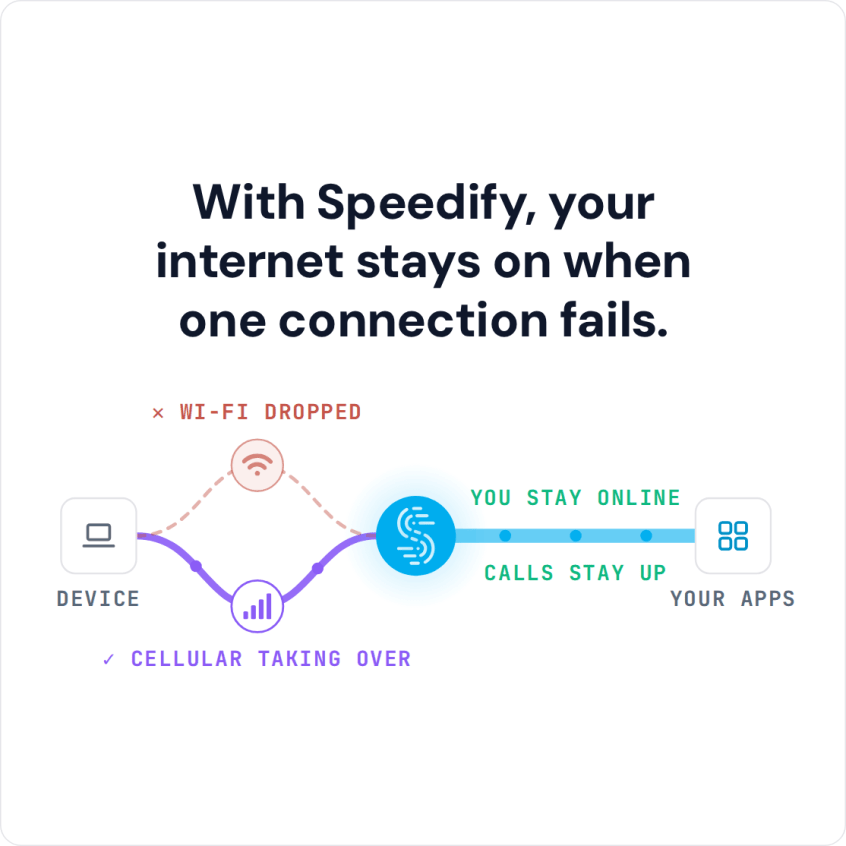
Speedify is an app for your computer, phone or tablet that uses more than one internet connection at the same time and encrypts what travels over them, so your provider cannot single out one kind of traffic to slow down. The encryption works on a single connection; the extra speed and failover need two or more internet connections, and on one connection Speedify cannot stop that connection from dropping. Keep reading to see how to test whether you are actually being throttled, how to tell throttling apart from simply not having enough bandwidth, and what to do about it.
Before Testing for ISP Throttling: Check You Get the Bandwidth You Pay For
The first step is to check your contract with your ISP (if you no longer have it, ask the ISP for a copy). The contract should list the minimum guaranteed speeds and any monthly data limits.
Then, run a speed test online and see if you’re getting speeds close to the one in the contract. In this context, run the test using a computer connected through an Ethernet cable to your router. If you run the test via Wi-Fi, the performance of the router and the distance from it will alter the results.
If you are getting speeds close to what’s in the contract, you may proceed to testing for ISP throttling (see below).
If the speed you’re getting is much lower than in the contract, then you should definitely contact your ISP about this: most surely there are issues related to the physical connection to your home, performance of the router (it may need to be changed) or you may have gone over your maximum allotted traffic that specific month.
Free Tools to Test if Your ISP Is Throttling Your Internet Connection
Assuming that you are getting the speeds you’re paying for (see above paragraph), these free tools show whether your ISP is slowing down specific services:
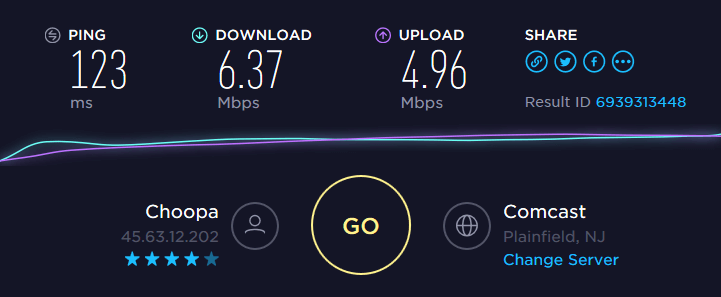
- For control purposes, run a speed test such as Speedtest by Ookla (speedtest.net) on the device you watch on. If you’re watching Netflix on your laptop, run it on the laptop. This gives you an idea of the real bandwidth your ISP provides for general use.
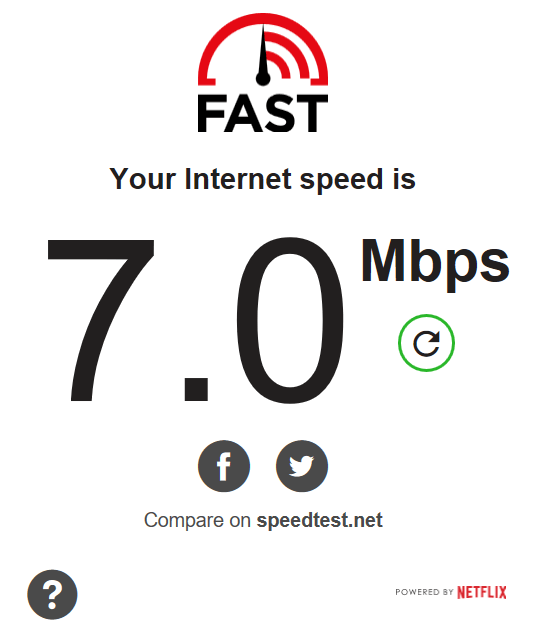
- If Netflix loads slowly or buffers, run the Netflix FAST speed test (fast.com), which measures your speed against Netflix’s own servers, or the M-Lab speed test (speed.measurementlab.net). Run each once with your VPN off and once with it on. If speeds are much lower than the control test with the VPN off and much higher with it on, your ISP may be slowing that traffic. Treat that as a hint, not proof: a VPN also changes the route and the server.
- For YouTube, Spotify and other apps, run Wehe, a free app for iOS and Android from Northeastern University (wehe.meddle.mobi), built to detect throttling of specific apps. Wehe plays traffic recorded from those apps, then the same traffic with the content scrambled, and tells you whether your ISP treats the app’s traffic differently.
Naturally, if there’s no evidence of ISP throttling after running the tests above, you may just need to upgrade to an Internet plan that delivers more bandwidth to you. You should contact your ISP for that.
How to Stop ISP Throttling Using Speedify
Most cases of ISP throttling are specifically tied to certain websites / services. Your ISP analyzes your traffic and, depending on the services you’re accessing, it may have a policy to intentionally slow down that traffic.
If your ISP cannot inspect your traffic, it cannot throttle your internet speed for certain services. A VPN is the simplest fix for throttling aimed at specific services, because it encrypts all internet traffic on your device, so ISPs cannot tell one service from another.
Throttling After a Data Cap: What a VPN Cannot Change
Some plans slow the whole connection after you use a set amount of data in a month. That kind of throttling applies to all your traffic, so encryption does not change it: the provider still counts every gigabyte. Check your plan or bill for the cap and the date it resets. Speedify helps there only by adding a second internet connection, such as your phone’s 4G/5G cellular, to carry part of the traffic.
How Speedify Gets Past Service Throttling
Speedify is an app for your computer and phone that encrypts your online data like a VPN and combines internet connections for faster, more reliable internet, with internet failover protection. Combining connections goes further than load balancing: Speedify splits traffic per packet across all of them.
If your ISP is throttling specific services, it’s time to get started with Speedify. Your traffic is encrypted, so those services get the bandwidth you pay for, and with a second internet connection your internet is also more reliable.
Speedify
Get started with Speedify today.
Speedify combines Wi-Fi, 4G/5G cellular, Ethernet, Starlink and satellite into one faster, more reliable internet connection. Free to try: 5 GB a month with a free account. No credit card required.
🚀 Speed
Faster uploads and downloads, because Speedify uses all your internet connections at once.
📶 Stability
If one internet connection drops, Speedify moves your traffic to the others in milliseconds.
🔒 Security
AES-256 encryption on every internet connection, on any network you join.



15M+ downloads worldwide. 75K+ five-star reviews on iOS and Android.