

Why Two Starlink Dishes Overlap, and How to Aim Them Apart
To aim two Starlink dishes, point them at different parts of the sky. If both face the same direction, they see the same trees, roofs and poles, so you pay for two Starlink dishes but get close to the coverage of one.
Speedify, an app that uses all of your internet connections at the same time, including two Starlink dishes, has a Dish Orientation card in its Starlink Control Center (the screen in Speedify that shows your Starlink dishes) that shows the compass direction and tilt of each Starlink dish. The card makes an overlap easy to spot, so you know which Starlink dish to turn. Below: how to read the card and how to aim your Starlink dishes apart.
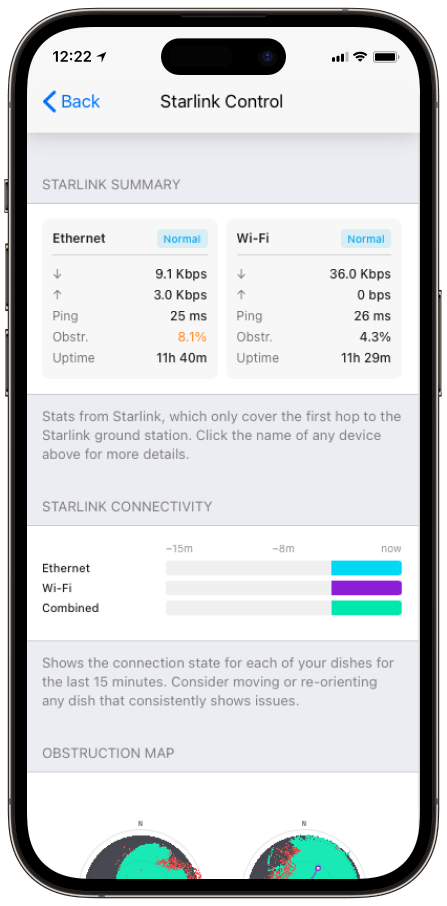
Monitor your Starlink dish performance inside Speedify.
Starlink Internet Connection Dropouts Happen to Everyone
Speedify measures thousands of Starlink users in more than 150 countries. From 29 September to 12 October 2026, fixed Starlink dishes went offline for about 37 minutes a day on average, and Starlink dishes on RVs and boats for about 61 minutes a day.
Starlink also switches each dish to a new satellite every 15 seconds, and a switch can cause a short dropout. Even a perfectly installed Starlink dish goes offline, and about 7 in 10 Starlink users on Speedify use Starlink together with a second internet connection, like 4G/5G cellular.
What the Dish Orientation Card in Speedify Shows for Each Starlink Dish
- Azimuth (az). The compass direction the Starlink dish faces: 0 is north, 90 is east, 180 is south and 270 is west.
- Tilt. How far the Starlink dish leans back from flat.
- Obstruction. How much of each Starlink dish’s view of the sky is blocked right now, shown next to its direction.
Two Starlink dishes with nearly the same azimuth number are the sign of an overlap. Turn one of them to face a different direction.
How to Aim Two Starlink Dishes at Different Parts of the Sky
Starlink asks for a clear view of the sky all the way around each Starlink dish, from about 20 degrees above the horizon upward, and says you can use more than one Starlink dish where one can’t get a clear view on its own.
The Dish Orientation card turns that into a target you can check. Move the two azimuth numbers apart, so each Starlink dish covers a different part of the sky, and check that the obstruction number of the Starlink dish you turned goes down. Select a Starlink dish on the card to open the Alignment Wizard, Speedify’s step-by-step tool for aiming a Starlink dish, then turn the Starlink dish until its direction matches the target Speedify gives it.
Why Aiming Two Starlink Dishes Apart Gives You Faster, Steadier Internet with Speedify
Starlink dishes that face different parts of the sky are blocked by different trees, roofs and poles, so an obstruction on one is less likely to hit the other at the same moment. Aiming apart does not help with satellite switches: every Starlink dish switches satellites on the same 15-second schedule, so both drop together for a moment. A 4G/5G cellular connection covers those short dropouts.
Speedify sends your traffic over both Starlink dishes at the same time, so you get the speed of both. If one drops, Speedify switches your traffic to the other automatically. The more independent the two Starlink internet connections are, the more you gain from using them together. See how Speedify combines internet connections.
Who Gets the Most from the Dish Orientation Card
- Boat crews and broadcast teams. People running two or more Starlink dishes on a boat or a truck can check that each one covers its own part of the sky.
- RV owners and remote sites. The compass view shows right away when a quick re-park has left both Starlink dishes facing the same trees.
- Anyone adding a second Starlink dish. The card shows whether the new Starlink dish really adds coverage or just repeats the first.
Aim Your Starlink Dishes Apart, Then Use Both Together with Speedify
The Dish Orientation card shows where each Starlink dish points and when two of them overlap. Speedify then uses your Starlink dishes together as one internet connection, and the farther apart they’re aimed, the more each one adds. With a single Starlink dish, the card still shows where it points, but Speedify needs a second internet connection to make downloads and uploads faster or keep you online through dropouts. For the bigger picture, see when running multiple Starlink dishes makes sense.
Speedify
Get started with Speedify today.
Speedify combines Wi-Fi, 4G/5G cellular, Ethernet, Starlink and satellite into one faster, more reliable internet connection. Free to try: 5 GB a month with a free account. No credit card required.
🚀 Speed
Faster uploads and downloads, because Speedify uses all your internet connections at once.
📶 Stability
If one internet connection drops, Speedify moves your traffic to the others in milliseconds.
🔒 Security
AES-256 encryption on every internet connection, on any network you join.



15M+ downloads worldwide. 75K+ five-star reviews on iOS and Android.