
Why Packet Loss Occurs and What to Do About it
What is Packet Loss?
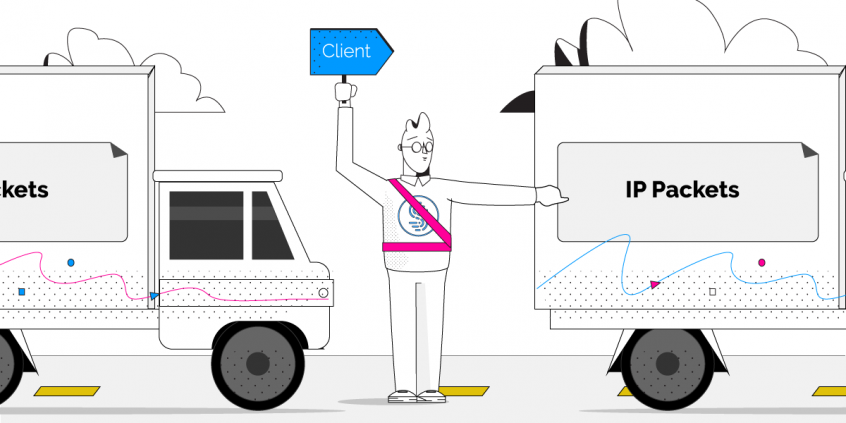
Packets are small formatted units of data that you send and receive when accessing the Internet. In layman’s terms, Internet packet loss occurs when one or more of these packets fail to reach their destination on the Internet. For you, this means slow downs, disruptions, or even a total loss of connectivity.
Many activities and applications are do not handle packet loss well, notably real time audio or video, and gaming.
If you are on a Skype or VOIP phone call over a lossy connection, there isn’t enough time to resend the packets since your conversation is in real time. As packet loss increases, you’ll start to hear distortion, audio drop outs, or lose the call entirely. When video conferencing, packet loss results in blocky video and garbled or muted audio. Packet loss can have devastating effects on online video gaming, often leading to terrible lag and high latency making games virtually unplayable.
Use Speedify to increase your upload and download speeds: combine internet connection sources like Wi-Fi, 4G, 5G, Starlink and wired broadband

Combine Wi-Fi, 4G, 5G, Starlink and wired broadband to fix slow upload and download speeds
Speedify is the only app that seamlessly combines all of your connections, including Wi-Fi, 4G, 5G, Ethernet, and Starlink, into one stronger connection to keep you online and secure.
In most cases, Speedify will automatically detect and start using any available Internet connections on your device while intelligently distributing your online traffic between them for optimal performance. If you need help we have quick start guides available for most common set ups.

Combine personal hotspots for better upload and download speeds
Speedify's Pair & Share feature enables you to connect to multiple hotspots at the same time and wirelessly share LTE, 4G, and 5G cellular connections back and forth between multiple Speedify users on the same local network to create a faster, more reliable connection for everyone.
For the first time, it's possible to share cellular data between multiple devices, including PCs, Macs, iPhones and Androids. Use multiple phones as hotspots for internet access and get increased bandwidth and mobile failover for all paired devices.
Common Causes of Packet Loss
Network Congestion
Faulty or Outdated Networking Hardware
It’s possible that with age your router, firewall, or any network switches simply can’t keep up with the demand you’re placing on it. This is especially true the faster your Internet connection becomes.
The end result is that any traffic that exceeds the capacity of the device will result in packet loss as you’ve hit the maximum throughput your hardware can provide.
Software Bugs
Developers work hard to ensure their code is well-tested, but nonetheless software bugs persist often leading to unintended and unexpected behaviors. Sometimes rebooting your devices, or updating firmware and networking drivers is all it takes to resolve issues with packet loss.
Speedify fixes Packet Loss
Regardless of the root cause, Speedify instantly detects packet loss on all available Internet connections, and will resend lost packets almost instantaneously. That way, Speedify prevents slowdowns before they occur. For you, this means solid redundancy in the face of slow or unreliable connections.

Get started today!
With Speedify you can combine multiple internet sources into one bonded super-connection to improve livestreaming, video calling, gaming, web browsing, and everything else you do online.
Speed
Stability
Security
We love talking about technology!
Alex and the Speedify team are always exploring the latest in networking and security technology—like 5G, 6G, WiFi 7, laser and satellite internet—and sharing it in new discussion content across YouTube, TikTok, Instagram, and LinkedIn every week.
Got a tech question? Let's go deeper! Pop into Speedify Office Hours live every Wednesday at 10 AM Eastern. Speedify CEO Alex Gizis and our network engineers are standing by to break down your questions about networks, tech updates, and Speedify features.
