
Why Packet Loss Occurs and What to Do About it
Calls that freeze, video that turns blocky and games that jump are usually packet loss – data you sent or expected that never arrives. It happens when a network carries more traffic than it can handle, when aging routers or damaged cables mangle data on the way through, or when a bug in networking software throws data away. Speedify is an app that sends your internet traffic over Wi-Fi, wired Ethernet and 4G/5G cellular data at the same time, so data that fails on one internet connection still arrives on another. Every cause below is explained in plain words, along with what using Speedify does to stop packet loss.
Speedify keeps your devices online when Wi-Fi drops.
What is Packet Loss?
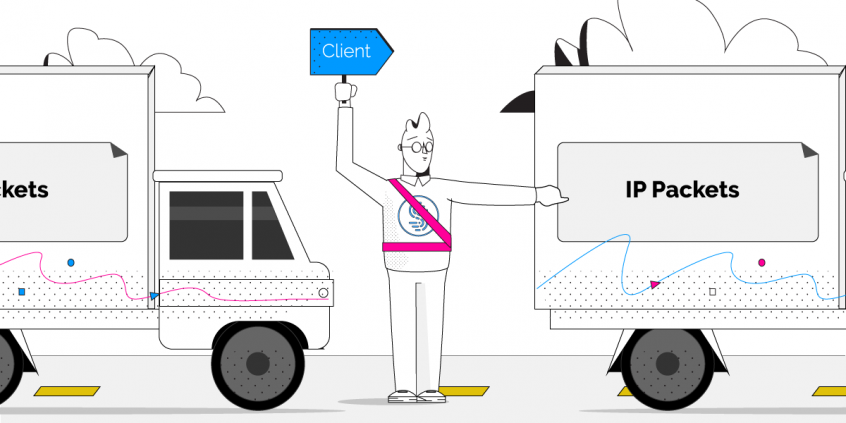
Packets are small formatted units of data that you send and receive when accessing the Internet. In layman’s terms, Internet packet loss occurs when one or more of these packets fail to reach their destination on the Internet. For you, this means slow downs, disruptions, or even a total loss of connectivity.
Many activities and applications are do not handle packet loss well, notably real time audio or video, and gaming.
If you are on a Skype or VOIP phone call over a lossy connection, there isn’t enough time to resend the packets since your conversation is in real time. As packet loss increases, you’ll start to hear distortion, audio drop outs, or lose the call entirely. When video conferencing, packet loss results in blocky video and garbled or muted audio. Packet loss can have devastating effects on online video gaming, often leading to terrible lag and high latency making games virtually unplayable.
Common Causes of Packet Loss
Network Congestion
When you send or receive information across the internet, your data travels through multiple computers and connections on the way to you or to its final destination. If any of these connections along the way are at maximum capacity when your packets arrive, then they must wait their turn before being passed on to the next step. But, if one of these computers or connections falls very far behind, it won’t have enough room in its memory to hold onto your packets and will ignore or discard them so it can catch up. This level of network congestion is the most common cause of packet loss.
Faulty or Outdated Networking Hardware
It’s possible that with age your router, firewall, or any network switches simply can’t keep up with the demand you’re placing on it. This is especially true the faster your Internet connection becomes.
The end result is that any traffic that exceeds the capacity of the device will result in packet loss as you’ve hit the maximum throughput your hardware can provide.
Software Bugs
Developers work hard to ensure their code is well-tested, but nonetheless software bugs persist often leading to unintended and unexpected behaviors. Sometimes rebooting your devices, or updating firmware and networking drivers is all it takes to resolve issues with packet loss.
Speedify fixes Packet Loss
Regardless of the root cause, Speedify instantly detects packet loss on all available Internet connections, and will resend lost packets almost instantaneously. That way, Speedify prevents slowdowns before they occur. For you, this means solid redundancy in the face of slow or unreliable connections.
Learn more about how to fix packet loss with Speedify
Speedify
Get started with Speedify today.
Combine Wi-Fi, 4G/5G cellular, Ethernet, Starlink, and more into one faster, steadier connection. Free to try — no credit card required.
🚀 Speed
Faster uploads and downloads by bonding all your connections at once.
📶 Stability
Automatic failover in under a second when any connection drops.
🔒 Security
AES-256 encryption on every connection, on every network you join.



15M+ downloads worldwide. 75K+ five-star reviews on iOS and Android.