

Speedify engineers discuss what separates a Real-Time Operating System (RTOS) like QNX from general-purpose operating systems like Linux, Windows, and macOS. QNX powers automotive dashboards, medical devices, and industrial control systems where microsecond timing failures aren’t an option. Alex and Brian from Speedify break down: Microkernel vs monolithic kernel architecture: why QNX isolates failures that would crash Linux or Windows … Read More
Watch Now: Why SRT Gives You Better Stream Quality Than Twitch
RTMP’s guaranteed transport can actually destroy a real-time stream. In this video, we break down why the professional broadcasting world (including ESPN and CNN) is moving away from Adobe’s RTMP protocol in favor of the modern, open-source SRT (Secure Reliable Transport). Alex and Brian from Speedify explore the fundamental technical differences of TCP vs. UDP and how SRT’s built-in jitter … Read More
Watch Now: Is OpenWRT Actually the Best Router OS?

Choosing between OpenWRT and Yocto router operating systems for your networking project isn’t always obvious. In this video, we show off OpenWRT-capable GL.iNET travel routers and break down the performance, hardware compatibility, and which router OS you should actually be using in 2026.
Watch Now: The End of Free Code?

Is open source software actually dying, or is it just being reshaped by Claude and AI development? Speedify engineers discuss AI vs open source and how LLMs like Claude are changing the landscape for developers and maintainers. From AI-generated pull requests to “borrowing” code without credit, the challenges for open-source projects are mounting. We also look at how Amazon AWS … Read More
Watch Now: Is GEO Satellite Internet Doomed? (SpaceX is now worth $2.1T)
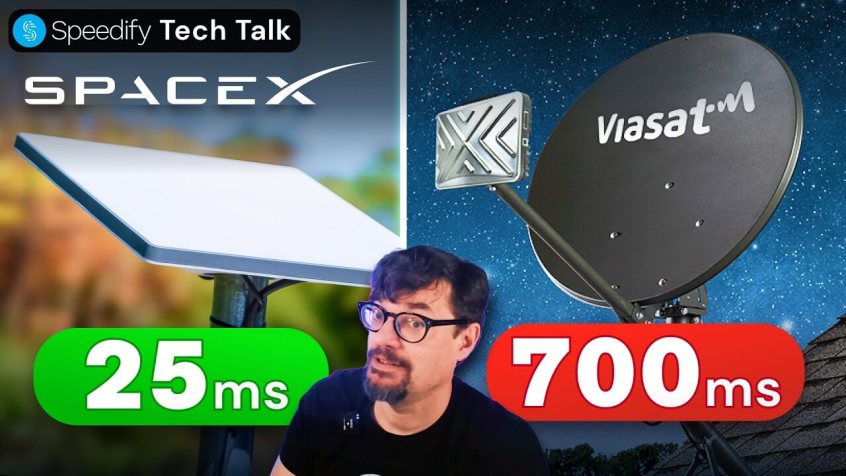
With the SpaceX IPO heating up to a $2.1 trillion valuation, investors are looking closely at Starlink. But what makes Starlink stand out vs GEO satellites? Understanding the technical moat of LEO vs. GEO is vital for any SpaceX investor. In this tech talk, we look at the physics of LEO vs. GEO orbits, why latency is an unavoidable physical … Read More
Watch Now: SpaceX Starlink Hit 10 Million Users. Why Is Revenue Down 18%?

With SpaceX IPO coming soon, Starlink crossed 10 million subscribers and $12 billion in revenue. So why is Starlink average revenue per user is down 18%? Alex and Speedify engineers discuss why: Starlink makes 3,000 times more from an airline than a home user, many Starlink enterprise and Starlink roam users are getting multiple Starlink dishes, emerging markets are essentially … Read More