

- This event has passed.
Speedify LIVE Office Hours: Q&A with the Developers
July 20, 2022 @ 2:00 pm - 3:00 pm EDT

On the 106th episode of Speedify LIVE we hold our weekly Office Hours with Speedify’s lead developer to take a look at what the team has been working on.
We take viewer questions, talk about recent streams, and demonstrate how remote monitoring your Speedify connection would work if we implemented it for our users as well.
Here are our 5 takeaways from our Office Hours:
- Speedify 12.3 is out now! As per usual, we included a lot of under-the-hood fixes and improvements, but the biggest, and probably most noticeable thing is that we have dropped support for Windows 7, 8.1 and 32bit Windows, as well as some older iOS versions. These devices will still be able to use Speedify 12.2 for a couple years, though.
- With the Remote Graph our team has created you would be able to monitor Speedify remotely, in real time! Currently only available for our team, we have configured Speedify to periodically send back stats to a server we have, where we could process that data and make it into graphs that we’d be able to watch remotely as we livestream in a different location.
- We are sticking to our Privacy Policy so the Remote Graphs would still only look at your connections, and none of what you’re doing! Speedify doesn’t log what sites you visit or what apps you use, we only look at your connections and their performance: their speed, latency, loss, what protocol you’re using, etc.
- We have two similar, but very different products: Speedify and Edgewise. While Speedify exposes all the different settings that you can change, Edgewise uses the same technology slimmed down, and is locked into a specific set of settings that can give you a much simpler experience, with more focus on edge of Wi-Fi situations.
- The Speedify team is working in improving the automatic priority selection! We’re working on doing further, better detection of what your connection is like, looking at the public IP addresses and what type of connection we think you’re using. This will help optimize your Speedify experience even more!
If it doesn’t directly lower your latency, it helps you avoid the situations where your latency gets terrible in the middle of a game. So it prevents you from hitting those terrible situations where the whole thing freezes up.
Join us for live Q&A, tech support, and Speedify update news from our developers.
Up Next on Speedify LIVE
[tribe_events view="list" events_per_page="1" tribe-bar="false"]
ABOUT THE SHOW
Speedify LIVE is a weekly talk show and web series hosted by Speedify CEO Alex Gizis featuring a rotating panel of special guests. The show focuses on the industry of live streaming as well as the software and technologies that power it and frequently covers topics related to internet connectivity. Tune in on Twitch, YouTube Live, or Facebook Live.
Speedify
Get started with Speedify today.
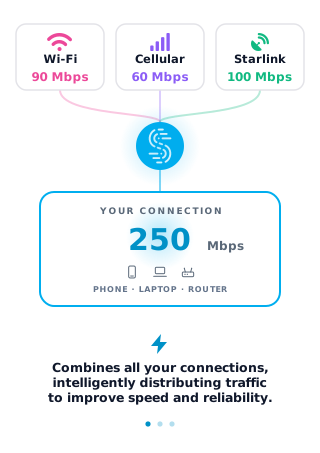
Speedify combines Wi-Fi, 4G/5G cellular, Ethernet, Starlink and satellite into one faster, more reliable internet connection. Free to try: 5 GB a month with a free account. No credit card required.
🚀 Speed
Faster uploads and downloads, because Speedify uses all your internet connections at once.
📶 Stability
If one internet connection drops, Speedify moves your traffic to the others in milliseconds.
🔒 Security
AES-256 encryption on every internet connection, on any network you join.


15M+ downloads worldwide. 75K+ five-star reviews on iOS and Android.