

- This event has passed.
Speedify LIVE: Livestream to 30+ Networks at Once with Restream
October 14, 2021 @ 5:00 pm - 6:00 pm EDT
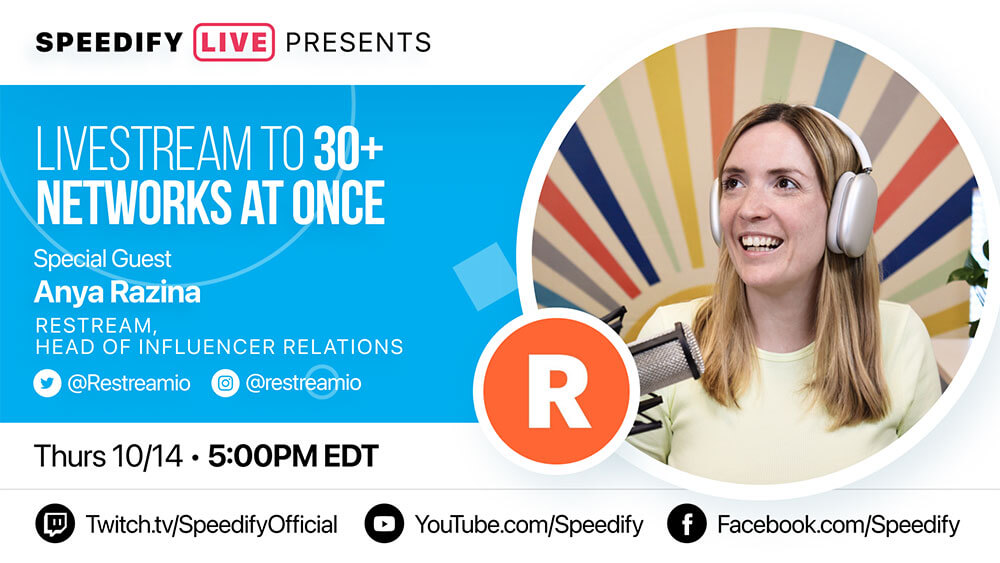
Restream is one of the big players in the live streaming landscape, having more than 8 million broadcasts delivered monthly as of 2021. It allows you to build your live videos from your browser, which makes it very easy and accessible on every platform out there.
In this episode of Speedify Live, Anya Razina shared what Restream can offer in terms of functionalities and their future development plans for improving live streamers' experience. Also find out how to improve your live broadcasts in terms of promotion, content and interaction with your audience. Plus some great monetization tips.
Here are our 5 takeaways from our interview with Anya:
- With Restream, you don’t have to download anything to your device! Just register an account, and go live immediately through your browser, and multi-stream to all your platforms – making it one of, if not the most easy-to-use streaming tools on the market.
- Restream Pairs allows you to stream directly to your guest’s channel, without having to share any login credentials to their different accounts! Guests only need to provide you with temporary permission to their channels, shared securely of course.
- We’re told that Restream has some hidden features: you can have a co-producer in the background if you both log in with the same login credentials, so one of you can act as a producer switching cameras, pulling comments, etc; and you can use Restream as an alternative to Zoom by inviting guests on a call, but not going live.
- Thankfully, Anya herself has not had many Streamergencies, but once her guest experienced the worst possible: a power outage. Panicking about the situation, Anya pulled in one of her team members as a backup guest until her scheduled one regained power and could join the stream. The lesson she learned: always have a backup plan!
- Anya provides us with the three key steps in keeping people engaged: 1. Pre-promote your show in any way you can – send emails, post on socials, etc.; 2. During the stream, focus on your audience – prioritize their questions over what you prepared; 3. Once the stream is over, your work is not – after the stream, check and interact with the comments, create clips, etc.
What's coming next to Restream? It's up to the community, it's based on the feedback we get from you what we put on the roadmap. We have a biweekly live show with demos and Q&As from our community.
Join us for Live Discussion and Q&A with Anya Razina from Restream, the professional multi-streaming app that lets you livestream to 30+ networks at once. We’ll be using Restream with Speedify to host this broadcast!
Up Next on Speedify LIVE
[tribe_events view="list" events_per_page="1" tribe-bar="false"]
ABOUT THE SHOW
Speedify LIVE is a weekly talk show and web series hosted by Speedify CEO Alex Gizis featuring a rotating panel of special guests. The show focuses on the industry of live streaming as well as the software and technologies that power it and frequently covers topics related to internet connectivity. Tune in on Twitch, YouTube Live, or Facebook Live.
Speedify
Get started with Speedify today.
Speedify combines Wi-Fi, 4G/5G cellular, Ethernet, Starlink and satellite into one faster, more reliable internet connection. Free to try: 5 GB a month with a free account. No credit card required.
🚀 Speed
Faster uploads and downloads, because Speedify uses all your internet connections at once.
📶 Stability
If one internet connection drops, Speedify moves your traffic to the others in milliseconds.
🔒 Security
AES-256 encryption on every internet connection, on any network you join.



15M+ downloads worldwide. 75K+ five-star reviews on iOS and Android.