
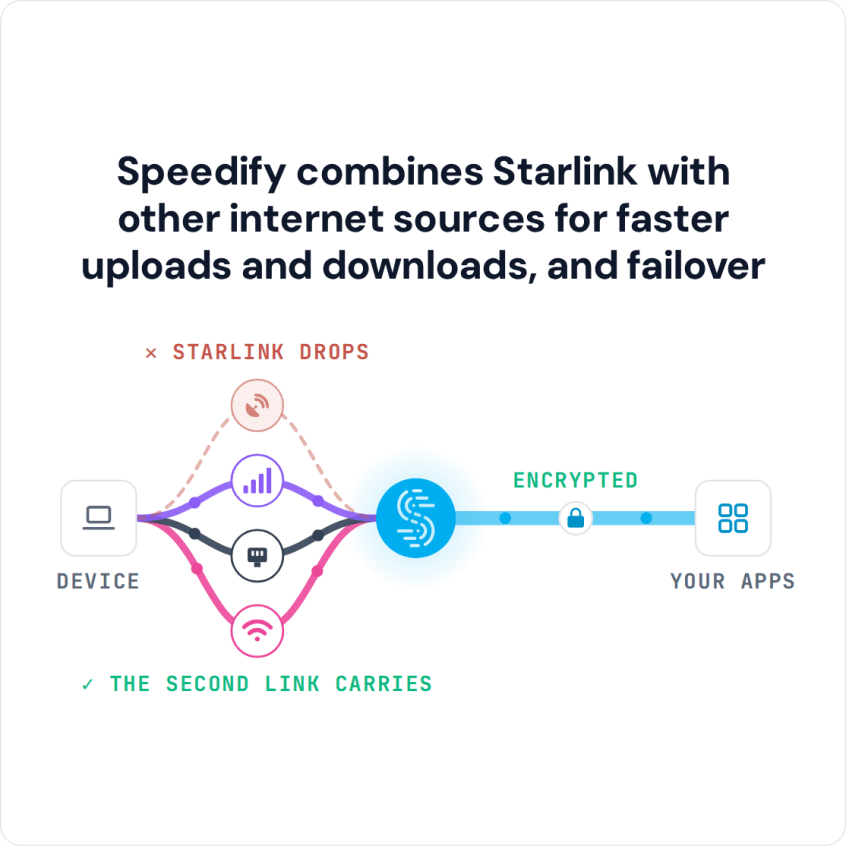
Speedify Uses a Tethered iPhone as Backup for Starlink on Windows to Keep You Online Yes, a Windows PC can use Starlink and a tethered iPhone at the same time. Plug your iPhone into your Windows PC with a USB cable, turn on Personal Hotspot, and Speedify uses your iPhone’s 4G/5G cellular together with your Starlink internet connection. If Starlink … Read More
Wi-Fi Keeps Disconnecting on a Windows PC: Stay Online with Speedify
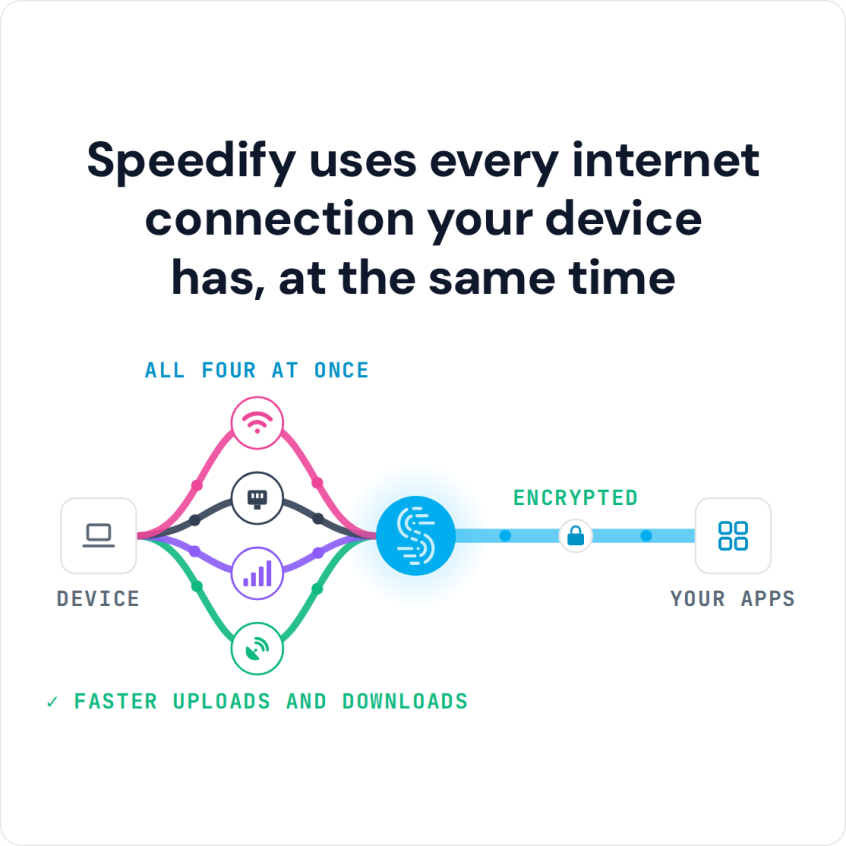
Speedify Stops Wi-Fi from Dropping Out on a Windows PC by Combining Wi-Fi and 4G/5G Cellular at Once Wi-Fi dropping out on your Windows PC? Keep it online by running Wi-Fi and a second connection at the same time. Speedify is an app that combines two or more internet connections at once, such as Wi-Fi and a phone’s 4G/5G cellular, … Read More
How to Make Wi-Fi Faster on a PC: 11 Windows Fixes and Speedify
Speedify Helps Windows PC Wi-Fi Work Faster by Combining Wi-Fi and 4G/5G Cellular at Once Want faster Wi-Fi on your Windows PC? Run Wi-Fi and a second internet connection at the same time. If the whole connection is slow on Windows 11, see why Windows 11 internet gets slow. Speedify is an app that combines two or more internet connections … Read More
How to Set Up Starlink on Windows PC with Speedify for Faster Internet Upload and Download Speeds

Speedify Helps You Get Faster Upload and Download Speeds from Starlink on a Windows PC There’s no Starlink app for Windows PC: Starlink makes its app for phones and tablets only. To use Starlink on a Windows PC, connect the PC to the Starlink router’s Wi-Fi, or plug it in with an Ethernet cable. To add a second Wi-Fi network … Read More
Can I Use 2 Personal Hotspots at Once on Windows? Yes, with Speedify, for Faster Upload and Download Speeds
Speedify Lets You Use 2 Personal Hotspots on a Windows PC for Faster Uploads and Downloads Want faster upload and download speeds from two phones at once on your Windows PC? Run both personal hotspots at the same time. If you have Wi-Fi and only one phone, see using Wi-Fi and 5G together on Windows. Speedify is an app that … Read More
Two Starlink Dishes on One Windows PC: How Speedify Uses Both Dishes at Once

Speedify Lets You Use 2 Starlink Internet Connections on a Windows PC for Faster Uploads and Downloads Yes, you can connect two Starlink dishes to one Windows PC and use both at the same time, but only with an app like Speedify. Windows on its own uses one internet connection at a time, so the second Starlink dish mostly sits … Read More