
You Can Combine Multiple Internet Connections Together – Like Starlink, Wi-Fi, 4G, 5G, and DSL – with Speedify, to Fix Zoom Conference Issues Restarted Zoom, rebooted your router and still no audio or video? At that point the app is rarely the culprit: the internet connection your computer depends on is dropping data for a second here and there, enough … Read More
Zoom Call Keeps Dropping: Check for a Zoom Outage, Then Add Cellular Failover with Speedify
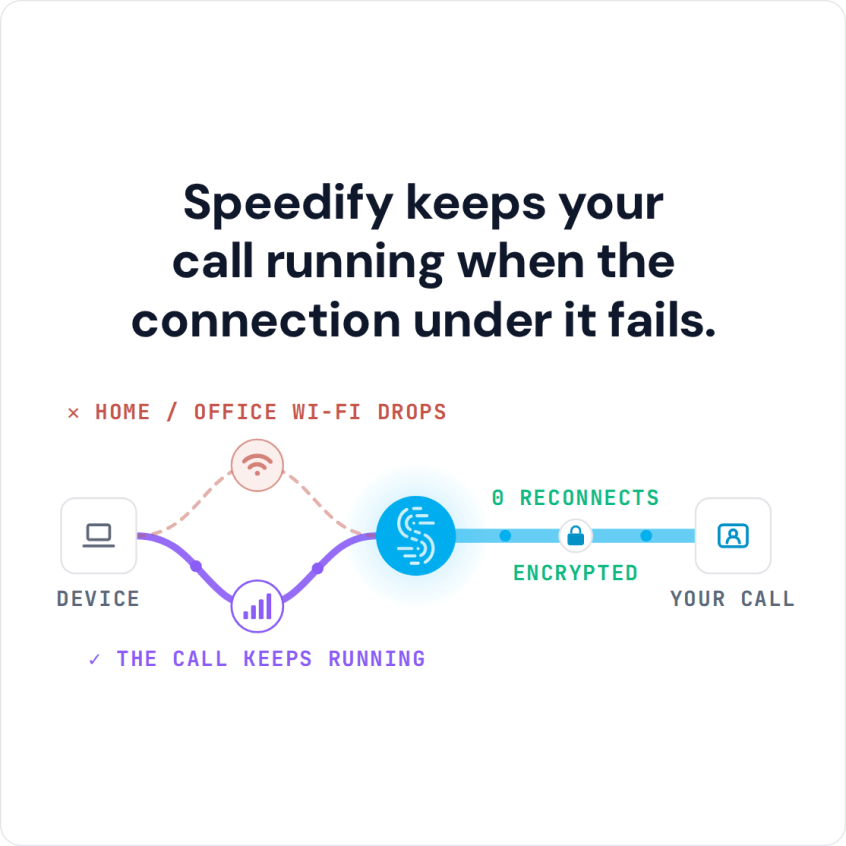
Is There a Problem with Zoom Today? Fix It: You Can Combine Multiple Internet Connections Together – Like Starlink, Wi-Fi, 4G, 5G, and DSL – with Speedify A Zoom meeting that dies halfway through is often blamed on Zoom, but the usual culprit is closer to home: a laptop quietly switching between Wi-Fi and a phone hotspot, or a home … Read More
Zoom Keeps Disconnecting: Why Zoom Meetings Drop and How Speedify Keeps Calls Running
You Can Combine Multiple Internet Connections Together – Like Starlink, Wi-Fi, 4G, 5G, and DSL – with Speedify, to Fix Zoom Meeting Disconnecting on Android On an Android phone, Zoom drops out most often when the phone moves the call from Wi-Fi to 4G/5G cellular, or from one cell tower to the next, and the meeting cannot survive the gap. … Read More
Zoom Connection Issues While Working Remotely: Speedify Keeps Calls from Freezing or Dropping

Zoom Remote Working? Solve Connectivity Issues for No Dropouts or Buffering Zoom connection issues while working remotely, such as frozen video, choppy audio and dropped calls, usually come from one internet connection that stutters or drops. Speedify is an app that combines Wi-Fi, 4G/5G cellular, Ethernet, Starlink and satellite internet connections into one faster, more reliable connection, and encrypts your … Read More
Video Not Working on Zoom: How Speedify Keeps Zoom Meeting Audio and Video Going
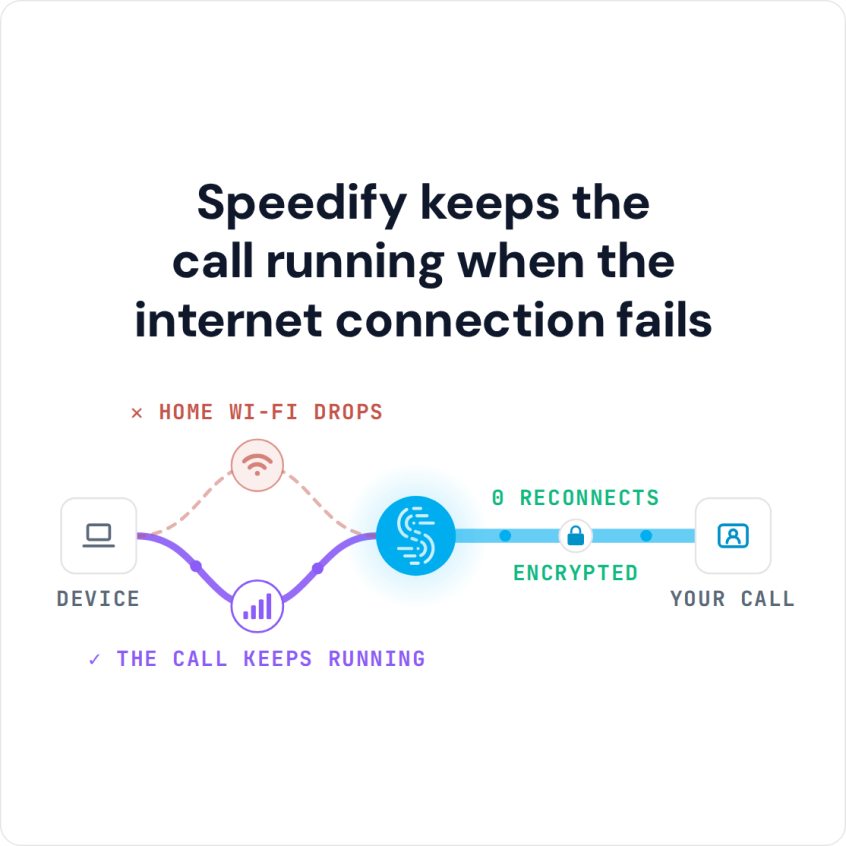
You Can Join Multiple Internet Connections Together – Like Starlink, Wi-Fi, 4G, 5G, and DSL – with Speedify, to Fix Zoom Meeting Issues You join a Zoom meeting and nobody can hear you, or your camera never comes through, and after the third restart the internet connection is the only suspect left. A single office or home connection loses packets … Read More
How to Fix Zoom Audio and Video Problems with Speedify
You Can Combine Multiple Internet Connections Together – Like Starlink, Wi-Fi, 4G, 5G, and DSL – with Speedify, to Fix Zoom Issues Zoom audio cutting out, or video arriving as a smear of blocks, is nearly always a bandwidth problem rather than a bug in the app. When one internet connection cannot keep up, Zoom trims quality first and disconnects … Read More