
Bonded Streaming Without Dedicated Hardware
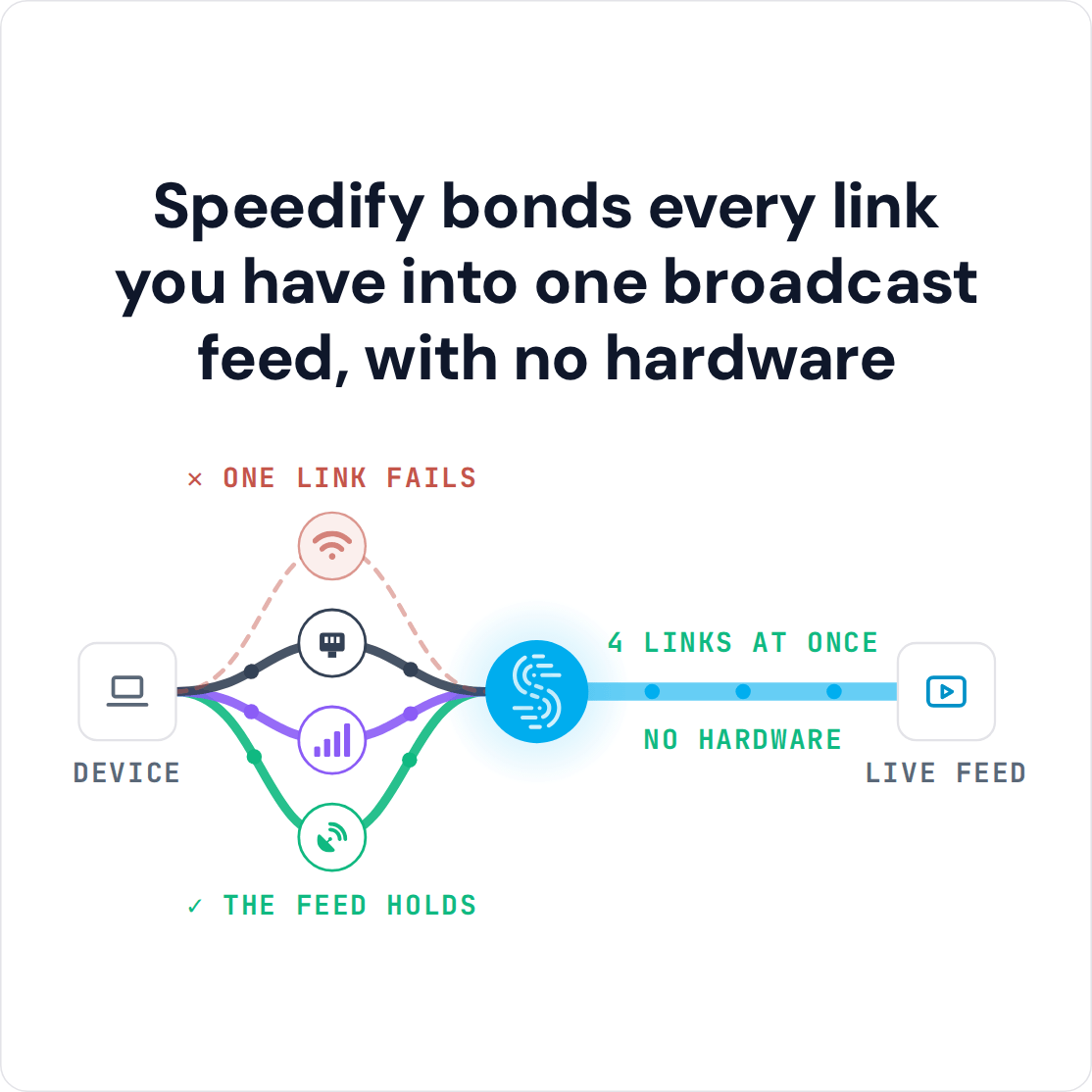
Bonded streaming without dedicated hardware means running bonding software on the device that already sends the stream, so its Wi-Fi, 4G/5G cellular, Ethernet and Starlink internet connections carry one video upload together and the broadcast survives when one of them drops. Speedify is that software: Speedify runs on the streaming laptop or phone, or on a router you own, and sends the bonded stream through Speedify’s servers to YouTube, Twitch or any other destination. Speedify Teams costs $89.99 per user per year on the gear already in the kit, and the Speedify SDK builds the same bonding into a company’s own streaming apps and devices.
Hardware prices vary by vendor and model; see the bonding device comparison. Speedify prices from speedify.com/store, November 2026.
Is WAN Bonding Suitable for Live Streaming?
WAN bonding suits live streaming well, because a stream is one long upload. Bonding splits that single upload packet by packet across every internet connection, so the stream can use their combined capacity, and the encoder’s session with the platform stays open when one internet connection fails, because the platform only sees the bonding server’s IP address. Load balancing (multi-WAN) does neither: it pins the stream to one internet connection, and the stream drops with it. How cellular bonding works covers the mechanism in detail.
Plan for three things. Traffic takes a detour through the bonding server, so pick a server close to you or to the platform’s ingest point. Cellular internet connections in a crowded venue can all slow down at once, so internet connections from different carriers, or a different kind such as Starlink, matter more than the number of SIMs. And set the encoder bitrate to what the combined internet connections sustain, not to their peak: Twitch recommends 6 Mbps for 1080p at 60 frames per second, and YouTube 6 to 17 Mbps for the same resolution and frame rate with H.264.
How Speedify Bonds a Stream in Software
Speedify opens a tunnel over every internet connection on the device (Wi-Fi, 4G/5G cellular, Ethernet, Starlink and satellite) to a Speedify server and spreads the packets of every session across all of them. The Speedify server puts the packets back in order and passes the stream on. Speedify’s published figures are up to 95% of the combined upload and download speed and failover in milliseconds, because the other internet connections are already carrying traffic when one drops. Speedify needs two or more internet connections to add speed or stop drops; on a single internet connection, Speedify works as an encrypted VPN.
Speedify’s Streaming Mode is on by default and gives live video priority over other traffic. Redundant mode sends copies of each packet over up to 3 internet connections and uses the first to arrive, for a steadier stream on weak cellular coverage, at the cost of more data. Speedify encrypts traffic between the device and the Speedify server with DTLS 1.2 and AES-256-GCM or ChaCha20-Poly1305 (encryption details), so others on the venue Wi-Fi cannot read the stream, its stream key or logins. From the Speedify server to the platform, the stream has only the encoder’s own protection, so use RTMPS or SRT encryption where the platform supports it.


Bonding Software or a Bonding Router: When to Use Which
Where Speedify runs depends on where the video is encoded. Speedify carries the stream and does not encode it, so the encoder stays the one the crew already uses.
- On the streaming laptop or phone. When the stream comes from OBS, vMix or Wirecast on a laptop, or from a streaming app on a phone, Speedify runs on that device. Phones tether over USB, and crew phones running Speedify on the same network add their 4G/5G cellular through Speedify’s Pair & Share feature, at up to 10 Mbps per phone by default (adjustable).
- On a router. When the video comes from a hardware encoder, or several devices at a venue or in a vehicle need the bonded internet connection, Speedify runs on a supported OpenWrt or GL.iNet router and the encoder plugs in over Ethernet. Teams can also build a bonded internet router with Speedify.
- On a multi-SIM appliance. The Miri X510 runs Speedify in a sealed box with up to 7 direct internet connections plus cellular shared from up to 20 phones.
Dedicated bonding routers and transmitters from vendors such as Peplink, LiveU and Teradek do the same job inside their own hardware, with a bonding service from the vendor per unit. The equipment and costs are compared in internet bonding devices vs. software and cellular bonding for live streaming.
Bringing Bonded Feeds Into a Production Switcher
Speedify delivers the stream to whatever destination the encoder is set to: a platform’s ingest server, a cloud production tool, or an SRT or RTMP receiver at the studio. The switcher then takes the decoded feed from that receiver, as it would from any remote source. A studio receiving feeds needs a public address that accepts inbound traffic, which a Starlink internet connection does not offer by default (Starlink uses CGNAT and offers no static IP). A Speedify Dedicated Server gives the receiving computer running Speedify a static IP and port forwarding, and a Speedify Self-Hosted Server puts the server on the studio’s own equipment.
For monitoring, the Speedify app on each device shows that device’s internet connections live. The Speedify Teams dashboard covers users, billing and usage across the team, and the Teams REST API pushes settings to every device.
What Bonded Streaming Costs Without Dedicated Hardware
- Streamers and crews. Speedify Teams costs $89.99 per user per year, with no minimum number of users, on the laptops and phones the crew already carries.
- A venue or vehicle. A Speedify Router License is priced by monthly data, $129 a year for 100 GB, $180 for 500 GB, $300 for 1 TB or $450 for 3 TB, one per router and movable to another router later; the monthly 1 TB license ($30 a month) suits a single event or season. The Miri X510 costs $1,995 from Miri (October 2026), with 3 months of Speedify included, then a Router License.
- Static IP or own servers. A Speedify Dedicated Server costs $900 a year ($120 billed monthly) and reaches up to 1 Gbps, against typically 200 to 300 Mbps on public servers, per user on laptops and phones or shared by every device behind a router running Speedify. A Speedify Self-Hosted Server costs $300 a year for up to 5 devices or $900 a year for up to 1,000.
Each internet connection keeps its own data plan. Bonding does not multiply data use, because each packet travels over one internet connection: a 6 Mbps stream for 2 hours uses about 5.4 GB in total. Redundant mode uses more, so set a monthly data cap on each cellular internet connection in Speedify.
Streaming from 10 or more venues or vehicles, or taking field feeds into a studio? Talk to the Speedify team about Router License volumes and sizing a Dedicated or Self-Hosted Server for the receiving end.
How to Set Up Bonded Streaming and Check It Before Going Live
Each streamer needs a Speedify Teams seat ($89.99 per user per year), which covers one person on up to 5 devices, such as the streaming laptop and a phone.
- Download Speedify on the streaming laptop and sign in to your Speedify account.
- Connect two internet connections, for example venue Wi-Fi and a phone tethered over USB.
- Run Settings > Performance Tests > Start Total Livestream Test to check the combined upload.
- Start an unlisted test stream, unplug the first internet connection, and check that the stream keeps going.
To scope a deployment across crews, venues or vehicles, contact the Speedify team for a technical call with an engineer about your production network.
Plan Speedify for your business
The Speedify team works with network and IT leads on which devices to cover, which internet connections to combine, and whether a Speedify Dedicated Server or a Speedify Self-Hosted Server fits your traffic.
Per-seat plans for laptops and phones, with a dashboard, CLI and REST API.
View Plans and Pricing →One license covers every device on an OpenWrt, GL.iNet or Powered by Speedify router.
Learn More →Build Speedify into your own iOS, Android, Windows, macOS, Linux or QNX product to combine internet connections.
Developer Docs →