
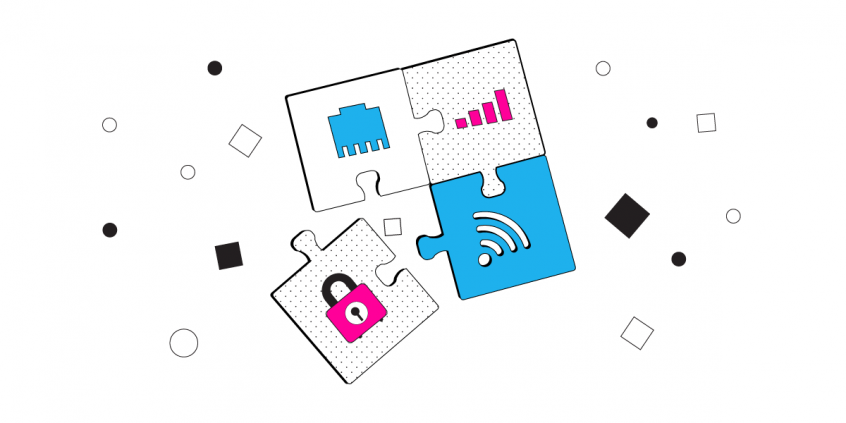
Speedify Uses Wi-Fi, 4G, 5G, Starlink, and Wired Broadband at Once on Mac for Faster Download and Upload Speeds
In the realm of macOS networking, the ability to leverage multiple internet connections simultaneously – such as Wi-Fi, Ethernet, 4G/5G, wired broadband and even satellite – is a game-changer. This approach, known as network bonding or channel bonding, enables users to enhance bandwidth, ensure redundancy, and achieve seamless failover, all while maintaining robust security.
<1 sec
With Speedify, your internet stays on when one connection fails.
When one of your internet connections drops, Speedify shifts your traffic to your remaining connections in under a second — so calls don’t cut out and downloads don’t stall.
Should you have a backup 4G, 5G, Starlink, or cable internet connection?
Yes — every internet connection goes down, including Starlink, which drops for ~34 minutes a day on average. A backup connection from a different provider means one outage never takes you fully offline. The most common options are a 4G/5G cellular hotspot, a cable or DSL line, or a second satellite dish.
4G/5G cellular
Works anywhere. Just a SIM or hotspot — no installation needed.
Learn more →Cable / DSL
Best for fixed locations. Different network, so outages rarely overlap.
Learn more →Second Starlink
Adds redundancy and throughput for remote sites or heavy usage.
Learn more →Speedify bonds any two connections into one — automatic failover, more speed, no dropped calls.
Try Speedify free →

Why Combine Multiple Connections on Your Mac?
Utilizing multiple internet connections on macOS offers several advantages:
- Increased Bandwidth: Aggregating connections allows for higher combined throughput, beneficial for data-intensive tasks.
- Enhanced Reliability: Failover capabilities ensure continuous connectivity by switching to an active connection if one fails.
- Optimized Performance: Intelligent traffic distribution across connections can reduce latency and prevent bottlenecks.
Improved Security: Advanced encryption protocols safeguard data across all connections.
Options to Combine Multiple Internet Sources on Mac
To effectively combine multiple internet connections like Wi-Fi, 4G, 5G, Starlink, wired broadband and others on Mac, consider the following methods:
1. Native macOS Link Aggregation
macOS supports link aggregation, allowing the combination of multiple Ethernet interfaces into a single logical connection. This setup is ideal for users requiring increased bandwidth within a local network. To configure link aggregation:
- Navigate to System Settings > Network.
- Click the Action menu and select Manage Virtual Interfaces.
- Click the Add button and choose New Link Aggregate.
- Select the Ethernet interfaces to aggregate and assign a name.
- Click Create and then Done.
Note: This method is limited to Ethernet connections and does not support combining Wi-Fi or cellular networks.
2. Utilizing Speedify for Advanced Multi-Connection Bonding on Mac
For a more comprehensive solution that includes Wi-Fi, Ethernet, 4G/5G, and other connections, Speedify offers advanced channel bonding capabilities. Speedify intelligently combines multiple internet connections into a single, robust connection, optimizing performance and reliability.
To set up Speedify on macOS:
- Download and install Speedify.
- Connect your Mac to the desired internet sources (e.g., Wi-Fi, Ethernet, 4G/5G).
- Launch Speedify; it will automatically detect and aggregate the active connections.
- Monitor and manage connections via the Speedify dashboard.
Speedify also offers features like Pair & Share, enabling the sharing of cellular data between multiple devices, further enhancing connectivity in collaborative environments.
Best Practices for Multi-Connection Networking on Mac
To maximize the benefits of combining multiple internet connections:
- Use Distinct Network Paths: Ensure that the connections originate from different network sources to prevent single points of failure.
- Monitor Connection Health: Regularly check the status of each connection to identify and address potential issues promptly.
- Configure Quality of Service (QoS): Prioritize critical applications to ensure optimal performance during high-traffic periods.
Maintain Security Protocols: Utilize VPNs and encryption to protect data across all connections.
Conclusion
Implementing multi-connection networking on macOS can significantly enhance internet performance, reliability, and security. By leveraging native macOS features and advanced tools like Speedify, power users can create a robust networking environment tailored to their specific needs.
Alex and the Speedify team are always exploring the latest in networking and security technology—like 5G, 6G, WiFi 7, laser and satellite internet—and sharing it in new discussion content across YouTube, TikTok, Instagram, and LinkedIn every week.
Got a tech question? Let's go deeper! Pop into Speedify Office Hours live every Wednesday at 10 AM Eastern. Speedify CEO Alex Gizis and our network engineers are standing by to break down your questions about networks, tech updates, and Speedify features.

Speedify
Get started with Speedify today.
Combine Wi-Fi, 4G/5G cellular, Ethernet, Starlink, and more into one faster, steadier connection. Free to try — no credit card required.
🚀 Speed
Faster uploads and downloads by bonding all your connections at once.
📶 Stability
Automatic failover in under a second when any connection drops.
🔒 Security
AES-256 encryption on every connection, on every network you join.



15M+ downloads worldwide. 75K+ five-star reviews on iOS and Android.