
Configure Auto Join for WiFi the Smart Way
Wi-Fi auto join means your phone connects to a saved Wi-Fi network by itself whenever that network is in range, without asking you. If your phone has stopped joining known networks, auto join has been switched off for them, and turning it back on takes a few taps. People switch it off because auto join makes a phone latch onto any remembered network, however slow or crowded, with no check that the internet behind it works. Speedify is an app that runs your internet over Wi-Fi and 4G/5G cellular at the same time and encrypts it, so a weak network your phone joins on its own is never all you depend on. With Wi-Fi alone, Speedify works as an encrypted VPN and cannot stop that network from dropping. Below: what auto join does, how to switch it back on, and how Speedify handles bad Wi-Fi.
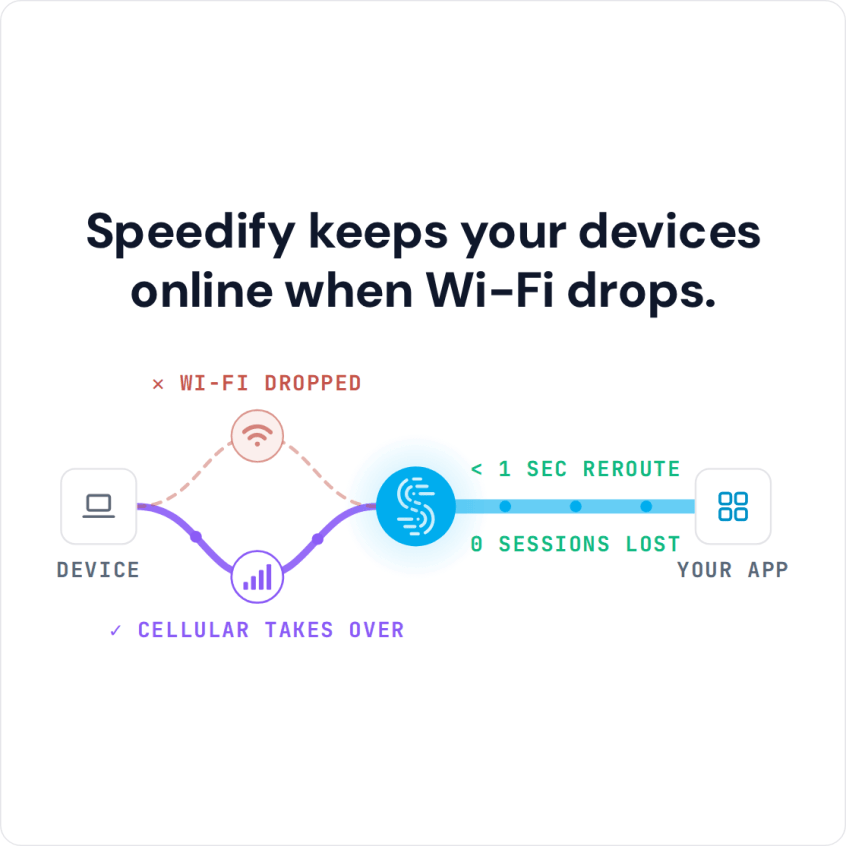
Speedify keeps your devices online when Wi-Fi drops.
What Auto Join Means on Wi-Fi
Auto join is a setting that lets your phone join a Wi-Fi network it already has the password for (and, on some Android phones, open Wi-Fi networks) without asking you. That saves time at home and at work, but it carries real risks on public Wi-Fi networks.
Two Problems Auto Join Causes on Public Wi-Fi
Auto join can cause two major issues:
- First, it can make your phone leave a stronger Wi-Fi network for a weaker one that has come into range. Android and iOS developers have tried to stop this, with limited success. When your phone switches to the weaker Wi-Fi, it drops your first internet connection mid-use, and the weaker network is usually much worse.
- Second, when your phone joins open public Wi-Fi networks automatically, you put your data and privacy at risk. You cannot tell whether the network is secure. You could be joining a clone of a real network, set up for a man-in-the-middle attack that steals usernames and passwords.
How to Turn Wi-Fi Auto Join Back On (iPhone and Android)
If you trust your wireless surroundings, then enabling auto join is simple.
- On an iPhone or iPad, auto join is set for each Wi-Fi network separately. Go to Settings > Wi-Fi, tap the info button next to the network and turn on Auto-Join. For a saved network that is not in range, tap Edit at the top of the Wi-Fi screen to see your known networks.
- On Android, auto join is also set per network, and the name depends on the phone. On a Pixel, go to Settings > Network & internet > Internet, tap the settings icon next to the network and turn on Auto-connect. On a Samsung Galaxy, go to Settings > Connections > Wi-Fi, tap the settings icon next to the network and turn on Auto reconnect. Some carriers also install their own Wi-Fi apps that change this behaviour.
How Speedify Keeps You Online When Auto Join Picks Bad Wi-Fi
If your real goal is to stay connected to the internet without managing every connection by hand, there is an easier and safer option than auto join.
Speedify is available for iPhone (iOS 17 or later) and Android (Android 9 or later). Speedify works in the background and uses Wi-Fi and 4G/5G cellular at the same time, so when your phone switches between Wi-Fi networks, or joins one that has no internet, your traffic carries on over cellular and your public IP address stays the same.
Speedify is easy to set up and needs no technical skills. With Wi-Fi and 4G/5G cellular both on, Speedify combines them for the fastest and most reliable internet connection your phone can get where you are, and Speedify encrypts your internet traffic to keep it private.
Download Speedify and try it with the free tier: 5 GB per month with a free account.
Speedify
Get started with Speedify today.
Speedify combines Wi-Fi, 4G/5G cellular, Ethernet, Starlink and satellite into one faster, more reliable internet connection. Free to try: 5 GB a month with a free account. No credit card required.
🚀 Speed
Faster uploads and downloads, because Speedify uses all your internet connections at once.
📶 Stability
If one internet connection drops, Speedify moves your traffic to the others in milliseconds.
🔒 Security
AES-256 encryption on every internet connection, on any network you join.



15M+ downloads worldwide. 75K+ five-star reviews on iOS and Android.