
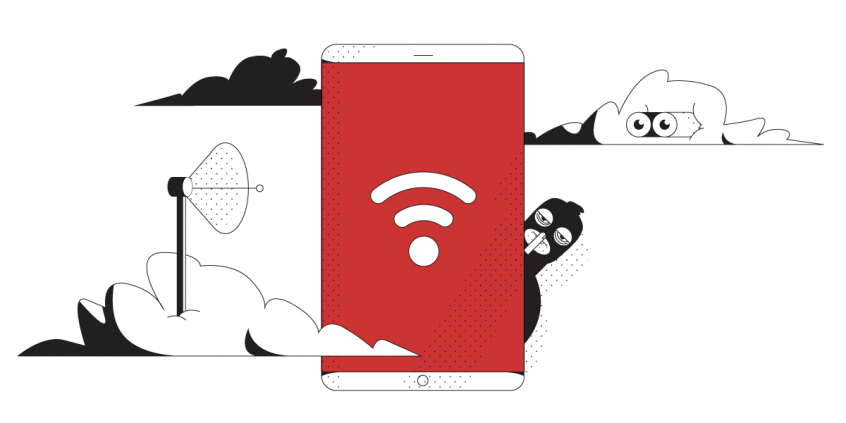
Unbreakable VPN Connection for School Wi-Fi by Combining Wi-Fi and 4G, 5G Cellular with Speedify
Using your laptop or smartphone at school or on college campus? You’re most likely connecting to the school’s WiFi network. Or, if you’re a wired fan – through Ethernet from your campus room. In any caseu, using school WiFi is trickier than it looks, as you have to seriously think about public WiFi security.
As you know, while you’re connected, your smartphone syncs your social media accounts, email accounts and even bank accounts via dedicated apps. You don’t want this sensitive information to be in the wrong hands.
“Is school WiFi safe?” You don’t have to avoid connecting to public WiFi hotspots, such as school WiFi. This is why it’s important to always use a VPN that will keep you safe on school WiFi networks.
Speedify delivers an unbreakable VPN connection by intelligently bonding multiple internet sources, ensuring continuous uptime and encrypted protection.
Should you have a backup 4G, 5G, Starlink, or cable internet connection?
Yes — every internet connection goes down, including Starlink, which drops for ~34 minutes a day on average. A backup connection from a different provider means one outage never takes you fully offline. The most common options are a 4G/5G cellular hotspot, a cable or DSL line, or a second satellite dish.
4G/5G cellular
Works anywhere. Just a SIM or hotspot — no installation needed.
Learn more →Cable / DSL
Best for fixed locations. Different network, so outages rarely overlap.
Learn more →Second Starlink
Adds redundancy and throughput for remote sites or heavy usage.
Learn more →Speedify bonds any two connections into one — automatic failover, more speed, no dropped calls.
Try Speedify free →Public WiFi Security Essentials: Is School WiFi Safe?
Businesses, educational institutions and public places offer free WiFi to attract customers and to provide a public service. However, most of these organizations that offer public WiFi access are not IT or cybersecurity professionals. So, WiFi security is not the focus here. These WiFi hotspots (including te ones from schools and colleges) often skip standard security practices such as:
- Securing the WiFi access either by requiring a password to connect to the WiFi hotspot, or having some sort of login or registration before accessing the Internet
- Having up-to-date firmware on their routers and other networking equipment
- Having security compliant or at least hard to guess admin usernames and passwords
- Doing periodic routine checks to see if the networks have been compromised
School WiFi networks are attractive targets for snoops and hackers because so many different people use them that they never run out of new targets. They can snoop in on the traffic and get all your social media accounts, credit card numbers, email passwords, etc.
Is School WiFi Safe? Yes, If You Use a VPN to Encrypt Traffic
When you’re connected to the same WiFi network as thousands of other people, your privacy is at risk. One of those people could snoop on your traffic to get your sensitive data. The real world solution to school WiFi security issues is to use a VPN to protect your online data.
Tip: Protect yourself when accessing the Internet from campus WiFi networks – use a VPN!
VPN on College WiFi: Will It Slow Down My Internet?
One of the issues of standard VPNs for school WiFi security is they slow down your web traffic. They can even make the internet almost unusable because of the way they’re built.
Also, most VPN solutions remain inactive after your Internet connection drops for whatever reason. This can happen while roaming between WiFi hotspots, for example.
Tip: Choose a bonding VPN to get fast and stable Internet.
Speedify – Your Solution to School WiFi Security
Speedify is different among VPNs. It solves both security and speed concerns. By using channel bonding technology, Speedify can combine all available Internet connections simultaneously.
You will be protected from compromised WiFi networks. It even works if you have to go through a captive portal (login page). Speedify also keeps your data safe from the prying eyes of hackers, ISPs, and even the hosts of the network.
Speedify also has auto failover. When it detects a WiFi signal is weak or spotty – it reroutes all the data through the working connection(s). This gives you a smooth, uninterrupted Internet experience. Once the connection is available again, Speedify automatically tosses it back into the mix.
Speedify Bonding VPN Helps Unblock Restricted Content on School WiFi
Speedify is a bonding VPN – this means that it encrypts all traffic from your computer. So you should be able to unblock any restrictions from your school network, workplace or other blocked networks.
Get Speedify on all major platforms: Windows, macOS, Linux, iOS and Android. Time to put school WiFi safety to rest by using Speedify fast bonding VPN.
Alex and the Speedify team are always exploring the latest in networking and security technology—like 5G, 6G, WiFi 7, laser and satellite internet—and sharing it in new discussion content across YouTube, TikTok, Instagram, and LinkedIn every week.
Got a tech question? Let's go deeper! Pop into Speedify Office Hours live every Wednesday at 10 AM Eastern. Speedify CEO Alex Gizis and our network engineers are standing by to break down your questions about networks, tech updates, and Speedify features.

Speedify
Get started with Speedify today.
Combine Wi-Fi, 4G/5G cellular, Ethernet, Starlink, and more into one faster, steadier connection. Free to try — no credit card required.
🚀 Speed
Faster uploads and downloads by bonding all your connections at once.
📶 Stability
Automatic failover in under a second when any connection drops.
🔒 Security
AES-256 encryption on every connection, on every network you join.



15M+ downloads worldwide. 75K+ five-star reviews on iOS and Android.