

What Do You Call Speedify Running on a Raspberry Pi? SpeedyPi! Get an Unbreakable VPN Connection for RaspberryPi by Combining Starlink, Wi-Fi, 4G, 5G, and DSL
The Raspberry Pi is a single-board computer device used for many interesting projects. It’s a small board that get you big results if used properly. Raspberry Pi runs on a Debian based Linux distro called Raspberry Pi OS.
The Pi was originally intended to be a microcomputer to teach children coding. Its scope has been expanded after hobbyists and engineers saw its potential. It is now one of the most popular technology items in the world. The Raspberry Pi Foundation was formed in 2008 and the rest is, as they say, history.
Speedify delivers an unbreakable VPN connection by intelligently bonding multiple internet sources, ensuring continuous uptime and encrypted protection.
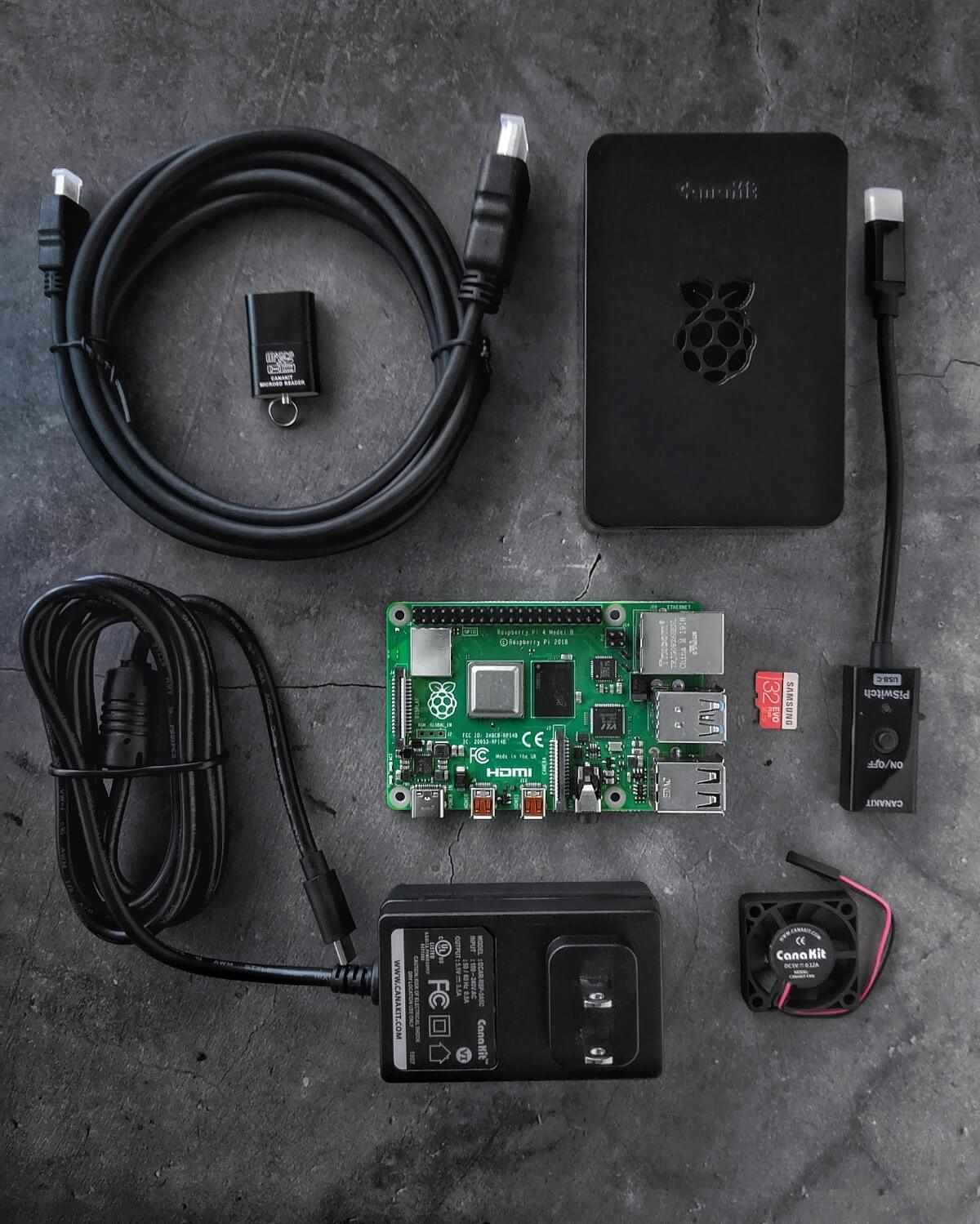
Should you have a backup 4G, 5G, Starlink, or cable internet connection?
Yes — every internet connection goes down, including Starlink, which drops for ~34 minutes a day on average. A backup connection from a different provider means one outage never takes you fully offline. The most common options are a 4G/5G cellular hotspot, a cable or DSL line, or a second satellite dish.
4G/5G cellular
Works anywhere. Just a SIM or hotspot — no installation needed.
Learn more →Cable / DSL
Best for fixed locations. Different network, so outages rarely overlap.
Learn more →Second Starlink
Adds redundancy and throughput for remote sites or heavy usage.
Learn more →Speedify bonds any two connections into one — automatic failover, more speed, no dropped calls.
Try Speedify free →Why Speedify and What Projects You Can Create in Conjunction with a Raspberry Pi
Speedify is a bonding VPN that uses channel bonding technology. It allows you to use all the internet connections available to you to combine them simultaneously for better speeds and reliability. Speedify for Linux (Ubuntu and Raspberry Pi OS) can also share the bonded VPN connection over Wi-Fi or wired Ethernet.
As any VPN, Speedify encrypts all your web traffic to protect your online privacy. You can unblock websites and services, and stay anonymous online.
Why would you install Speedify on a Raspberry Pi? The first idea that comes into mind is building a bonding router. It would cover your home and protect everyone connected to it. You would also get the added benefit of improved speeds and even ad blocking, if you switch to Ad guard DNS.
Another great project would be using it as the “brains” for an IRL streaming backpack. We actually did this – see here.
How to Install Speedify for Linux on the Raspberry Pi 4
We’re not going to go over unboxing the Raspberry Pi – we’ll just assume you had fun with it. Depending on what Raspberry Pi package you buy, it may come with the OS on a microSD card. If you don’t get the full kit, you can just use one of your own cards and follow the instructions to set up Raspberry Pi OS on your Pi.
Now, get the contraption started into Raspberry Pi OS and follow the next steps:
Step 1: Install Speedify for Linux
Open the Linux Terminal, copy / paste the below command and hit Enter:
wget -qO- https://get.speedify.com | sudo -E bash -
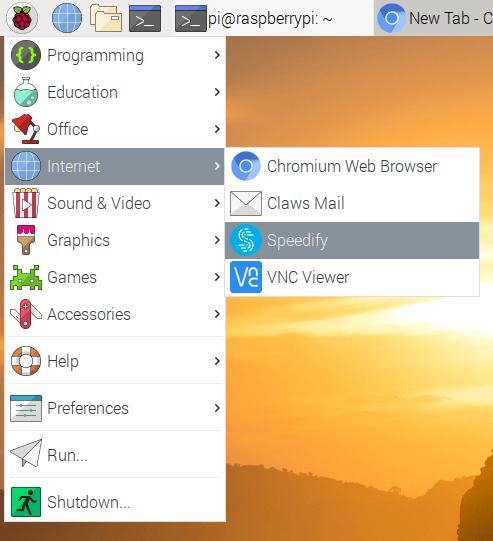
You can now find Speedify in the Internet apps menu.
Step 2: Connect your Internet sources to the Raspberry Pi
What Internet connections do you have available? Usually in any home there’s Wi-Fi or wired Ethernet and a cellular connection from your smartphone. Here are others you may not be aware of.
I have a cellular connection from my Android phone, and the home Wi-Fi, so, I’ll bond those two.
I will tether my Android over USB. You can also tether over Bluetooth or over Wi-Fi. But then, you won’t be able to connect to another Wi-Fi network – your home Wi-Fi maybe. This is because the built-in Wi-Fi card of the Raspberry Pi can only connect to one network at the time.
If you connect to your home network over Ethernet, then you can tether your smartphone via Wi-Fi. In my case, since I don’t have an Ethernet cable, I will connect to my home network over Wi-Fi and tether my Android over USB. If you are wondering how come I don’t have an Ethernet cable – this is Bruno and he ate it. Literally.

So, getting back to our setup: connect your Android phone to the Raspberry Pi with a USB cable. To enable USB tethering on your Android smartphone, go to Settings > Network & Internet > Hotspot & Tethering and slide the USB tethering switch to the right position.
Also don’t forget to connect to the Wi-Fi network from Raspberry Pi.
Step 3: Open Speedify and enjoy fast and reliable Internet
As you connect all Internet sources to the Raspberry Pi, you will see that Speedify immediately recognizes them.
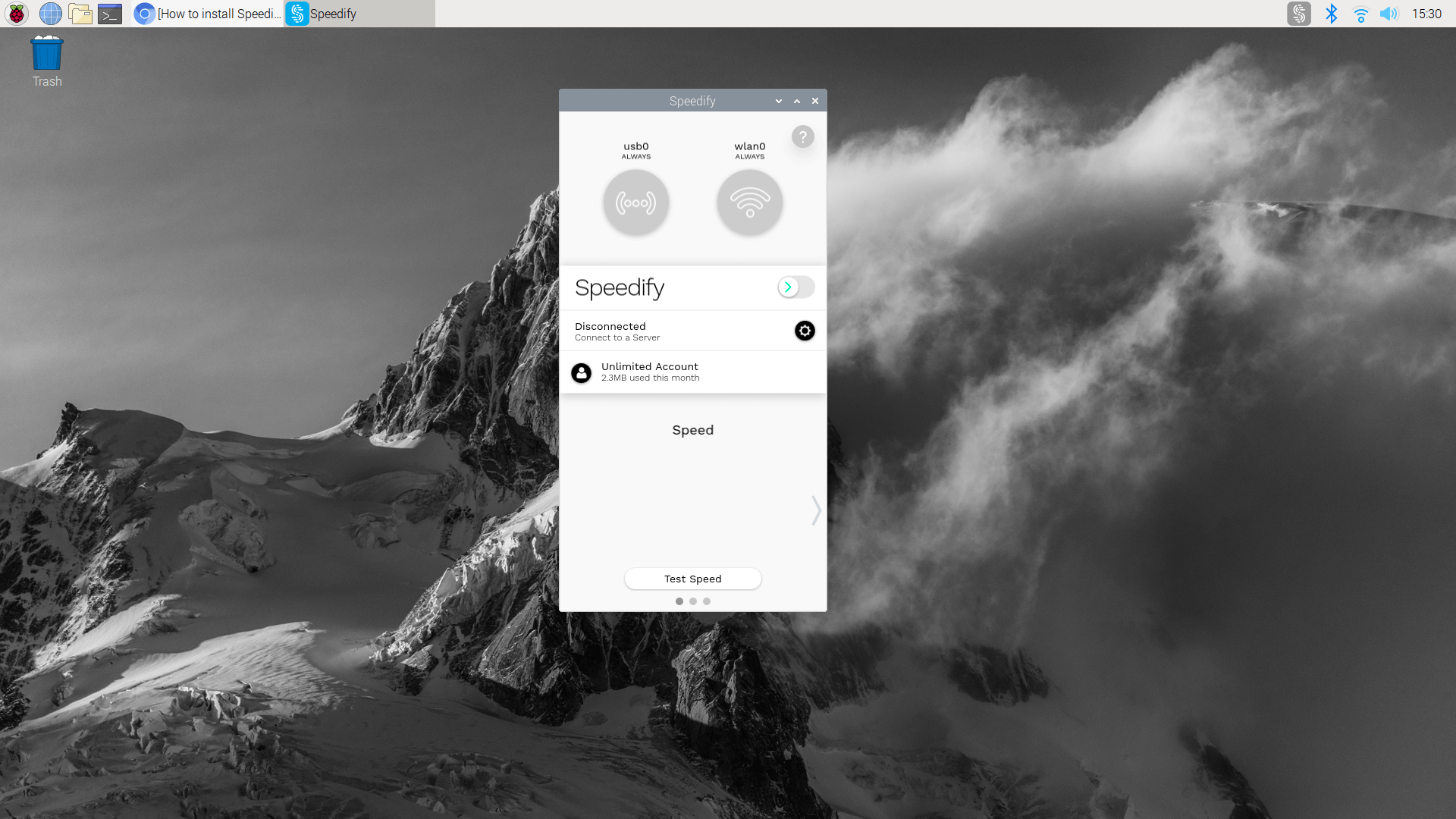
All you have to do now is flip the switch and you’re ready to go!
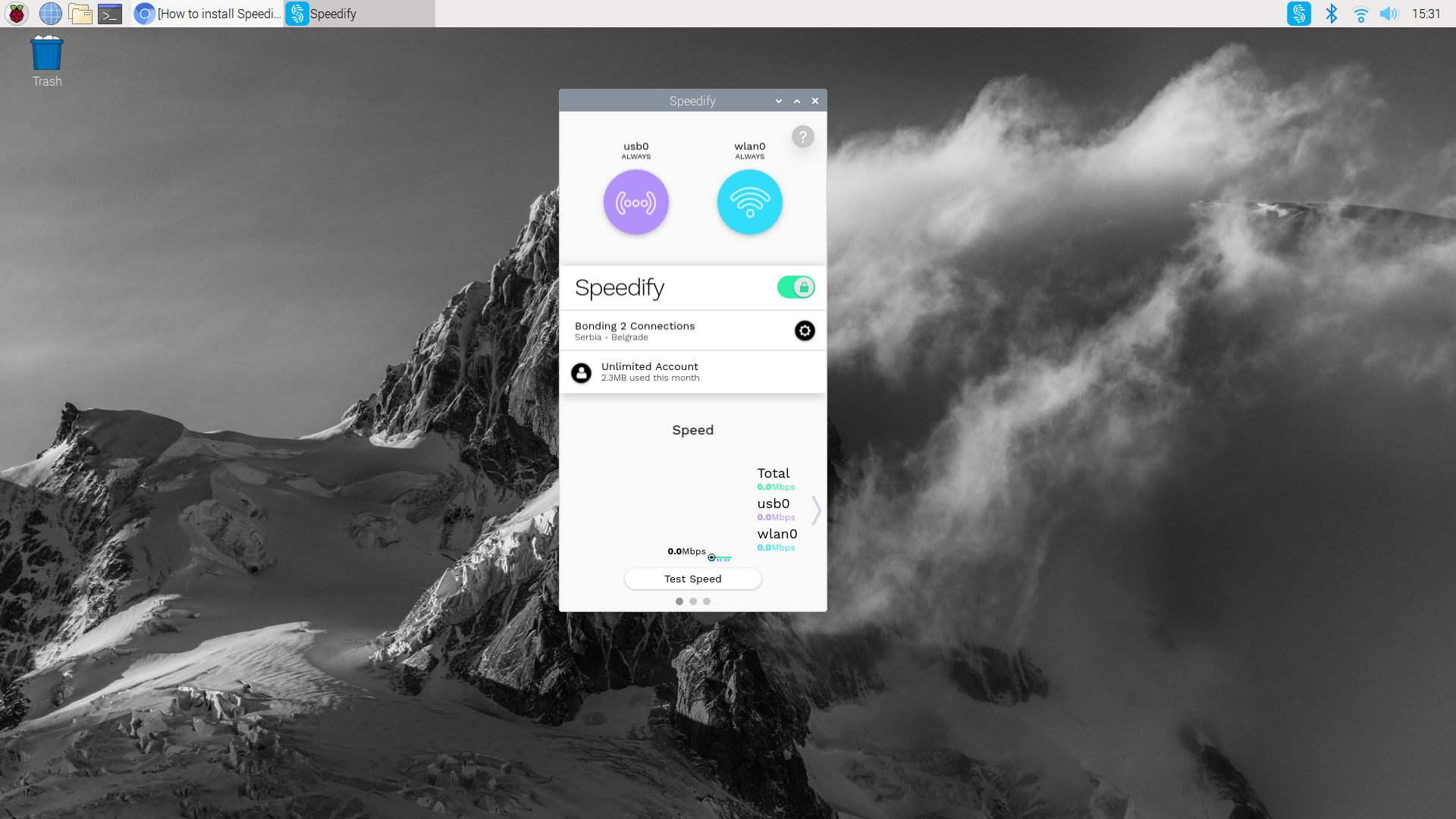
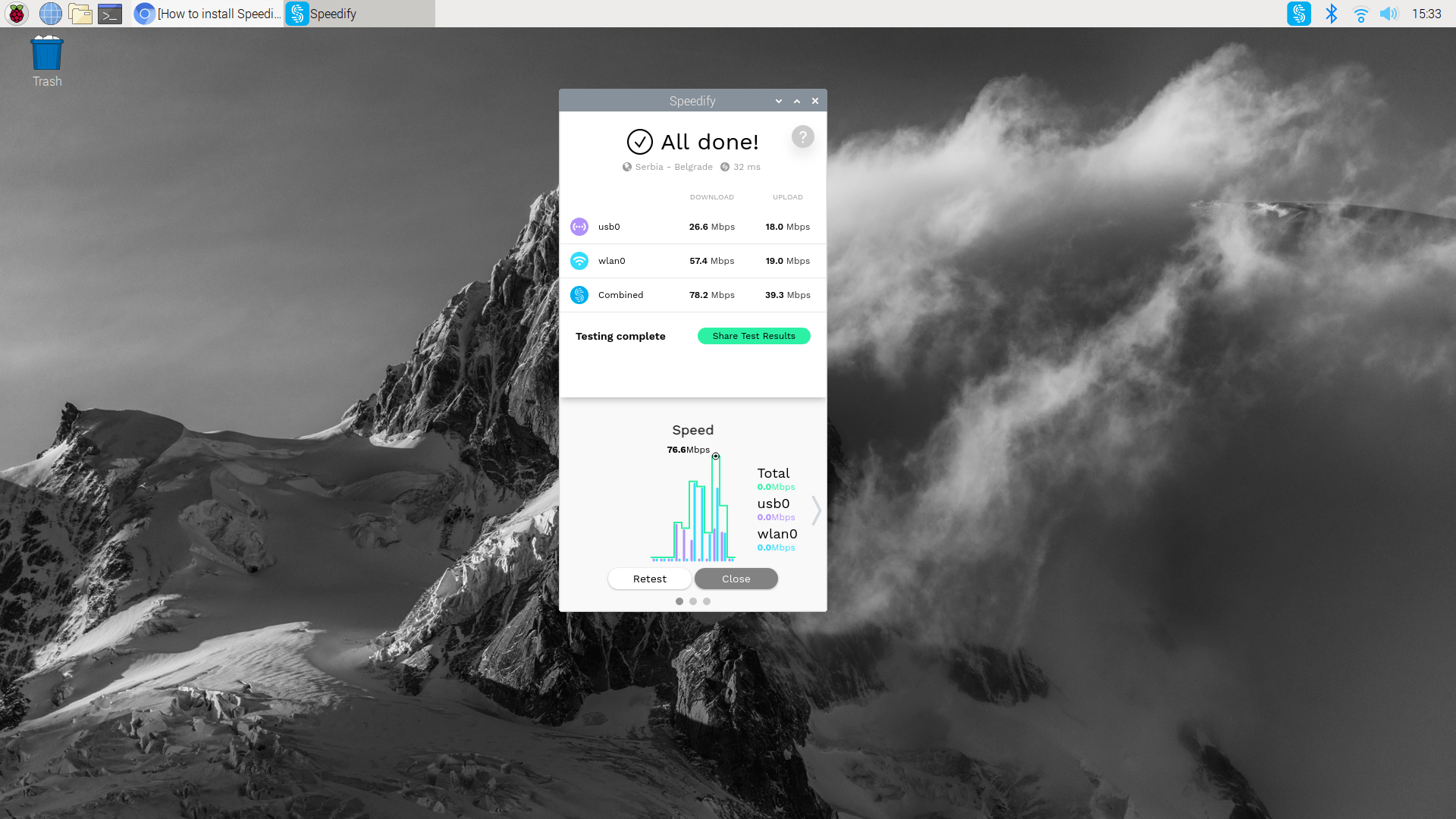
Does Speedify Really Combine the Internet Connection on My Raspberry Pi? How Can I Be Sure?
Simple! Just run a speed test from within the app!
What Can I Do with SpeediPi (Speedify on a Raspberry Pi)?
You can use this setup as is or you can share this “super” bonded VPN connection to a router via wired Ethernet. This way, everyone can benefit from the fast, reliable and secure Internet.
If having an ad blocker, privacy and security and on top of that faster Internet speeds sounds like something you need, give Speedify a try! It also works on your other devices running Windows, macOS, Android and iOS!
Alex and the Speedify team are always exploring the latest in networking and security technology—like 5G, 6G, WiFi 7, laser and satellite internet—and sharing it in new discussion content across YouTube, TikTok, Instagram, and LinkedIn every week.
Got a tech question? Let's go deeper! Pop into Speedify Office Hours live every Wednesday at 10 AM Eastern. Speedify CEO Alex Gizis and our network engineers are standing by to break down your questions about networks, tech updates, and Speedify features.

Speedify
Get started with Speedify today.
Combine Wi-Fi, 4G/5G cellular, Ethernet, Starlink, and more into one faster, steadier connection. Free to try — no credit card required.
🚀 Speed
Faster uploads and downloads by bonding all your connections at once.
📶 Stability
Automatic failover in under a second when any connection drops.
🔒 Security
AES-256 encryption on every connection, on every network you join.



15M+ downloads worldwide. 75K+ five-star reviews on iOS and Android.