
Raspberry Pi Powered Bonding Router with Speedify Software
Shopping the LiveU competitor list gets repetitive fast. Almost every option is another hardware box with SIM slots, a four-figure price and a subscription behind it, and what you are paying for is the ability to send one stream over several mobile networks at the same time.
Speedify offers that ability as software, spreading a single stream across 4G/5G cellular data, Wi-Fi, wired Ethernet and Starlink, and it will run on a Raspberry Pi you assemble yourself.
The parts list ahead builds exactly that portable unit, with the Miri X510 as the ready-made option – speak to Speedify before your organization buys anything.
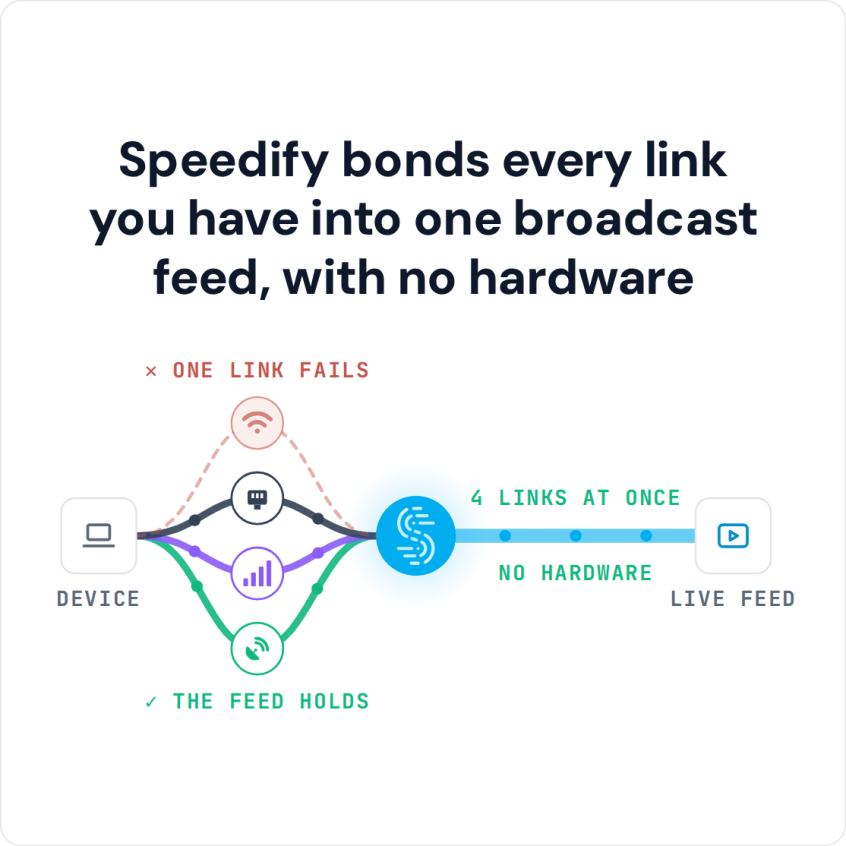
Speedify bonds every link you have into one broadcast feed, with no hardware
Watch now
How Speedify combines internet connections on any hardware
Get started with Speedify for your business
Speedify offers three commercial paths. They work together, and most enterprise customers use two or more.
01
Speedify Teams
Speedify on every supported OS for every team member
Centralized dashboard for billing, user provisioning, and usage analytics
CSV import/export and a RESTful management API
02
Speedify for Routers
License for supported OpenWrt routers
Powered by Speedify hardware lineup ready to deploy out of the box
Miri, GL.iNet and other partner models
Covers every device on the network, with no per-device install
03
Embed Speedify into your product
A · DIY
Build it yourself with the Speedify SDK.
Integrate Speedify into your iOS, Android, Windows, macOS, Linux or QNX product. Full developer documentation, sample code and supported integration paths. Your team owns the build, and the Speedify SDK handles combining the internet connections.
B · CUSTOM ENGINEERING
Have the Speedify team build it for you.
LiveU Competitors: What to Look At
First – for the “computer” core of the streaming gear, you should make sure it can combine multiple connections at once. Look for channel bonding or link aggregations.
In our example, we installed Speedify on a Raspberry Pi 4. With Speedify, we have the only VPN capable of software channel bonding, so we were able to incorporate the bonding part of the technology right off the bat.
Then, there are 3 main processes you have to get working:
- Getting video from the camera into the main streaming device.
- Turning that raw live video footage into a streamable format.
- Broadcasting it over the Internet using channel bonding technology. You also have to make sure you can control the stream without a user interface.
Speedify Powered LiveU Competitor Solution for Network Bonding: Components List
Below you’ll find a sample list of components we used in our LiveU live streaming gear competitor. As long as you find similar hardware with the same functionalities, you should be good to go.
Sample components and costs
- Video camera: Sony AS-300 – $298
- Capture card: Elgato Cam Link – $116
- Cable adapter: HDMI to Micro-HDMI – $6
- Computer: Raspberry Pi 4 or newer – $55
- Computer accessories: GeeekPi Acrylic Case with Fan RPi 4 – $10
- Camera support: Smatree telescoping selfie stick – $23
- Mobile connections: USB cellular dongles, tethered smartphones
- Speedify channel bonding app – $3.99 / month
PLUS – if you’re considering streaming on the go:
- Battery pack: $38.
- Remote: Circuit Playground Express (including plastic case) – $30
- Organizer: Cocoon GRID IT! Accessory Organizer – $11
- Backpack: Jansport backpack – $30
The total cost for this live streaming equipment is about $600. Plus – you may not need to purchase all of this equipment if you already have similar items available.
LiveU Competitors: Easier Live Streaming on the Go with Speedify
As mentioned before, one of the core elements of this live streaming gear is the Speedify channel bonding VPN. You can easily set up Speedify on any Windows, macOS, iOS, Android or Linux device. For Raspberry Pi use the instructions here.
Along with that, on our Pi setup we’re using ffmpeg, which is a fast, lightweight, very configurable open-source software suite available on Linux for video and audio encoding and decoding. We installed ffmpeg by following these compilation steps https://trac.ffmpeg.org/wiki/CompilationGuide/Ubuntu. We installed every third party library listed except for libaom, since it is unstable and not necessary for our setup.
And then – depending on the operating system your main device uses – you can install various software like OBS, etc.
We also needed to set up the Circuit Playground Express to work as a remote to control the stream. This involved writing a couple of Python scripts so that one button starts the live stream, one button stops it, and the switch reboots the Pi if needed. We have our code to set up the streaming buttons available on Github with more detailed setup instructions here: https://github.com/speedify/rpi-streaming-experiment.
Get the Speedify Powered Live Streaming Gear Live
After you assemble all the hardware parts and install the required software, you should be ready to go for live streaming. As mentioned earlier, it depends on the device how you can get started.
In our example, we spent some time testing a ffmpeg command that would stream high quality video as reliably as we can to Twitch on the Pi, which we programmed into the Circuit Playground Express remote (see the GitHub link above):
ffmpeg_command = “ffmpeg -nostdin -re -f v4l2 -s ‘1280×720’ -framerate 24 -i /dev/video0 -f alsa -ac 2 -i hw:CARD=Link,DEV=0 -vcodec libx264 -framerate 24 -rtbufsize 1500k -s 1280×720 -preset ultrafast -pix_fmt yuv420p -crf 17 -force_key_frames ‘expr:gte(t,n_forced*2)’ -minrate 850k -maxrate 1000k -b:v 1000k -bufsize 1000k -acodec libmp3lame -rtbufsize 1500k -b 96k -ar 44100 -f flv – | ffmpeg -f flv -i – -c copy -f flv -drop_pkts_on_overflow 1 -attempt_recovery 1 -recovery_wait_time 1 ‘rtmp://live.twitch.tv/app/” + streamKey + “‘\n”
This command (included in the Pythin script mentioned above) lets us stream live to Twitch, in 720p at 24 frames per second, which is about as good as the Pi can handle. We’ve also tested it at 1080p and up to 60 frames per second, but the performance is not as reliable and the Pi is more at risk of overheating.
With our gear, Speedify bonding is set to automatic start so it runs as soon as the Pi boots up. This way, we don’t need a UI for the Pi once we get everything together.
And that’s all there is to it! Ready to try our LiveU competitor for live streaming?
Looking for an Out-of-the-Box Network Bonding Router as an Alternative to LiveU? Get the Miri X510!
Speedify Business Solutions
Speedify Teams
Speedify for Routers

Speedify Embedded Solutions and Integrations
Add Speedify to your own app or hardware with the Speedify SDK. Your product then combines internet connections, fails over automatically when one drops, and encrypts the traffic, using the same technology as the Speedify app.