

Use Speedify to Live Stream Weddings: Get Faster Uploads and Downloads and a More Reliable Internet Connection
Guests watching from home notice every stumble in a wedding stream: a frozen frame, a stall, a dropout right as the vows begin. The cause is nearly always the upload side: one internet connection at the venue trying to carry live video on its own.
Speedify is an app that spreads that upload across two or more internet connections at once, such as venue Wi-Fi, 4G/5G cellular, Ethernet or Starlink, so a wobble on one does not stop the broadcast. On a single connection, Speedify works as an encrypted VPN and cannot stop that connection from dropping.
Below you will find what to check on the venue internet beforehand, and how using Speedify holds the upload steady all through the ceremony.
How to Livestream a Wedding: Choose the Platform and Plan for Remote Guests
To let all the key people witness your nuptials, you can live stream the ceremony. Guests who live far away can be part of it without traveling. Whatever platform you choose (Zoom, Facebook or YouTube), plan it so all your guests get a good experience. You could even stream on 2 different services to cover all your bases.
Check the Venue Internet and Combine Wi-Fi and 4G/5G Cellular for the Wedding Stream
Where will you get married? You can hold a religious ceremony in a church, chapel or synagogue, and many of them offer an AV setup to hook into for better sound and video. Dreaming of an outdoor wedding with blue sky, green grass and maybe a sandy shoreline as your backdrop? There may be no Wi-Fi there at all, so plan on 4G/5G cellular from two phones on different carriers. Once the backdrop is settled, make sure you can stream without glitches, so family is not staring at a buffering wheel while you say your vows.
The internet connection is essential for live streaming your wedding. You want to avoid broadcasting poor quality video or being disconnected. Relying on a single internet connection can get you in trouble, so relying on two or more connections is better. The best case for live streaming your wedding with solid internet is to combine 2 or more connections at once from different ISPs with an app designed for streaming like Speedify.
Make sure whoever runs the stream knows about Speedify. Speedify combines internet connections, so the streaming device can use 2 or more connections at the same time. Speedify runs as software on Windows, macOS, iOS, Android and Linux, so it works on a desktop or laptop computer, smartphone or tablet.
If one of your connections fails, Speedify automatically reroutes all the traffic through your other available connection(s). This happens in the background without you having to do anything. When the dropped connection is back online, Speedify will pick it up and start using it again.
Keep the Wedding Live Stream Steady Through the Vows with Speedify
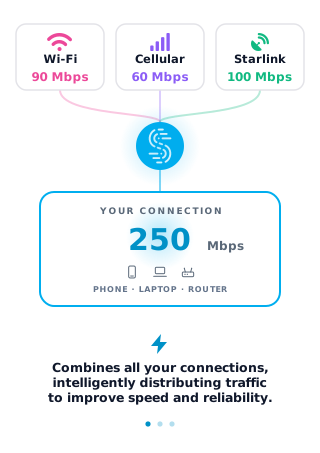
As a VPN that combines internet connections, Speedify acts like a power-up for your device. Instead of using a single internet connection at a time, Speedify lets your device use multiple connections simultaneously, so you get more upload bandwidth and a more stable live stream for your wedding.
Speedify constantly monitors the quality of your internet connections. If, for example, the Wi-Fi becomes unreliable, Speedify automatically reroutes data through your other connections (for example 4G/5G cellular) until Wi-Fi is available again.
Speedify also automatically optimizes audio and video streams: Streaming Mode, on by default, gives them priority over other traffic (quality of service, or QoS), so web browsing and software updates do not slow down your calls and live streams.
Wondering how to live stream your wedding and not get into any connectivity trouble? Try Speedify at the rehearsal for live streaming your Big Day! Get it here!
Speedify
Get started with Speedify today.
Speedify combines Wi-Fi, 4G/5G cellular, Ethernet, Starlink and satellite into one faster, more reliable internet connection. Free to try: 5 GB a month with a free account. No credit card required.
🚀 Speed
Faster uploads and downloads, because Speedify uses all your internet connections at once.
📶 Stability
If one internet connection drops, Speedify moves your traffic to the others in milliseconds.
🔒 Security
AES-256 encryption on every internet connection, on any network you join.


15M+ downloads worldwide. 75K+ five-star reviews on iOS and Android.