
How to Live Stream to Your Own Online Video Platform Plus YouTube, Facebook, Twitter and LinkedIn with Dacast
Dacast gives you your own video platform – hosting, monetization and live broadcasting in one place, with the same show pushed out to YouTube, Facebook and LinkedIn as well. What Dacast cannot supply is the upload speed feeding it, and a weak upload is why a live show turns blocky or cuts out mid-sentence.
Speedify is an app that runs your stream over several internet connections at once – Wi-Fi, 4G/5G cellular data, wired Ethernet, Starlink and more – so one wobbling line no longer takes the broadcast down with it. Below you will find the Dacast checklist and the four steps to going live, plus what using Speedify does for that upload.
Speedify gives your encoder the upload it needs, to every platform at once
What’s Important when Live Streaming: Good Internet Connectivity
Internet is what makes or breaks a successful live broadcast, no matter what live streaming software you’re using, be it Dacast, OBS or another one. That’s why you should definitely think this through.
Having an extra Internet source while live streaming helps, but you have to think how long it takes for you and/or your streaming device (camera, computer, mobile device) to switch between the 2 connections. It’s usually a minimum of 10-20 seconds – and that’s an optimistic estimate.
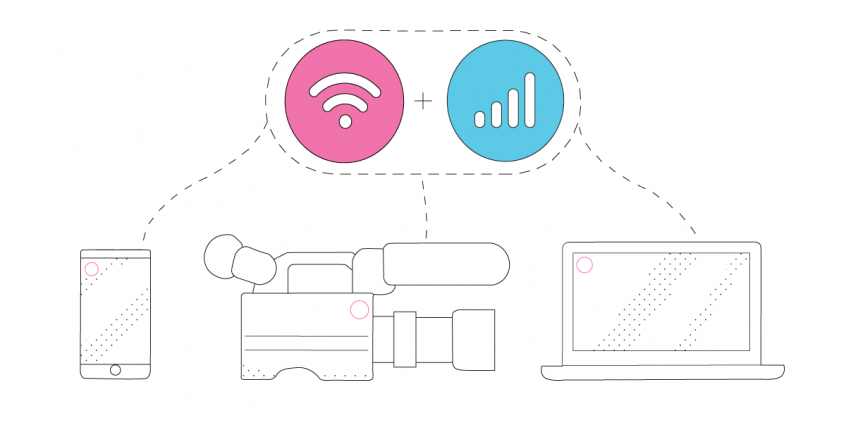
That’s why you need to use all available Internet connections at once instead of keeping them as a backup and switching between them. That is called Internet bonding (a.k.a. channel bonding, link aggregation, etc.). Speedify is the only app that can combine multiple internet sources into one bonded super-connection for more stable and secure live streaming, video calling, online gaming and web browsing.
Checklist for Dacast Live Streaming to Multiple Platforms
There are several use cases here – we will approach the 3 most common ones.
Live Streaming a Recorded Video or Your Screen (for Games) with Dacast to Multiple Platforms from a Computer
You’ll need:
- the recorded video
- a Dacast account
- the OBS Studio software for Mac or PC
- a Switchboard Live account
- a Speedify account – for stable Internet connection.
Live Streaming Video with Dacast to Multiple Platforms from a Computer
You’ll need:
- a camera – dedicated (like a GoPro, for example), the computer webcam or your smartphone’s camera (via Camo)
- a Dacast account
- the OBS Studio software for Mac or PC
- a Switchboard Live account
- Speedify account – for stable Internet connection.
Live Streaming Video with Dacast to Multiple Platforms from a Smartphone / Tablet
You’ll need:
- your mobile device (smartphone, tablet)
- a Dacast account
- the Larix Broadcaster app on your mobile device
- a Switchboard Live account
- Speedify account – for stable Internet connection.
For all the above setups, the idea with Speedify is to use two or more connections together at once, in order to hit your target bitrate and avoid flaky Internet problems while simulcasting with Dacast.
Additional accessories – such as an external battery pack, dedicated microphones, extra lighting, etc. – may be required especially if you’re doing IRL streaming.
4 Steps on Going Live with Dacast and Streaming to Multiple Platforms
1. CONNECT ALL AVAILABLE INTERNET SOURCES TO YOUR COMPUTER OR MOBILE DEVICE
Use one or multiple of the following on the computer you’ll be live streaming using Dacast and OBS Studio from:
- wired Ethernet connection
- external USB 5G / 4G LTE cellular adapter
- Wi-Fi network / additional USB Wi-Fi adapters
- tethered smartphone
If you’re live streaming using a mobile device with Larix, the easiest way is to carry two cellular phones. One can be your streaming device running Larix and the other one would just be used for its cellular data – you would create a Wi-Fi hotspot to connect the streaming device to it. That way you would combine cellular data with Wi-Fi from the second phone on the streaming device.
2. GET STABLE INTERNET BY BONDING YOUR CONNECTIONS WITH SPEEDIFY
If you don’t have a Speedify subscription yet, you can get it from our website store, the Apple App Store or the Google Play Store.
Run Speedify and log into your account. All the active Internet sources you connected at step 1 should be recognized by Speedify. All you have to do now is choose a server to connect to – the fastest server options usually works best.
3. CONFIGURE the live streaming software: Dacast, OBS Studio / Larix, Switchboard Live
If streaming from a computer, you’ll need to:
- Setup the Dacast live stream from the Dacast dashboard.
- Configure OBS Studio with the live stream parameters from the Dacast dashboard.
- Configure Dacast with Switchboard Live and OBS Studio, for simulcasting (live streaming to multiple platforms).
If streaming from a mobile device, things are simpler:
4. FINAL CHECK, GO LIVE
Before going live with your stream, make sure:
- you are able to see the video you want to broadcast in the preview window
- audio is working
- Speedify is running, and it combines the Internet sources you’re connected to.
Ready to go? Just hit the button and make it big!
The good thing about Speedify is that it prioritizes your live streams over other Internet traffic. Thus, you are avoiding issues such as low quality, choppy and laggy videos, buffering and even disconnects from the streaming server.
Speedify
Get started with Speedify today.
Combine Wi-Fi, 4G/5G cellular, Ethernet, Starlink, and more into one faster, steadier connection. Free to try — no credit card required.
🚀 Speed
Faster uploads and downloads by bonding all your connections at once.
📶 Stability
Automatic failover in under a second when any connection drops.
🔒 Security
AES-256 encryption on every connection, on every network you join.



15M+ downloads worldwide. 75K+ five-star reviews on iOS and Android.