
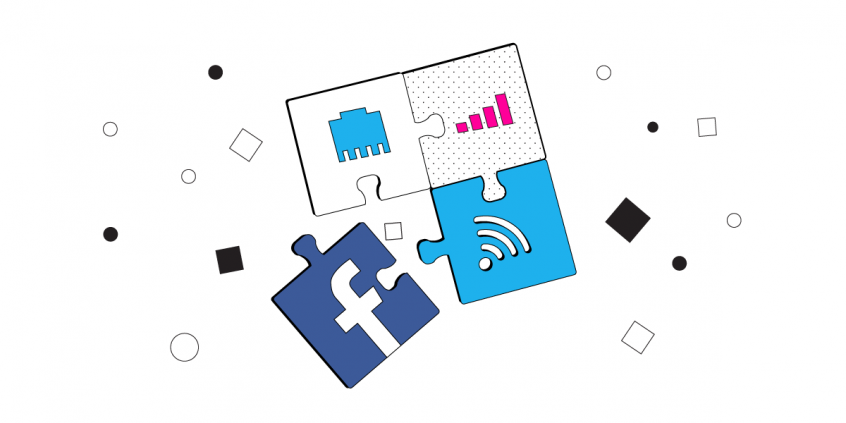
You Can Combine Multiple Internet Connections Together - Like Starlink, Wi-Fi, 4G, 5G, and DSL - with Speedify, to Avoid Facebook Live Stream Being Blurry
Ever try and watch your friend on their Facebook Live stream only to find it was blurry? It’s frustrating. It makes Facebook Live almost unusable. But, the problem isn’t Facebook. The reason your Facebook Live stream is blurry is because of the way your mobile device is connecting to the Internet.
The reason for Facebook Live stream being blurry is most likely a poor connection to the Internet. You can solve Facebook Live issues by joining your main Internet connection with another Internet source like a Starlink or DSL, 4G, 5G. Whether at home, work, or on-the-go, Speedify works with all live streaming software and social platforms to get you faster, more reliable and secure Internet.
In this article we'll show you how you can avoid blurry Facebook Live stream to be able to enjoy the videos without any issues.
Use Speedify to increase your upload and download speeds: combine internet connection sources like Wi-Fi, 4G, 5G, Starlink and wired broadband

Combine Wi-Fi, 4G, 5G, Starlink and wired broadband to fix slow upload and download speeds
Speedify is the only app that seamlessly combines all of your connections, including Wi-Fi, 4G, 5G, Ethernet, and Starlink, into one stronger connection to keep you online and secure.
In most cases, Speedify will automatically detect and start using any available Internet connections on your device while intelligently distributing your online traffic between them for optimal performance. If you need help we have quick start guides available for most common set ups.

Combine personal hotspots for better upload and download speeds
Speedify's Pair & Share feature enables you to connect to multiple hotspots at the same time and wirelessly share LTE, 4G, and 5G cellular connections back and forth between multiple Speedify users on the same local network to create a faster, more reliable connection for everyone.
For the first time, it's possible to share cellular data between multiple devices, including PCs, Macs, iPhones and Androids. Use multiple phones as hotspots for internet access and get increased bandwidth and mobile failover for all paired devices.
Use Speedify to combine...
Combine these connections on:



Blurry Facebook Live Stream a Sign of Latency
A video stream is actually made of up a large number of small packets of information. A blurry Facebook Live stream is a sign of latency (lag). That means that your mobile device is not receiving the packets of information fast enough to process them and display a smooth live video experience for you. Latency and buffering are both caused by the same issues—your device’s connection to the Internet just isn’t fast enough.
The software on your phone will produce a blurry stream because it doesn’t have all the puzzle pieces to put together a clear image. When your connection is slow, a blurry feed is the only way to still get some of the live experience. The only other option is for your device to buffer. This means it shows you nothing until it has collected enough of the information packets to display a clear image. But, with buffering you are not getting any of the live experience. That’s why pre-recorded videos buffer, but your Facebook Live stream is blurry.
How Your Mobile Device Streams Data
Mobile devices typically only connect to the Internet through a single channel. You are either connected through WiFi or through your cellular data connection. That means that if there are any issues with your connection, your device has to request that missing packets of data be resent. This slows down your connection even more.
While newer phones claim to connect to WiFi and cellular data at the same time, they are usually alternating between the two when connection issues come up. You will still experience a blurry Facebook Live stream when your Internet connection is slow even with the latest iOS and Android network switching features.
Speedify Solves the Blurry Facebook Live Stream Issue Forever
However, there is a way to solve the blurry Facebook Live streaming issue forever. Speedify is the only app that can combine multiple internet sources into one bonded super-connection for more stable and secure live streaming, video calling, and web browsing. The Speedify app allows your mobile device to bond two different Internet connections simultaneously and uses smart network switch to minimize data usage. Speedify uses your device’s WiFi connection and cellular connection to combine them into a single, ultra-fast connection.
This also gives you a more reliable connection: if you should connect to a dead WiFi hotspot, then Speedify will automatically keep you connected through its smart failover protection feature so you won’t skip a beat.
With Speedify you will never have to deal with your Facebook Live stream being blurry ever again.
Speedify = Fast, Reliable and Secure Internet
Speedify does much more than just increase the speed of your Internet connection. It also constantly monitors the quality of your Internet connections. It allows you to seamlessly roam between different WiFi networks without disconnects or any hiccups. It makes sure to only use the minimum amount of data necessary to keep you connected. Speedify also encrypts all of your data, keeping your data safe and private.
If you want to experience the internet on your terms and forget about Facebook Live stream blurry issues, get Speedify today on your iOS or Android device.


Speed
Stability
Security
Speedify devs love talking tech on YouTube, Tiktok, and Instagram!
Alex Gizis and the Speedify devs discuss and explain technology including Starlink satellites, Wi-Fi 7 routers, Apple networking features, fiber optics, broadband internet, 5G mobile networks, AI, networking protocols, and much more. Follow Speedify on YouTube, TikTok, Instagram, and LinkedIn!
Alex and the Speedify team are always exploring the latest in networking and security technology—like 5G, 6G, WiFi 7, laser and satellite internet—and sharing it in new discussion content across YouTube, TikTok, Instagram, and LinkedIn every week.
Got a tech question? Let's go deeper! Pop into Speedify Office Hours live every Wednesday at 10 AM Eastern. Speedify CEO Alex Gizis and our network engineers are standing by to break down your questions about networks, tech updates, and Speedify features.
