
The Most Important Part of Live Streaming Equipment for Church – Fast and Reliable Internet Connection
Churches spend carefully on cameras, microphones and a mixer, then find the picture still freezes on Sunday morning. The equipment was never the weak link – the building’s single internet connection was, because sending live video out demands steady upload that a shared church line often cannot hold.
Speedify is an app that combines two or more internet connections and runs them together, such as church Wi-Fi, 4G/5G cellular data, wired Ethernet or Starlink, so one weak internet connection no longer ends the service.
This article explains which part of a church streaming kit matters most, why the internet gives way first, and how using Speedify keeps the congregation watching.
Speedify keeps the stream up when the venue internet does not
The Biggest Problem When it Comes to Live Streaming – Unstable Internet
You might have the best of the best when it comes to audio / video equipment for streaming. And the software to go with that – multiple cameras, effects, etc. Congratulations – you’ll be able to create great videos to be distributed on DVDs, Blu-ray discs or other offline media. But live streaming equipment for church isn’t really something anyone thought about at the beginning of 2020. If you want a setup for live streaming church services, it’s a whole other story.
The thing you need most is a reliable and fast Internet connection. Whether you’re using a tripod with a GoPro or a smartphone mounted on it to overlook the altar, or a professional video system with several cameras – the quality of the live stream all comes down to the quality of your Internet connection.
So – assuming you’ve got the equipment – how do you get the Internet to go with that?
Fast and Reliable Internet for Live Streaming
As most of us know, having an Internet connection does not mean we always have trouble-free access to the Internet. Disruptive things can happen:
- Your ISP could be having issues with their infrastructure.
- There might be an issue with your hardware – modem / router.
- The overall Internet speed might be lower due to increased traffic from all the people staying at home.
One solution that comes naturally to mind is having a backup connection. Which is better than nothing. But think about this: what if the issues happen during a live streaming session? How long does it take for your camera / phone / computer to switch from one connection to the other? How will that affect your transmission? Will you get dropped from the streaming servers for inactivity?
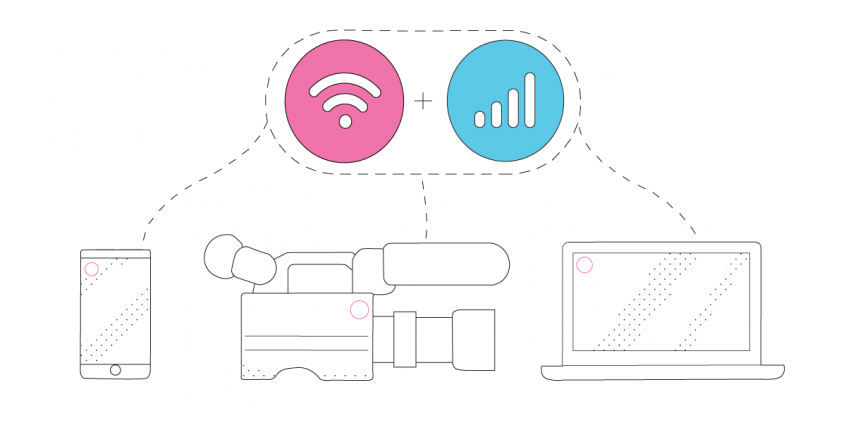
There’s a simple answer to all of this when you want to live stream church services: using all the connections (at least two) simultaneously! That is called channel bonding and it’s something that the Speedify app for Android, iOS, Windows, macOS and Linux can do.
Channel Bonding Solution for Live Streaming – Speedify
As a fast bonding VPN, Speedify acts like a power-up for the device you’re using to live stream the church event. Instead of only using one Internet connection at a time, Speedify allows your device to use multiple connections simultaneously. You’ll get more bandwidth and more stable live streams.
That means that if you’re using a smartphone, you can combine the existing WiFi with your cellular connection. And if you’re using a computer or a live streaming camera linked through a computer, you can bond all available connections: Wi-Fi, wired Ethernet, cellular, etc.
Speedify constantly monitors the quality of your Internet connections. If the Wi-Fi becomes unreliable, for example, it’ll automatically reroute data through other working connections until Wi-Fi is available again.
Moreover, we added a brand new Streaming Mode. It automatically identifies audio and video streams, and provides quality of service (QoS) by prioritizing streams over other traffic. Web browsing and software updates can’t mess up your calls and live streams.
Speedify is the most important part of live streaming equipment for church. But don’t just take my word for it, try Speedify for free! Get it here!
Speedify
Get started with Speedify today.
Combine Wi-Fi, 4G/5G cellular, Ethernet, Starlink, and more into one faster, steadier connection. Free to try — no credit card required.
🚀 Speed
Faster uploads and downloads by bonding all your connections at once.
📶 Stability
Automatic failover in under a second when any connection drops.
🔒 Security
AES-256 encryption on every connection, on every network you join.



15M+ downloads worldwide. 75K+ five-star reviews on iOS and Android.