
Internet Connectivity – Key Element for Any Live Streaming Setup
Whether you’re new at this or you’ve been live streaming for some time, you realize that the Internet quality makes and breaks your stream. Literally, if you have poor Internet connectivity, your live stream will look choppy, with stuttering and, finally, it’ll start buffering. That doesn’t look very professional, does it?
Unfortunately this happens way to often these day, with more people doing their activities from home. The bandwidth is the same as before the pandemic, but now we use more of it. Remember Netflix and YouTube reducing video quality so their streams would be at least fluent?
In this article we won’t go into details about any specific equipment for audio or video streaming. But we will remind you that a good Internet connection is a must for any event that is broadcast online, whether it’s IRL streaming on Twitch, gaming on Youtube or just attending a video conference at work.
So – how can you easily live stream online without running into stuttering, buffering or even disconnects? That’s something you can read about below.
Use Speedify to Increase Your Upload and Download Speeds: Combine Wi-Fi, 4G / 5G Cellular, Ethernet, Starlink and Other Satellites
Speedify combines Wi-Fi, 4G / 5G cellular, Ethernet, Starlink, and other satellites for faster internet uploads and downloads
Speedify is the only software app that combines Wi-Fi, 4G / 5G cellular, Ethernet, Starlink and other satellites at once for secure, faster, and more reliable internet uploads and downloads so you stay online without interruptions.
Speedify will automatically detect and start using any available Internet connections on your device while intelligently distributing your online traffic between them for optimal performance. If you need help we have quick start guides available for most common set ups.
Speedify wirelessly joins multiple phone personal hotspots together for faster internet upload and download speeds
Speedify's Pair & Share feature enables you to connect to multiple hotspots at the same time for faster upload and download speeds and more reliable internet for everyone. Speedify's Pair & Share feature allows you to wirelessly share 4G / 5G cellular connections back and forth between multiple Speedify users on the same local network when live streaming from an event, calling from the commute or sharing from the field.
Speedify is the only app that allows you to share 4G / 5G cellular data between PCs, Macs, iPhones and Androids. Use multiple iPhones and Android phones as hotspots for internet access and get faster upload and download speeds and mobile failover for all paired devices.
See how you can use Speedify to combine different Internet connections:
Combine these connections on:


Unreliable Internet – the Most Common Reason for Failed Streaming Setups
You might have the best of the best when it comes to audio / video equipment for streaming. And the software to go with that – multiple cameras, effects, etc. Congratulations – you’ll be able to create great videos to be distributed on DVDs, Blu-ray discs or other offline media. Oh, you want to live stream online? Well, there’s a key element missing from your streaming setup.
The thing you need most is a reliable and fast Internet connection. Whether you’re using a tripod with an GoPro or a smartphone mounted on it, or a professional video system with several cameras – the quality of the live stream all boils down to the quality of your Internet connectivity.
So – assuming you’ve got the equipment – how do you get the Internet to go with that?
2020 Dream Streaming Setup: Use Two or More Internet Connections at Once
As most of us know, having an Internet connection does not mean we always have trouble-free access to the Internet. Disruptive things can happen:
- Your ISP may be having issues with their infrastructure
- There might be an issue with your local equipment – modem / router
- The overall Internet speed might be lower due to increased traffic from all the people staying at home
One solution that comes naturally to mind is having a backup connection. Which is better than nothing. But think about this: what if the issues happen during a live streaming session? How long does it take for your camera / phone / computer to switch from one connection to the other? How will that affect your transmission? Will you get dropped from the streaming servers for inactivity?
There’s a simple answer to all of this: using all the connections (at least two) simultaneously! That is called channel bonding and it’s something that the Speedify app for Android, iOS, Windows, macOS and Linux can do.
Speedify Provides the Fast and Reliable Internet Needed to Livestream Gaming, IRL or for Video Conferencing
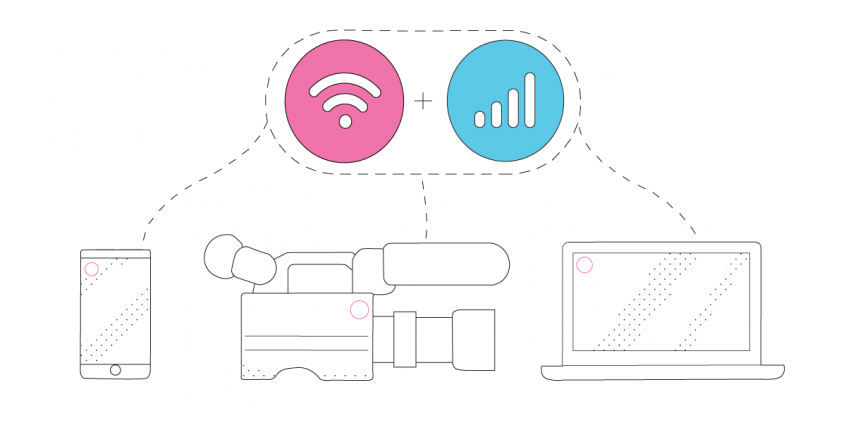
An essential element in any streaming setup, Speedify fast bonding VPN acts like a power-up for the device you’re using to live stream the event. Instead of only using a single Internet connection at a time, Speedify allows your device to use multiple connections simultaneously. You’ll get more bandwidth and more stable live streams.
That means that if you’re using a smartphone, you can combine the existing WiFi with your cellular connection. And if you’re using a computer or a live streaming camera linked through a computer, you can toss in all available connections: Wi-Fi, wired Ethernet, cellular, etc.
Speedify constantly monitors the quality of your Internet connections. If the Wi-Fi becomes unreliable, for example, it’ll automatically reroute data through other working connections until Wi-Fi is available again.
Moreover, we added a brand new Streaming Mode. It automatically identifies audio and video streams, and provides quality of service (QoS) by prioritizing streams over other traffic. Web browsing and software updates can’t mess up your calls and live streams.
But don’t just take my word for it, try Speedify as part of your streaming setup!

Get started with Speedify today!
With Speedify you can combine Wi-Fi, 4G / 5G cellular, Ethernet, Starlink and other satellites into one bonded super-connection to improve livestreaming, video calling, gaming, web browsing, and everything else you do online.


Speed
Stability
Security
Speedify devs love talking tech on YouTube, Tiktok, and Instagram!
Alex Gizis and the Speedify devs discuss and explain technology including Starlink satellites, Wi-Fi 7 routers, Apple networking features, fiber optics, broadband internet, 5G mobile networks, AI, networking protocols, and much more. Follow Speedify on YouTube, TikTok, Instagram, and LinkedIn!
Alex and the Speedify team are always exploring the latest in networking and security technology—like 5G, 6G, WiFi 7, laser and satellite internet—and sharing it in new discussion content across YouTube, TikTok, Instagram, and LinkedIn every week.
Got a tech question? Let's go deeper! Pop into Speedify Office Hours live every Wednesday at 10 AM Eastern. Speedify CEO Alex Gizis and our network engineers are standing by to break down your questions about networks, tech updates, and Speedify features.
