
Getting Married During The Pandemic?
Use Speedify to increase your upload and download speeds: combine internet connection sources like Wi-Fi, 4G, 5G, Starlink and wired broadband

Combine Wi-Fi, 4G, 5G, Starlink and wired broadband to fix slow upload and download speeds
Speedify is the only app that seamlessly combines all of your connections, including Wi-Fi, 4G, 5G, Ethernet, and Starlink, into one stronger connection to keep you online and secure.
In most cases, Speedify will automatically detect and start using any available Internet connections on your device while intelligently distributing your online traffic between them for optimal performance. If you need help we have quick start guides available for most common set ups.

Combine personal hotspots for better upload and download speeds
Speedify's Pair & Share feature enables you to connect to multiple hotspots at the same time and wirelessly share LTE, 4G, and 5G cellular connections back and forth between multiple Speedify users on the same local network to create a faster, more reliable connection for everyone.
For the first time, it's possible to share cellular data between multiple devices, including PCs, Macs, iPhones and Androids. Use multiple phones as hotspots for internet access and get increased bandwidth and mobile failover for all paired devices.
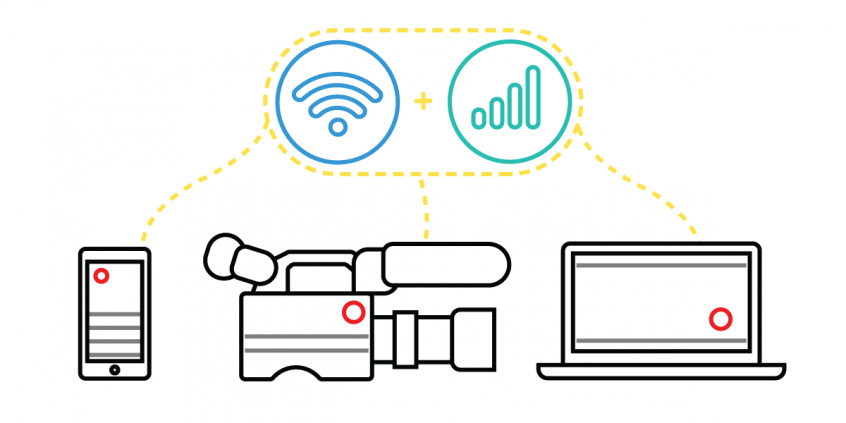
Use Speedify to combine...
Combine these connections on:



Zoom Wedding Planning and Preparation
You have so many options for a venue. Many indoor religious institution have upped their tech game these days. More over, it's very likely Zoom is already a part of their ceremonies. Therefore, be sure to ask if you can plug into their system to enhance your live streaming if you are the happy couple. That said, added stress is not something anyone needs on their special day, so that leads us to the next topic, your coordinator.
Now that Zoom weddings are so popular, there are companies that are specializing in wedding streams. You can also ask your techie family or friend to do this for you, an IT person is best in this role. Most smartphones are more than able to stream well and if you hook up a few, your guests will be able to view several angles and feel just like they are there with you. And why not invite that friend with a drone too!?
Perhaps the best advice is to have a test stream and work out any kinks before the big day. This is when guests will also log in, who knows, it could be their first Zoom wedding, may as well get everyone familiar with the platform and get important feedback on the lighting, sound and the connection of the steam. This is when your WiFi connections mean so much to avoid lag and other interruptions. It’s probably best to have it a few days prior to tweak any changes like your backdrop or, adding Speedify to prevent any connection issues and ensure a quality stream.
Get a Stable Internet Connection For Your Zoom Wedding
The Internet connection is essential for live streaming your wedding. You want to avoid broadcasting poor quality video or being disconnected. Relying on a single Internet connection can get you in trouble. So, relying on two or more connections is better. Best case scenario for streaming your Zoom wedding with solid Internet: you combine 2 or more connections at once from different ISPs with a channel bonding app designed for streaming like Speedify.
Make sure you mention Speedify to your Streaming Coordinator. It uses channel bonding technology to use 2 or more connections at the same time. Speedify is the only software bonding service that can run on any device, whether it’s a desktop or laptop computer, smartphone or tablet.
If one of your connections fails, Speedify automatically reroutes all the traffic through your other available connection(s). This happens in the background without you having to do anything. When the dropped connection is back online, Speedify will pick it up and start using it again.
How to Live Stream a Zoom Wedding? Get Solid Internet with Speedify
As a fast bonding VPN, Speedify acts like a power-up for your device. Instead of only using a single Internet connection at a time, Speedify allows your device to use multiple connections simultaneously. You’ll get more bandwidth and more stable live streaming for your wedding.
Speedify constantly monitors the quality of your Internet connections. If, for example, the Wi-Fi becomes unreliable, it’ll automatically reroute data through other connections (e.g. cellular data) until Wi-Fi is available again.
Moreover, it automatically optimizes audio and video streams, and provides quality of service (QoS) by prioritizing streams over other traffic. Web browsing and software updates can’t mess up your calls and live streams.
Wondering how to live stream your wedding without running into connection issues? Try Speedify at the rehearsal and ensure smooth Internet on your Big Day! Get it here!


Speed
Stability
Security
Speedify devs love talking tech on YouTube, Tiktok, and Instagram!
Alex Gizis and the Speedify devs discuss and explain technology including Starlink satellites, Wi-Fi 7 routers, Apple networking features, fiber optics, broadband internet, 5G mobile networks, AI, networking protocols, and much more. Follow Speedify on YouTube, TikTok, Instagram, and LinkedIn!
Alex and the Speedify team are always exploring the latest in networking and security technology—like 5G, 6G, WiFi 7, laser and satellite internet—and sharing it in new discussion content across YouTube, TikTok, Instagram, and LinkedIn every week.
Got a tech question? Let's go deeper! Pop into Speedify Office Hours live every Wednesday at 10 AM Eastern. Speedify CEO Alex Gizis and our network engineers are standing by to break down your questions about networks, tech updates, and Speedify features.
