
Your Guide to DSL Speed Tweaks: Add a Tethered Phone Connection for Faster Internet
Want faster DSL speeds and internet that stays online even if one connection drops out? Run your DSL line and your phone’s cellular data at the same time.
Speedify is an app that combines two or more internet connections at once – such as a DSL line and a tethered phone’s 4G/5G – so you get faster uploads and downloads and stay online if one connection drops out. It works on Windows and macOS.
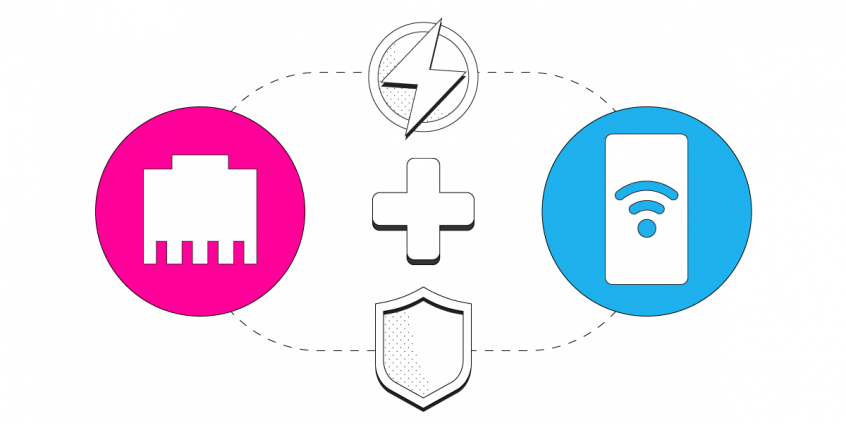
Speedify uses every internet connection your device has, at the same time
How do I use WiFi and 4G/5G cellular at the same time with Speedify?

Pick your two internet connections and your device below and we'll take you to the step-by-step setup guide.


Make Your DSL Faster for Free Using a Tethered Phone Connection
If you’re living in remote areas “in the middle of nowhere” (as some might say) or, sadly enough, having no other alternatives to your DSL Internet connection where you’re located, then make the best of it and use your phone’s Internet link together with your existing DSL line. It’s very easy to combine them with our Speedify software app.
Requirements
- A subscription of Speedify, the mobile VPN that combine multiple connections into one super fast and secure pipe. Speedify can be used on both Windows and macOS computers.
- Your mobile phone’s USB data cable, for tethering – should be the same cable you use to charge it.
5 Steps to Combine Your DSL Line with Tethered Phone for Faster Internet
- Download and install Speedify on your Windows PC or Mac computer. Make sure you purchase a monthly or yearly subscription to be able to combine and securely run all your traffic with Speedify.
- Connect your mobile phone to your computer with the USB data cable – just plug that into an empty USB slot.Make sure the operating system detects the device and installs the correct drivers for it.
- Activate the USB tethering mode from your phone’s settings menu.
- Start Speedify and log in using your subscription credentials. Speedify will detect your active DSL Internet connection and your tethered phone connection and show them on the screen.
- Choose a server for Speedify to connect to and combine the DSL Internet link with your tethered phone connection. By default, Speedify will connect to the fastest server, but you can choose a specific location as well, if you need to unblock restricted content.
- Set the tethered phone connection on a Secondary priority and specify a daily or monthly data cap. You don’t want to exceed your quota and pay more, so Speedify will just cut the use of the tethered phone data connection once you’re done for the day / month.
If you’re on an unlimited data plan with your mobile phone, then consider using the tethered connection whenever connected with an “Primary” priority.
- Enjoy faster Internet with Speedify, as it combines your DSL Internet link with your tethered phone connection for their aggregated bandwidth and speed. When both symbols light up in the Speedify interface, that means they’re connected and online, and Speedify is bonding the two.
Speedify Does More Than Get You Faster DSL
Speedify is more than just a way to use and manage multiple DSL and tethered phone Internet connections to get faster Internet on your computer. It is also the premier mobile VPN platform. It was designed for speed, so it won’t slow your device down. It will encrypt all of your data. It will protect you from the dangers of using an unsecured public WiFi network.
Speedify is also available for mobile devices such as iPhone, iPad, Android smartphones and tablets. You can get Speedify directly from the Apple Store and Google Play Store. With a single subscription you can protect all your devices!
Plus, Speedify is an anonymous no log VPN service, so that you can stay with peace of mind that your data is safe and won’t be sold to other companies for money.
Speedify is not only the easiest way to improve your device’s Internet connectivity, it is also the best way to make your device more secure. Speedify has packed all of this industry-leading technology into one simple app that anyone can use.
What are you waiting for? If you’re in need for faster DSL Internet, then it’s time to move forward, tether your phone to your computer and combine the two together into a super fast pipe! Get started with Speedify today – no strings attached!
Speedify
Get started with Speedify today.
Combine Wi-Fi, 4G/5G cellular, Ethernet, Starlink, and more into one faster, steadier connection. Free to try — no credit card required.
🚀 Speed
Faster uploads and downloads by bonding all your connections at once.
📶 Stability
Automatic failover in under a second when any connection drops.
🔒 Security
AES-256 encryption on every connection, on every network you join.



15M+ downloads worldwide. 75K+ five-star reviews on iOS and Android.