
Make Your DSL Faster – Combine It with Another Connection
To increase DSL speed and improve a DSL connection without changing your modem, run your DSL line alongside a second internet connection at the same time. You get faster downloads and uploads, and you stay online if one connection drops out.
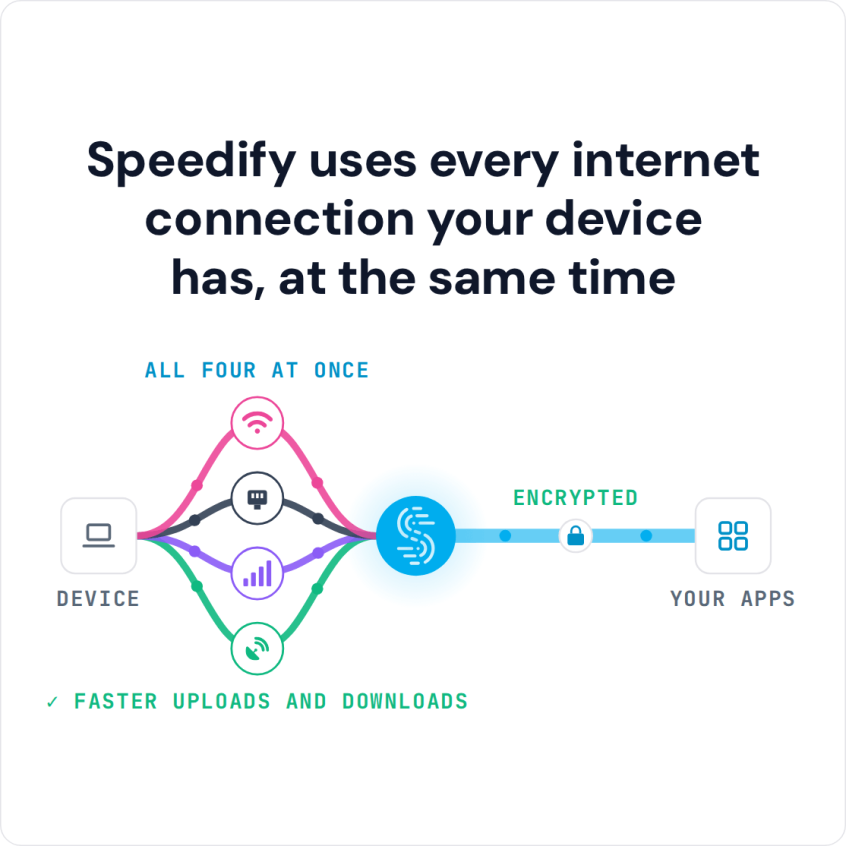
Speedify is an app that combines two or more internet connections at once, such as your DSL line plus a Wi-Fi hotspot, cable, or 4G/5G cellular connection. With the DSL line alone, Speedify works as an encrypted VPN and cannot make it faster. Speedify works on Windows, macOS, iOS, Android and Linux.
How do I use WiFi and 4G/5G cellular at the same time with Speedify?

Pick your two internet connections and your device below and we'll take you to the step-by-step setup guide.


Combine Multiple Internet Connections to Speed Up DSL
The issue with slow DSL is that your bandwidth is being constricted. You need a bigger pipe to move all of your data back and forth faster, without running into an Internet traffic jam.
When you combine your DSL line with another connection you expand the pipe. Windows and macOS computers can have multiple Internet connections, but they only use one connection at a time, so the pipe stays the same size.
So you need to combine your connections. It used to be that you needed a complicated and expensive hardware setup to merge two separate connections so that they acted as a single pipe.
Speedify: The Easy Way to Combine Internet Connections
Now all you need is the Speedify app. You can download Speedify for Windows, macOS, iOS, Android or Linux.
When you want to make your DSL connection faster, connect your computer to the DSL line. Then connect your computer to a second internet connection. The second connection could be a separate DSL line, a nearby Wi-Fi hotspot, a cable line, 4G/5G cellular, or satellite internet such as Starlink.
Once you are connected to two different sources, open the Speedify app. Speedify takes care of combining the 2 connections, so downloads and uploads can use the bandwidth of both.
You can use Speedify to combine as many different Internet connections as you like. That can even include a neighbor’s Wi-Fi network, with their permission.
How to Improve a DSL Connection with a Second DSL Line
If DSL is the only wired internet where you live, a second DSL line from your provider is one way to improve your DSL connection. Installation can take a week or more. When the technician installs the line, ask for its speed to be tested so you know it delivers what you pay for.
Your computer needs a separate network adapter for each line. If one DSL modem reaches the computer over an Ethernet cable and the other over its Wi-Fi, the built-in adapters are enough. If both lines use Ethernet, or both use Wi-Fi, add a USB Ethernet or USB Wi-Fi adapter, because most computers have only one of each. On a Mac, use a USB Ethernet adapter: USB Wi-Fi adapters work only on Intel Macs running macOS 11 Big Sur or older.
Connect each line to its own adapter and check in your network settings that each adapter is on the right network. Then open Speedify: both DSL lines appear in the Speedify window, and Speedify uses them together for their combined speed. If one line drops, traffic stays on the other, so you also get DSL failover.
Failover and Encryption: What Else Speedify Does for a DSL Line
Speedify does more than combine internet connections. Besides making your DSL line faster, Speedify monitors the quality of your connections in the background.
Speedify also has automatic failover. If something goes wrong with one of your connections, Speedify reroutes all of your traffic through the connections that are still up. You don’t have to do anything: you stay online and keep using the web without interruption. Once the connection is stable again, Speedify adds it back automatically.
Speedify also encrypts your traffic like a VPN. Most VPNs slow your connection down; Speedify can make it faster, because it combines your connections while it encrypts all the data travelling to and from your computer.
If you need to make your DSL faster, get started with Speedify today.
Speedify
Get started with Speedify today.
Speedify combines Wi-Fi, 4G/5G cellular, Ethernet, Starlink and satellite into one faster, more reliable internet connection. Free to try: 5 GB a month with a free account. No credit card required.
🚀 Speed
Faster uploads and downloads, because Speedify uses all your internet connections at once.
📶 Stability
If one internet connection drops, Speedify moves your traffic to the others in milliseconds.
🔒 Security
AES-256 encryption on every internet connection, on any network you join.



15M+ downloads worldwide. 75K+ five-star reviews on iOS and Android.