
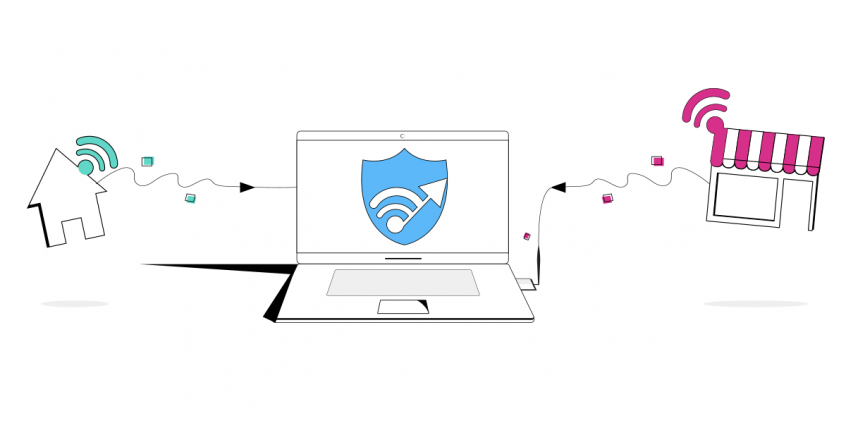
Benefit from Windows 10 Channel Bonding with Speedify
Looking for a way to combine and use multiple Internet connections on your Windows 10 computer at the same time? You’ve probably heard of terms such as Network (NIC) Teaming or link aggregation with mixed network adapters. What they all have in common is a complex setup with a lot of incompatibility issues users complain about.
Read below to see how you can set up a Windows 10 channel bonding solution in minutes using just a software app.
Use Speedify to increase your bandwidth: Combine internet connection sources like WiFi, 4G, 5G, & Starlink together

Combine multiple internet connections to fix slow Internet
Speedify is the only app that seamlessly combines all of your connections, including WiFi, 4G, 5G, Ethernet, and Starlink, into one stronger connection to keep you online and secure.
In most cases, Speedify will automatically detect and start using any available Internet connections on your device while intelligently distributing your online traffic between them for optimal performance. If you need help we have quick start guides available for most common set ups.

Combine personal hotspots for better bandwidth and signal strength
Speedify's Pair & Share is a feature that enables you to connect to multiple hotspots at the same time and wirelessly share LTE, 4G, and 5G cellular connections back and forth between multiple Speedify users on the same local network to create a faster, more reliable connection for everyone.
For the first time, it's possible to share cellular data between multiple devices, including PCs, Macs, iPhones and Androids. Use multiple phones as hotspots for internet access and get increased bandwidth and mobile failover for all paired devices.
Windows 10 Channel Bonding: How It Works
Here’s your typical Internet connection: imagine yourself driving for a weekend getaway on a one-lane street. And many others like you on the road. Too many cars means that the traffic is slow. Plus, if there were an incident on the road, everybody would have to stop, so nobody would reach the destination in due time.
When you combine 2 or more Internet connections, it’s like having multiple roads that lead to the same destination. You would be able to switch from one road to another if one gets congested and you’ll be sure you’ll get there in time, if not even faster!
This is exactly what channel bonding does – it splits your traffic across multiple Internet connections so that communication happens faster and chances of your overall connection dropping are almost zero.
How Speedify Helps with Windows 10 Channel Bonding – Get Started in Minutes
Speedify’s unique channel bonding technology enables you to securely use multiple Internet connections at the same time for increased bandwidth, lower latency and better connection stability. Once connected to our fast secure VPN servers in the cloud, Speedify protects your privacy and optimizes your online experience by intelligently distributing online traffic between all available Internet connections on your Windows 10 computer.
Speedify’s patent pending channel bonding solution adds some perks to the standard specs of channel bonding, for your convenience:
- Security and online privacy: Speedify has mobile VPN capabilities and securely combines multiple Internet streams so that you can be sure no one can eavesdrop on your online traffic. You can be sure your private browsing data is safe even on public WiFi networks.
- Efficiency: Most link aggregation solutions aren’t intelligent and just blindly split traffic over each network connection in a “round robin” manner, like dealing cards in a card game. Speedify’s smart channel bonding technology is able to detect the capabilities of each network connection and intelligently distributes the traffic so that you will get up to 95% efficiency of their combined throughput.
- Performance: Unlike more expensive, hardware-based channel bonding solutions, Speedify’s Windows 10 channel bonding technology is software-based and isn’t limited by any bonding hardware. It will always be usable whether you change something in your Internet setup and it’s budget friendly!
Speedify Windows 10 Channel Bonding – Much More Load Balancing
Speedify is a fully featured channel bonding solution for Windows, macOS, Android and iOS devices. Some may think it’s a load balancing service – but it’s not. It’s much more than that!
Whereas load balancing works by optimizing Internet traffic per network sockets, channel bonding on the other hand goes one step further and optimizes traffic into smaller chunks of data – network packets. Learn more about Windows 10 channel bonding vs. load balancing.

Get started today!
With Speedify you can combine multiple internet sources into one bonded super-connection to improve livestreaming, video calling, gaming, web browsing, and everything else you do online.
Speed
Stability
Security
We love talking about connectivity!
Alex and the Speedify team are always exploring the latest in networking and security technology—like 5G, 6G, WiFi 7, laser and satellite internet—and sharing it in new discussion content across YouTube, TikTok, Instagram, and LinkedIn every week.
Got a tech question? Let's go deeper! Pop into Speedify Office Hours live every Wednesday at 10 AM Eastern. Speedify CEO Alex Gizis and our network engineers are standing by to break down your questions about networks, tech updates, and Speedify features.
