
Unbreakable VPN Connection for Crypto by Combining Starlink, Wi-Fi, 4G, 5G, and DSL with Speedify
A VPN for crypto scrambles (encrypts) the data between your device and a VPN server, so your internet provider and anyone sharing the network cannot see which exchange or wallet you use. You can use a VPN to buy crypto, but connect to a server in the country you are in: exchanges check your location and identity, and some trading services treat VPN connections as a risk.
Speedify does that scrambling and, rather than relying on one tunnel over one network, uses your Wi-Fi, wired Ethernet and a phone’s 4G/5G cellular connection together. That gain in speed and uptime needs two or more internet connections; on one connection, Speedify works as an encrypted VPN and can be a little slower. What follows covers the risks of trading and mining cryptocurrency online, what to look for in the best VPN for crypto, and what using Speedify changes: nobody on the network can read your activity, and your internet connection stays up.
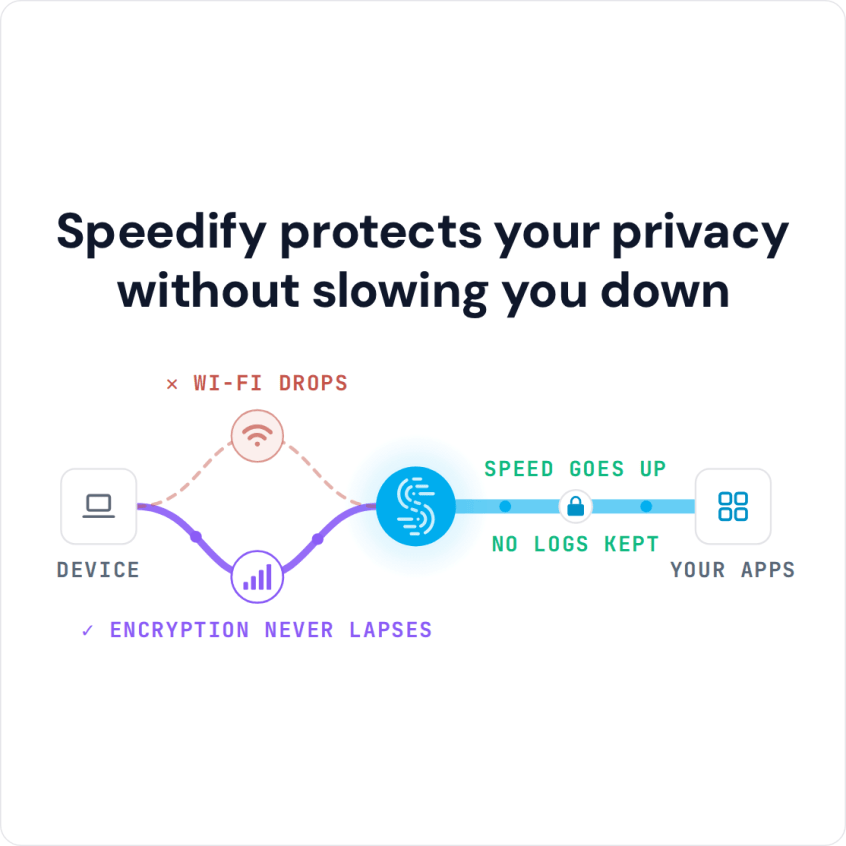
Speedify protects your privacy without slowing you down
How to Truly Secure Your Cryptocurrency Activities
Crypto exchanges such as Binance, Kraken, eToro and Coinbase already encrypt the connection to their websites with HTTPS. A VPN adds a second layer: it hides which exchange or wallet service you use from the network you are on and from your internet provider, which helps if a security flaw turns up in a site or app.
VPNs secure your online activities by creating an encrypted tunnel between your computer or mobile device and a server in the cloud. Hackers on the same network, your ISP and your corporate network see only an encrypted connection to that server, not the sites and apps you use.
Whatever you do with cryptocurrency, whether trading (buying, selling, exchanging) or using your crypto wallet, secure it with the basics first:
- hardware authentication and/or multi-factor authentication (MFA) using security tokens, hardware crypto wallets, etc.
- antivirus software on all devices you use to handle cryptocurrency.
- a password manager preferably not built into your browser.
With those basics in place, here is where a cryptocurrency VPN helps.
3 Reasons to Use a Cryptocurrency VPN
Along with securing your online traffic through encryption, a VPN lets you connect to different servers in the cloud, so websites see the server’s IP address instead of yours. Crypto exchanges check where you are and who you are, so connect to a server in the country you are in: a server in another country does not change where an exchange’s terms allow you to trade. The same goes for crypto casinos and betting sites: they follow the gambling rules where you are, and a VPN does not change where you may legally gamble.
Here are three scenarios when you may want to use a crypto VPN:
- When mining through cryptocurrency pools. The pool sees the VPN server’s IP address instead of your home IP address, and the connection from your mining rig stays encrypted.
- To use crypto exchanges and coins safely on public Wi-Fi. On a hotel, cafe or airport network, a VPN stops others on that network from seeing which exchange you use. A VPN does not change the rules: the legal status of a coin varies by country, and each exchange’s terms decide where you may trade.
- To protect your sensitive data. Trading cryptocurrencies involves your ID (where required), your bank account or credit card number, authentication codes and often your cryptocurrency wallet. None of that should be readable by anyone else on the network.
Which VPN should you use? The four tips below help you choose.
4 Tips to Choose the Best Cryptocurrency VPN
Not all VPNs are the same. Check these four things before you trust one with crypto:
- Be careful with free VPNs: some pay for themselves because they sell your data to advertisers. Check how a free plan is funded before doing crypto on it; Speedify’s free tier (5 GB per month with a free account) is a limited version of the paid app, and Speedify does not sell personal data.
- Check what the VPN records: read the provider’s policy before you trust it with exchange logins. Speedify, for example, keeps no record of the sites you visit and records connection metadata (IP address, device ID, connection time and data used), as its privacy policy explains.
- Look for a kill switch. A kill switch blocks your device from using the internet when the connection to the VPN server drops. Speedify documents an Internet Kill Switch for its mobile app (version 6.1 or later, under Settings > Privacy), not for its desktop apps.
- Don’t sacrifice speed for security. A VPN adds an extra hop, so on one internet connection it can be a little slower, whether you are mining, trading or just browsing. Don’t let the VPN slow down your Internet: choose one that can add a second internet connection. Here is a guide to choosing a VPN for crypto trading.
If you want to pay for the VPN itself with Bitcoin or another cryptocurrency, check the payment options first: Speedify does not accept cryptocurrency payments.
How Speedify Keeps Crypto Trading and Mining Connections Private and Online
Speedify is a VPN that combines connections: it encrypts your online activities and, instead of one tunnel over one network, uses Wi-Fi, 4G/5G cellular, Ethernet, Starlink and satellite internet connections together. Speedify calls this combining internet connections: you use all your available Internet connections at once, with traffic split across them packet by packet.
For trading on exchanges and using wallets, that means the connection does not drop mid-order when one network fails. For mining, alone or in a pool, combining connections gives a more reliable connection, so the rig avoids forced pauses caused by Internet disconnects. When one connection drops, your public IP address stays the same, because traffic reaches the internet from the Speedify server, so an exchange session does not see a new address the way it would behind a dual-WAN router.
Some trading services treat any VPN as a risk. Prop-trading firms such as Topstep, TradeDay and Elite restrict VPNs, and some banks flag VPN IP addresses. Check the service’s rules first. If a service blocks VPNs, Speedify’s Bypass setting (Settings > Bypass, or App Bypass on Android) sends that service’s traffic directly from your device, outside the encrypted tunnel, while the rest stays protected. For an IP allow list, a Speedify Dedicated Server gives you a fixed IP address.
To wrap this up: use a VPN whenever you deal with cryptocurrency, and choose one that fits how you trade or mine. With Speedify and two internet connections, you get security, speed and reliability at once.
Speedify
Get started with Speedify today.
Speedify combines Wi-Fi, 4G/5G cellular, Ethernet, Starlink and satellite into one faster, more reliable internet connection. Free to try: 5 GB a month with a free account. No credit card required.
🚀 Speed
Faster uploads and downloads, because Speedify uses all your internet connections at once.
📶 Stability
If one internet connection drops, Speedify moves your traffic to the others in milliseconds.
🔒 Security
AES-256 encryption on every internet connection, on any network you join.



15M+ downloads worldwide. 75K+ five-star reviews on iOS and Android.