
How Safe Is Your Child’s School Wi-Fi? Get an Unbreakable VPN Connection by Combining Wi-Fi and 4G / 5G with Speedify
Whether it’s at school or college, Wi-Fi is definitely an important part of your children’s daily life. You’d be hard pressed to find a child who rocked up to school without a phone, tablet or laptop in their backpack in our digital age.
The traditional blackboard and textbook lessons are gone. Instead our kids can research, discover, collaborate, create and most importantly, learn like never before. All while being connected to the Internet via their school or campus Wi-Fi.
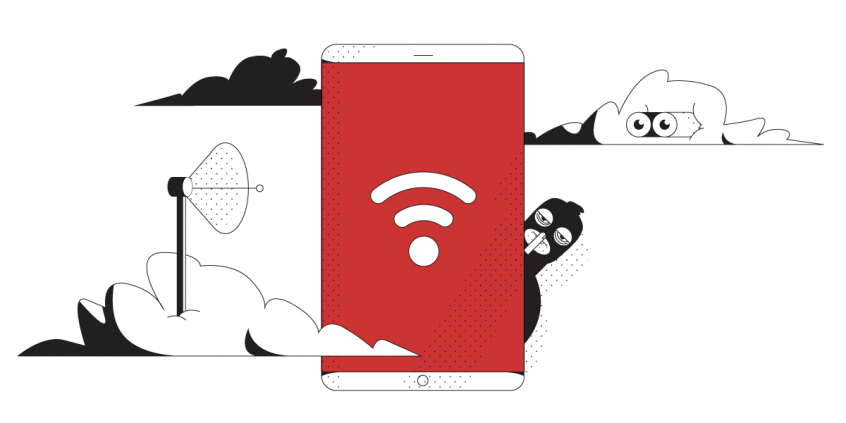
Should you be concerned about that? Yes, given the way school Wi-Fi’s are “administered”. And this also applies to any public Wi-Fi hotspot. We’ll share more in the following sections below, as well as ways to protect your kids from public Wi-Fi dangers.
Speedify delivers an unbreakable VPN connection by intelligently bonding multiple internet sources, ensuring continuous uptime and encrypted protection.
Should you have a backup 4G, 5G, Starlink, or cable internet connection?
Yes — every internet connection goes down, including Starlink, which drops for ~34 minutes a day on average. A backup connection from a different provider means one outage never takes you fully offline. The most common options are a 4G/5G cellular hotspot, a cable or DSL line, or a second satellite dish.
4G/5G cellular
Works anywhere. Just a SIM or hotspot — no installation needed.
Learn more →Cable / DSL
Best for fixed locations. Different network, so outages rarely overlap.
Learn more →Second Starlink
Adds redundancy and throughput for remote sites or heavy usage.
Learn more →Speedify bonds any two connections into one — automatic failover, more speed, no dropped calls.
Try Speedify free →The Do’s and Don’ts of Using Public Wi-Fi
Public places, businesses, schools and campuses your children connect from offer free Wi-Fi to attract customers and to provide a public service. However, those who manage the public Wi-Fi are not IT or cybersecurity professionals, so, security is not the primary focus on these school or campus networks. These free Wi-Fi hotspots often do not have standard security practices such as:
- Securing the Wi-Fi access either by requiring a password to connect to the Wi-Fi hotspot or having some sort of login or registration before accessing the Internet
- Having up-to-date firmware on their routers and other networking equipment
- Having security compliant or at least hard to guess admin usernames and passwords
- Doing periodic routine checks to see if the networks have been compromised
Public Wi-Fi networks (including schools and campus hotspots) are attractive targets for hackers. They are usually easy to compromise and so many different people use them that they never run out of new targets.
Unfortunately, public Wi-Fi networks aren’t just convenient for your kids; they are also convenient for cyber criminals. They can snoop in on the traffic and get all the sensitive information you share with your family, like social media accounts, credit card numbers, email passwords, etc.
Protect Your Kids on Public Wi-Fi Networks: Use a VPN Family Plan
The real world solution to protect your children on public Wi-Fi is to use a VPN to encrypt your web traffic. This will make sure your kids will always be safe online, whether they are traveling to school or on vacation.
One of the issues of standard VPNs for school or campus Wi-Fi security is they slow down your web traffic. It’s bad enough those type of networks are already slow, but to get even slower? This can make the internet almost unusable.
You need a fast VPN that will not slow down your Internet. If you get a bonding VPN like Speedify, you can even get faster and more stable Internet.
Speedify Protects Your Children from Security Risks on Public Wi-Fi While Providing Uninterrupted Internet
Speedify is different among VPNs. It solves both security and speed concerns. By using channel bonding technology, Speedify can combine all available Internet connections simultaneously.
Your kids will be protected from compromised Wi-Fi networks. Speedify also keeps your data safe from the prying eyes of hackers, ISPs, and even the hosts of the network.
Get the Speedify for Families VPN plan and use it on all major platforms: Windows, macOS, iOS, Android and Linux. At almost the cost of two individual monthly subscriptions, the Speedify for Families plan supports 5 users, each with up to 5 devices. You definitely get a better deal per user if you have kids.
Protecting the online privacy and activities of your family members protects all your shared resources and information. Plus, everybody benefits from fast and stable Internet for browsing, snapping, streaming or chatting. Which makes it a happy modern age family!
Alex and the Speedify team are always exploring the latest in networking and security technology—like 5G, 6G, WiFi 7, laser and satellite internet—and sharing it in new discussion content across YouTube, TikTok, Instagram, and LinkedIn every week.
Got a tech question? Let's go deeper! Pop into Speedify Office Hours live every Wednesday at 10 AM Eastern. Speedify CEO Alex Gizis and our network engineers are standing by to break down your questions about networks, tech updates, and Speedify features.

Speedify
Get started with Speedify today.
Combine Wi-Fi, 4G/5G cellular, Ethernet, Starlink, and more into one faster, steadier connection. Free to try — no credit card required.
🚀 Speed
Faster uploads and downloads by bonding all your connections at once.
📶 Stability
Automatic failover in under a second when any connection drops.
🔒 Security
AES-256 encryption on every connection, on every network you join.



15M+ downloads worldwide. 75K+ five-star reviews on iOS and Android.