
Need to Check for Comcast Service Outages in Your Area? Don’t Get in This Situation
Comcast goes down and suddenly the work call, the stream and the game all stop together, because every device in the house depends on that one cable line.
Speedify is an app that draws on Wi-Fi, 4G/5G cellular data, wired Ethernet, Starlink and other internet connections at the same time, so losing one of them no longer means losing the internet. Speedify does not repair Comcast’s network – it keeps your traffic moving over your phone’s 4G/5G cellular data until Comcast recovers. This guide walks through checking for Comcast service outages in your area and how using Speedify stops the next one from ending your working day.
Speedify keeps you online when your internet provider goes down.
An outage comes with no warning and no estimate, and one connection means one point of failure. Speedify bonds your provider’s line with any second connection, often 4G/5G cellular, and switches over before you notice.
- you stream a movie on YouTube or listen to your Spotify playlist
- you do some online gaming
- you watch live videos on Twitch
- you’re working remote, attending a business call
Read below to find out what you can do about it.
Is Comcast Internet Down Right Now? Use Channel Bonding Technology to Prevent Internet Disconnects
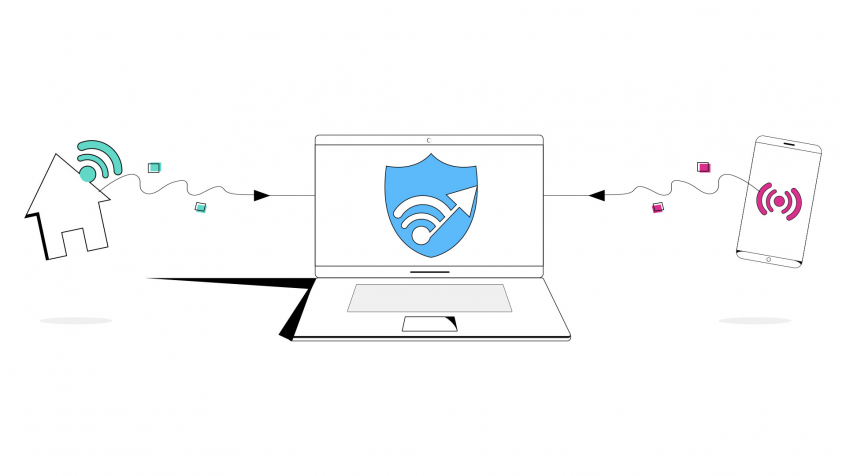
The Speedify fast bonding VPN app uses Channel Bonding technology. This allows to combine 2 or more Internet connections at once and route traffic seamlessly between them. By combining connections, Speedify spreads individual packets between them, enabling failover capabilities.
What does this mean? If Comcast Internet is down, you will continue to be online using other connection(s). These connections can be public WiFi hotspots nearby, cellular connections, wired Internet, etc.
Comcast Internet Down? Not a Problem Anymore If You Use Speedify Fast Bonding VPN
Ever find that Comcast, Verizon, or any other ISP’s internet is down? Speedify can get you back up with the magic of Channel Bonding technology.
Better yet, keep Speedify running in the background on your computer, laptop, smartphone or tablet. It will combine your connections, and you may never even notice the outage in the first place! Get started with Speedify for free.
Speedify
Get started with Speedify today.
Combine Wi-Fi, 4G/5G cellular, Ethernet, Starlink, and more into one faster, steadier connection. Free to try — no credit card required.
🚀 Speed
Faster uploads and downloads by bonding all your connections at once.
📶 Stability
Automatic failover in under a second when any connection drops.
🔒 Security
AES-256 encryption on every connection, on every network you join.



15M+ downloads worldwide. 75K+ five-star reviews on iOS and Android.