
How to Fix VPN Disconnecting Intermittently on iPhone – Use Speedify for Unbreakable VPN Connections by Combining Wi-Fi and 4G / 5G Cellular Data at the Same Time
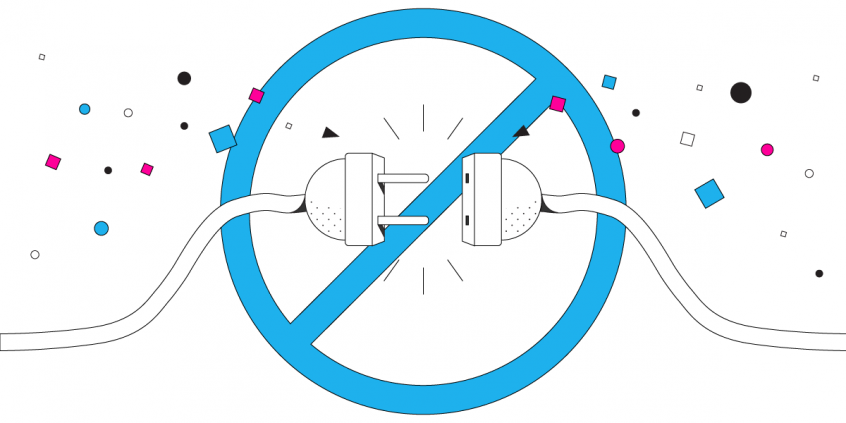
When you are connecting to unfamiliar or public networks, using a VPN is the safest way to connect to the Internet. However, more and more people are connecting to VPNs with their iPhones and iPads instead of their laptops. For many, the iPhone VPN experience is a frustrating one. The connection is always slow, and worst of all often the VPN disconnects automatically from your iPhone at the most inconvenient times or even worse – connecting to VPN drops the Internet connection. The problem with the VPN for iPhone that loses connection is most likely rooted in the VPN app you are using and not your phone.
Speedify delivers an unbreakable VPN connection by intelligently bonding multiple internet sources, ensuring continuous uptime and encrypted protection.
Should you have a backup 4G, 5G, Starlink, or cable internet connection?
Yes — every internet connection goes down, including Starlink, which drops for ~34 minutes a day on average. A backup connection from a different provider means one outage never takes you fully offline. The most common options are a 4G/5G cellular hotspot, a cable or DSL line, or a second satellite dish.
4G/5G cellular
Works anywhere. Just a SIM or hotspot — no installation needed.
Learn more →Cable / DSL
Best for fixed locations. Different network, so outages rarely overlap.
Learn more →Second Starlink
Adds redundancy and throughput for remote sites or heavy usage.
Learn more →Speedify bonds any two connections into one — automatic failover, more speed, no dropped calls.
Try Speedify free →iPhone or iPad VPN constantly dropping Internet connection
Almost all VPN services work the same way. They rely on a single Internet connection and a single socket with the VPN server to route all the data to and from your device. If anything goes wrong with that socket or with your Internet connection, the VPN is immediately disconnected.
That means a simple fluctuation in your cell signal or a momentary interruption to your Wi-Fi signal and you lose your VPN connection on your iPhone. And then you have to manually reconnect the VPN, which assumes you’re constantly watching your phone to see if the little VPN icon is still there.
Why is the iPhone VPN connection lost?
The primary selling point of a VPN is its security. This is because almost all VPNs slow down your connection speed and provide unstable connections as a function of their design.
Even though your iPhone or iPad is capable of connecting to the Internet via mobile data and Wi-Fi at the same time, standard VPN apps do not take advantage of this ability. Instead they clog your bandwidth by first sending all the data to and from your phone through the single socket to the VPN server where the data is encrypted and then route that encrypted data back through the same socket and connection.
VPN for iPhone Loses Connection No More with Speedify
Speedify was designed to solve the VPN disconnect problem and the slow connection issues. Speedify is a fast bonding VPN that actually improves your connection speed and delivers stable, reliable connection every time.
The Speedify protocol uses multiple parallel sockets to connect with the VPN server. The data is rapidly reassembled and encrypted on the server. Speedify also enables channel bonding. This means it uses your iPhone’s Wi-Fi and mobile data connections at the same time.
What you get is increased bandwidth, which allows all of your apps to run faster. Speedify runs in the background of your iPhone proactively monitoring the quality of your connections. It is equipped with auto failover so that if one connection goes down, it routes all the data through the existing connection until the lost connection is restored. All of this activity is automated. You don’t have to do anything, and you most likely won’t even notice anything different is happening.
Speedify is the future of VPN. It provides world-class encryption, without forcing you to sacrifice speed or reliability. Speedify works on all iOS and iPadOS devices starting with iOS 12 and later. This includes iPhones 5S, 6 and later, as well as iPads of 5th generation and newer. Please check the updated system requirements on the download page.
Speedify is also available in the AppStore. It only takes a few minutes to setup and requires no advanced technical skills or knowledge to use.
Why should you continue using legacy VPN services that regularly disconnect you without warning or lose connection on your iPhone or iPad? Get started with Speedify today for FREE and see how much better the next generation of Internet security is. No strings attached, no email sign-up necessary!
Alex and the Speedify team are always exploring the latest in networking and security technology—like 5G, 6G, WiFi 7, laser and satellite internet—and sharing it in new discussion content across YouTube, TikTok, Instagram, and LinkedIn every week.
Got a tech question? Let's go deeper! Pop into Speedify Office Hours live every Wednesday at 10 AM Eastern. Speedify CEO Alex Gizis and our network engineers are standing by to break down your questions about networks, tech updates, and Speedify features.

Speedify
Get started with Speedify today.
Combine Wi-Fi, 4G/5G cellular, Ethernet, Starlink, and more into one faster, steadier connection. Free to try — no credit card required.
🚀 Speed
Faster uploads and downloads by bonding all your connections at once.
📶 Stability
Automatic failover in under a second when any connection drops.
🔒 Security
AES-256 encryption on every connection, on every network you join.



15M+ downloads worldwide. 75K+ five-star reviews on iOS and Android.