
Solved: Unstable WiFi on Smartphone. How to Fix?
WiFi is simply a type of radio wave. Regulators actually require that WiFi be relatively easy to disrupt. That is why too many networks on the same frequency can cause issues or why certain other electrical devices sometimes cause WiFi to go out temporarily.
But, another problem with WiFi is that Android and iOS phones do a poor job of managing WiFi connections. It takes too long to switch between networks, they terminate one connection before making a new one, and often they automatically connect to poor hotspots. Read below to see how to address the unstable WiFi issue and have the best results.
Use Speedify to increase your upload and download speeds: combine internet connection sources like Wi-Fi, 4G, 5G, Starlink and wired broadband

Combine Wi-Fi, 4G, 5G, Starlink and wired broadband to fix slow upload and download speeds
Speedify is the only app that seamlessly combines all of your connections, including Wi-Fi, 4G, 5G, Ethernet, and Starlink, into one stronger connection to keep you online and secure.
In most cases, Speedify will automatically detect and start using any available Internet connections on your device while intelligently distributing your online traffic between them for optimal performance. If you need help we have quick start guides available for most common set ups.

Combine personal hotspots for better upload and download speeds
Speedify's Pair & Share feature enables you to connect to multiple hotspots at the same time and wirelessly share LTE, 4G, and 5G cellular connections back and forth between multiple Speedify users on the same local network to create a faster, more reliable connection for everyone.
For the first time, it's possible to share cellular data between multiple devices, including PCs, Macs, iPhones and Androids. Use multiple phones as hotspots for internet access and get increased bandwidth and mobile failover for all paired devices.
Use Speedify to combine...
Combine these connections on:



Problems with Some Auto WiFi Switching Tools
Android and iOS developers tried to address WiFi issues with Auto Join, Smart Network Switch and WiFi Assist. But, there are a few issues with these tools. They are not widely available on all devices and they don’t work that well.
These services can end up having you use large amounts of data without you even knowing about it or they can keep you from staying connected to the best WiFi in your area.
How Speedify Delivers Stable Internet Connections
Speedify takes a different approach to solving the unstable WiFi issue. Speedify was created to give users a speedy, secure, and stable Internet connection.
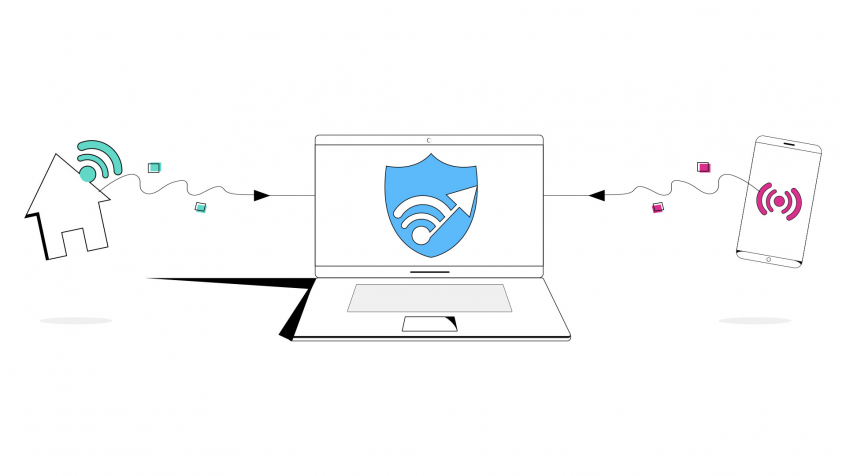
The Speedify app can be downloaded from Google Play or the App Store. It works in the background to monitor the quality of your Internet connections. It never will disconnect from a stronger WiFi connection for a weaker one. Instead, it bonds a WiFi connection with a mobile data connection to give you one fast connection. But, it also prioritizes the use of WiFi to keep your data costs low.
If the WiFi goes out, you remain connected with your mobile data so that you don’t miss anything. It then connects you back to WiFi as soon a safe connection comes back online. When you move between WiFi networks, it connects automatically without you having to do anything and without disconnecting you.
Get Speed, Security, and Stability with One App: Speedify
Speedify goes beyond just managing your WiFi connections. It also makes sure you get the fastest and most secureconnection possible. It uses state-of-the-art technology to make sure your data is encrypted and you avoid any lag with your connection.
Speedify was developed with an understanding of the weaknesses of WiFi and with an understanding of how important WiFi is to everyone trying to use the Internet on their mobile devices. It is smart enough to work around unstable WiFi and still deliver a strong Internet connection while minimizing use of expensive data.
Download Speedify right now and never worry about unstable WiFi again.


Speed
Stability
Security
Speedify devs love talking tech on YouTube, Tiktok, and Instagram!
Alex Gizis and the Speedify devs discuss and explain technology including Starlink satellites, Wi-Fi 7 routers, Apple networking features, fiber optics, broadband internet, 5G mobile networks, AI, networking protocols, and much more. Follow Speedify on YouTube, TikTok, Instagram, and LinkedIn!
Alex and the Speedify team are always exploring the latest in networking and security technology—like 5G, 6G, WiFi 7, laser and satellite internet—and sharing it in new discussion content across YouTube, TikTok, Instagram, and LinkedIn every week.
Got a tech question? Let's go deeper! Pop into Speedify Office Hours live every Wednesday at 10 AM Eastern. Speedify CEO Alex Gizis and our network engineers are standing by to break down your questions about networks, tech updates, and Speedify features.
