
What is WeChat?
WeChat is usually so slow because of the connection carrying it rather than WeChat itself. Messages arrive minutes late and video takes far too long to send, especially on a phone that keeps moving between Wi-Fi and cellular.
Speedify is an app that uses both of those internet connections at once instead of handing off between them, so messages and calls keep flowing while you move. Speedify needs both connections to help: on a single connection it works as an encrypted VPN, does not make that connection faster and can be a little slower.
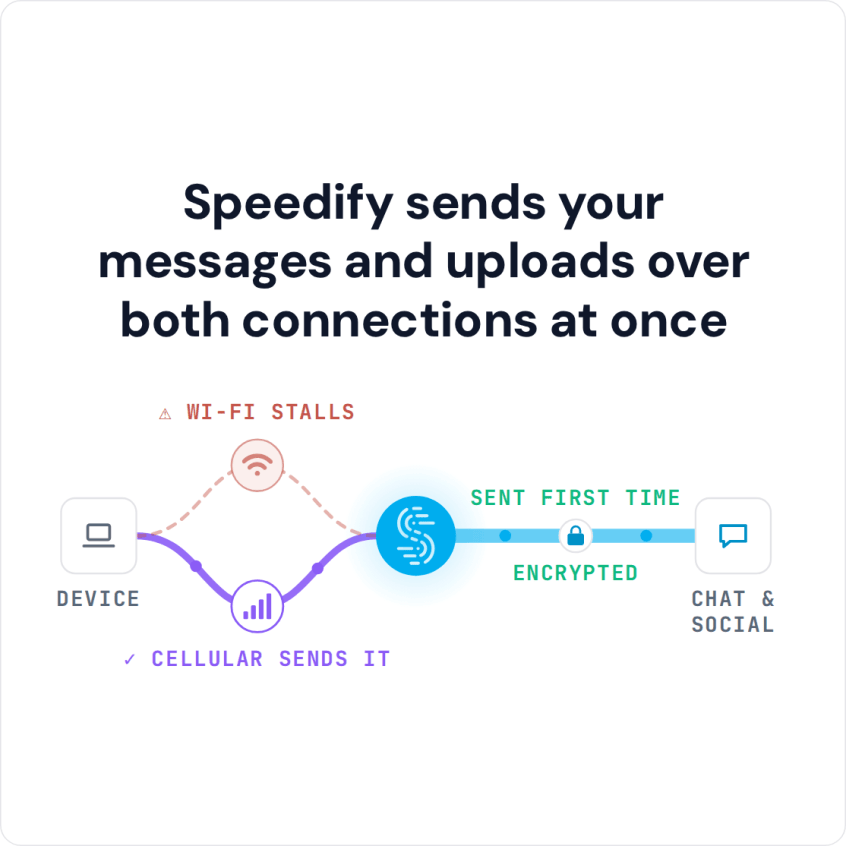
Speedify sends your messages and uploads over both connections at once
Read on for what usually slows WeChat down, how to check for an outage, and how to fix the connection side.
How to Fix Slow WeChat with Speedify
- Download Speedify on your phone or computer (Windows, macOS, iOS, Android).
- Open Speedify and create a free account (the free tier includes 5 GB per month), or sign in.
- Give Speedify a second internet connection: on a phone, keep Wi-Fi on and turn on cellular data; on a computer, add Ethernet or a phone connected over USB.
- Connect. Speedify sends traffic over both connections at once and moves it to the working one when one weakens.
- Open WeChat and message or call as usual.
Why WeChat Is Taking So Long to Load: Common Causes
WeChat needs a fast and stable internet connection. Without one, messages take a while to send or arrive, and calls with colleagues, family and friends break up.
If your friends have the same problem with slow WeChat at the same time, WeChat itself may be down: check the outage map to see if the issue is on WeChat’s side. If WeChat is up, the problem is usually your own internet connection.
Unstable Wi-Fi or Cellular: The Usual Cause of Slow WeChat
iPhones and Android phones send all Internet traffic through a single connection, so WeChat’s data goes either through the Wi-Fi or through the 4G/5G cellular connection.
If your signal strength is fluctuating because you are moving or because the signal strength is spotty in your home or office, you will experience latency while using WeChat. You just aren’t able to send and receive the data fast enough.
Speedify changes the way your phone handles data. Instead of putting everything through either Wi-Fi or cellular, Speedify uses both connections at the same time, so WeChat keeps sending when one of them weakens.
Speedify checks the quality of every internet connection all the time. If one connection goes down or fluctuates, Speedify moves WeChat’s traffic to the working one (failover), automatically and in the background, so a call or a message upload keeps going.
That helps most on trains and other forms of public transportation, where the Wi-Fi signal can be unreliable, and when you walk from room to room at home or in the office.
Speedify Encrypts WeChat Traffic on Public Wi-Fi
Speedify works by combining internet connections, and it also encrypts everything you send. On compromised wifi networks, Speedify’s encryption keeps people trying to snoop on your traffic from reading it, so your private data stays under your control. Encryption on a single connection can cost a little speed; the speed gain comes from adding a second internet connection.
Speedify works on iOS, Android, Windows, Linux and macOS.
Get started with Speedify today for FREE: a free Speedify account includes 5 GB per month on iOS, Android, Windows and macOS.
Speedify
Get started with Speedify today.
Combine Wi-Fi, 4G/5G cellular, Ethernet, Starlink, and more into one faster, steadier connection. Free to try — no credit card required.
🚀 Speed
Faster uploads and downloads by bonding all your connections at once.
📶 Stability
Automatic failover in under a second when any connection drops.
🔒 Security
AES-256 encryption on every connection, on every network you join.



15M+ downloads worldwide. 75K+ five-star reviews on iOS and Android.