


Use Speedify as Your Starlink Companion
Dealing with Starlink Dish Thermal Throttle or Starlink Dish Thermal Shutdown alerts? When this happens, your Starlink internet is no longer working as it should be - in fact, it may even stop working, if the dish is overheating. Your video calls, streaming, and critical online work will be affected.
The Speedify app is here to help: run it to combine Starlink internet with 4G / 5G cellular, DSL or another older connection and avoid being disconnected from the Internet when your Starlink dish is overheating. Plus - now it’s easier to see what’s going on with your Starlink at all times, right in the Speedify app.
Use the Speedify software app to avoid Starlink internet dropouts
Speedify alerts you about your Starlink dish status

Use Speedify to Increase Your Upload and Download Speeds: Combine Wi-Fi, 4G / 5G Cellular, Ethernet, Starlink and Other Satellites

Speedify combines Wi-Fi, 4G / 5G cellular, Ethernet, Starlink, and other satellites for faster internet uploads and downloads
Speedify is the only software app that combines Wi-Fi, 4G / 5G cellular, Ethernet, Starlink and other satellites at once for secure, faster, and more reliable internet uploads and downloads so you stay online without interruptions.
Speedify will automatically detect and start using any available Internet connections on your device while intelligently distributing your online traffic between them for optimal performance. If you need help we have quick start guides available for most common set ups.

Speedify combines multiple personal hotspots for faster internet upload and download speeds
Speedify's Pair & Share feature enables you to connect to multiple hotspots at the same time for faster upload and download speeds and more reliable internet for everyone. Speedify's Pair & Share feature allows you to wirelessly share 4G / 5G cellular connections back and forth between multiple Speedify users on the same local network when live streaming from an event, calling from the commute or sharing from the field.
Speedify is the only app that allows you to share 4G / 5G cellular data between PCs, Macs, iPhones and Androids. Use multiple iPhones and Android phones as hotspots for internet access and get faster upload and download speeds and mobile failover for all paired devices.
Use Speedify to combine...
Combine these connections on:


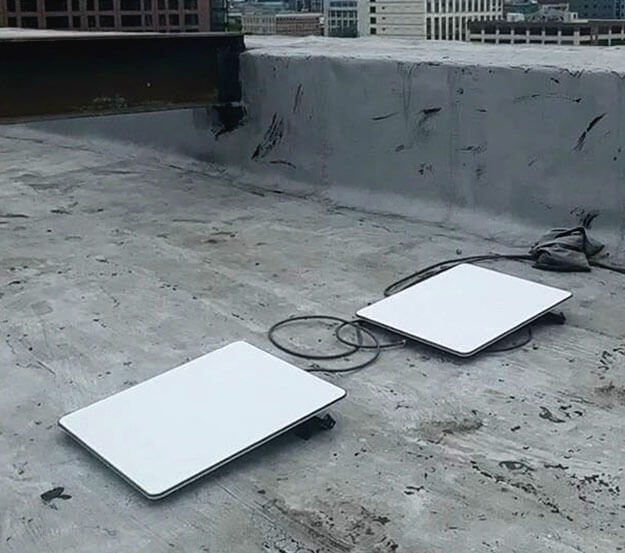
Why the Starlink Dish Is Overheating
Starlink overheating occurs when the device reaches a temperature above 50 degrees Celsius (122 Fahrenheit). In this case, you can get two alerts from Starlink:
- Thermal Throttle - when it's throttling performance to cool down.
- Thermal Shutdown - when it's reached the maximum temperature threshold and has stopped service to cool down.
In both cases, Starlink internet service will resume when the dish reaches a nominal operating temperature.
While Starlink is throttling performance or stopping its service, you are left with poor Internet, which translates to:
- Intermittent disconnections during important video meetings
- Frustrating buffering while streaming
- Connection drops during online gaming
- Interrupted downloads of important files
Traditional advice suggests installing the Starlink device in a properly ventilated location or not exposed to external heat sources (like exhaust vents, etc.). But these solutions aren't always practical or possible.
Why You Need Speedify: It Combines Starlink with a Secondary Connection - 4G LTE / 5G Cellular, DSL, etc. - for Uninterrupted Internet
Usually you have to put your Starlink somewhere at shade or get it away from external heat sources to be able to use your Starlink internet. You won’t be able to do that if you’re in a video call, live streaming or playing games online at the very moment when your Starlink dish overheats. That’s why it’s important to use Speedify as a failover solution for your Internet.
Speedify's channel bonding technology allows you to combine your Starlink connection with any other available internet source:
- Cellular data (4G/5G)
- DSL or cable internet backup
- Public Wi-Fi within range
- Mobile hotspots
When Starlink overheating causes a momentary outage, Speedify instantly shifts your traffic to your secondary connection, ensuring you stay connected without interruption or lag.
Use Speedify to Eliminate the Effects of Starlink Overheating

- Get the Speedify app on your devices - it runs on Windows, Mac, Linux, Android, iOS and even on OpenWrt routers.
- Connect to both your Starlink and secondary internet source
- Let Speedify automatically combine these connections
- Enjoy uninterrupted internet regardless of dish obstructions

Many users report that this approach not only solves their Starlink dish overheating problems but also increases their overall internet speed by combining connection bandwidth.
Don't let the hot sun or external heat sources affect your Starlink experience. Forget about Starlink overheating issues for good – keeping you connected no matter what stands between your dish and the satellites above.
Download Speedify Now and experience truly uninterrupted Starlink internet.

Get started with Speedify today!
With Speedify you can combine Wi-Fi, 4G / 5G cellular, Ethernet, Starlink and other satellites into one bonded super-connection to improve livestreaming, video calling, gaming, web browsing, and everything else you do online.


Speed
Stability
Security
Speedify devs love talking tech on YouTube, Tiktok, and Instagram!
Alex Gizis and the Speedify devs discuss and explain technology including Starlink satellites, Wi-Fi 7 routers, Apple networking features, fiber optics, broadband internet, 5G mobile networks, AI, networking protocols, and much more. Follow Speedify on YouTube, TikTok, Instagram, and LinkedIn!
Alex and the Speedify team are always exploring the latest in networking and security technology—like 5G, 6G, WiFi 7, laser and satellite internet—and sharing it in new discussion content across YouTube, TikTok, Instagram, and LinkedIn every week.
Got a tech question? Let's go deeper! Pop into Speedify Office Hours live every Wednesday at 10 AM Eastern. Speedify CEO Alex Gizis and our network engineers are standing by to break down your questions about networks, tech updates, and Speedify features.
