
Unblock Facebook When Restricted by Network Administrators
The network at your office or school blocks Facebook, or the country you are sitting in does. And when you do get through, live video stutters and photos take forever to load, because whatever route you found is slower than the one you were meant to use.
Speedify is an app for your phone, computer or tablet that encrypts your traffic and carries it over more than one internet connection at the same time, such as Wi-Fi plus 4G/5G cellular, so the network cannot see which sites you are reaching, and video has the bandwidth to hold its quality. Read on for the steps to get Facebook unblocked on a restricted network, why live video lags, and why Speedify beats a free proxy.
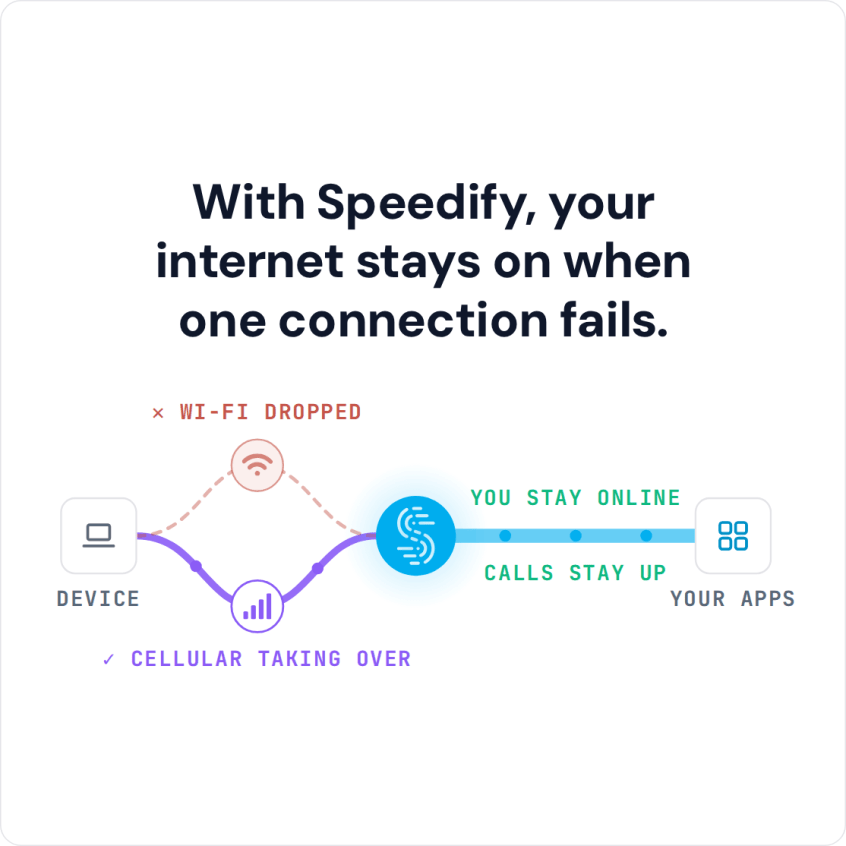
With Speedify, your internet stays on when one connection fails.
Why Schools Block Facebook and How Speedify Gets Past the Block
You are not the only one who finds Facebook blocked at college or work. Colleges and offices cannot shut down Facebook itself, but they can block Facebook.com and the addresses the Facebook app uses on their own Wi-Fi networks.
Speedify unblocks Facebook by masking your site viewing habits from the network you’re using to connect to the Internet. Your traffic travels encrypted to a Speedify server outside the school or office network, so a block built on web addresses has nothing to match. Speedify is a mobile VPN that also combines internet connections, so Facebook gets the bandwidth of every connection you have.
Get Facebook Unblocked at School or Work in Five Steps
- Download Speedify on the phone or computer you use at school or work. Speedify runs on Windows, macOS, iOS, Android and Linux.
- Open Speedify and create a free account (the free tier includes 5 GB per month), or sign in.
- On a phone, tap Allow when your phone asks to add a VPN configuration.
- Speedify connects to a Speedify server automatically. The school or office network now sees only an encrypted connection to that server, not the apps and sites you open.
- Open Facebook or Messenger and use it as usual.
How Speedify Fixes Lagging Facebook Live Videos
The reason for your slow Facebook experience is most likely your Internet connection. Your computer or phone can reach several internet connections, but by default it uses only one at a time: wired Ethernet, Wi-Fi or 4G/5G cellular. If that one connection is weak or keeps dropping, you get a poor Facebook live experience: videos freeze and photos load slowly. A single connection is like a freeway with only one lane open: one slowdown and everything backs up.
Speedify lets your device use multiple connections simultaneously, so Facebook gets the bandwidth of Wi-Fi, 4G/5G cellular or Ethernet combined. If one connection slows down, live videos keep loading over the others instead of freezing.
Speedify increases the bandwidth your device has for video streaming, or anything else that needs the internet, by combining internet connections. That kind of setup used to take special hardware, mostly bought by companies with big budgets. Speedify does it with an app.
How Speedify Keeps Facebook Running in the Background
Speedify runs in the background on your device, monitoring the quality of your connections and signal strength. Once you download the app and connect, the encryption and the combining of your connections run automatically.
Speedify also uses automatic failover: if one of your connections fails or becomes unreliable, your Facebook streaming experience isn’t compromised, because Speedify moves all the traffic to your other working internet connection until the first one comes back.
Why Speedify Beats a Free Proxy for Getting Facebook Unblocked
A free web proxy usually handles only your browser traffic, often without encryption, and slows it down. Speedify was designed to give you the security of a VPN connection without giving up speed: your data is safe from prying eyes, and you are protected on compromised Wi-Fi networks.
Get Facebook unblocked at school or work and enjoy Facebook live streaming and videos without lag. Get started with Speedify today for FREE; a free account includes 5 GB per month.
Speedify
Get started with Speedify today.
Speedify combines Wi-Fi, 4G/5G cellular, Ethernet, Starlink and satellite into one faster, more reliable internet connection. Free to try: 5 GB a month with a free account. No credit card required.
🚀 Speed
Faster uploads and downloads, because Speedify uses all your internet connections at once.
📶 Stability
If one internet connection drops, Speedify moves your traffic to the others in milliseconds.
🔒 Security
AES-256 encryption on every internet connection, on any network you join.



15M+ downloads worldwide. 75K+ five-star reviews on iOS and Android.