
Overcome Issues With Xfinity Captive Portals
The honest answer to whether you can skip the Xfinity login page is no, and you do not need to: the real problem is being offline while the page fails to load.
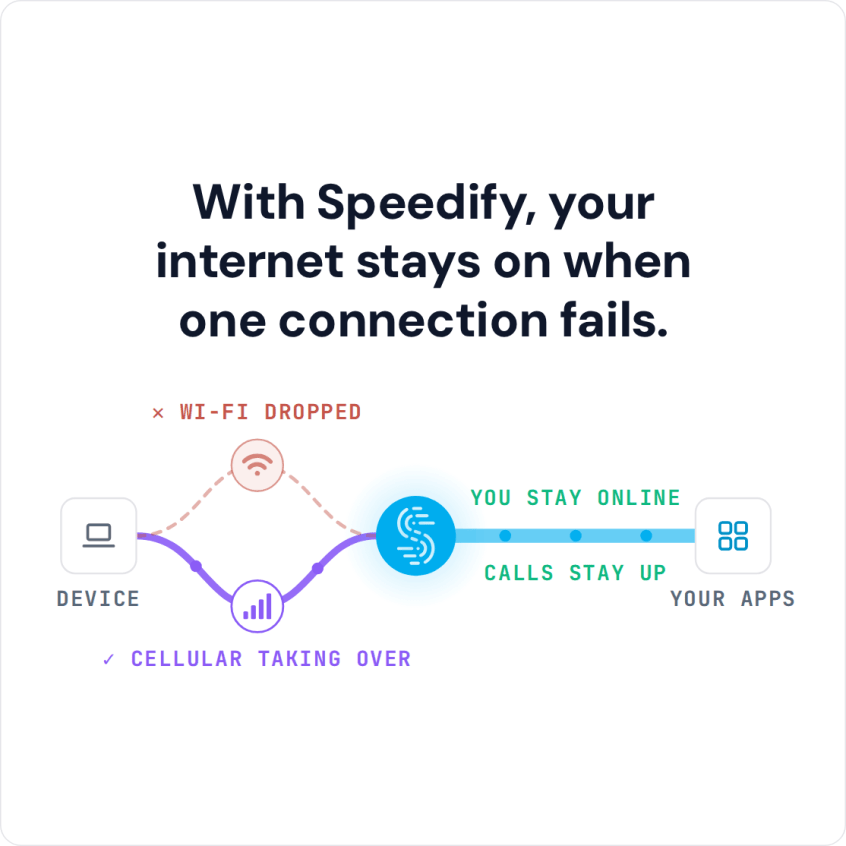
Speedify is an app that combines Wi-Fi, 4G/5G cellular, Ethernet, Starlink and satellite internet connections and encrypts your traffic like a VPN. On an Xfinity hotspot, Speedify keeps 4G/5G cellular running next to the Wi-Fi, so you stay connected either way, with your traffic encrypted on a network you do not control.
Read on to see the common Xfinity portal failures and how to get the login page to show.
Common Problems When Logging In to Xfinity WiFi and Other Captive Portals
Almost all connectivity issues concerning Xfinity WiFi are documented here. The most common issues that you can get when connecting to any WiFi hotspot in general are:
- Unable to connect to the internet. The cause can be an outage on the provider’s side, a problem with the Wi-Fi router, or a captive portal login page that never appears.
- Slow speeds or intermittent internet access. Having a large number of users with high internet activity can cause the Wi-Fi hotspot to get congested, which can cause issues with the internet speed.
- Connectivity dropouts. The most common causes are Wi-Fi interference and being too far from the Wi-Fi router.
How to Get the Xfinity WiFi Login Page to Load
Here’s what you can do to troubleshoot any connectivity issues with your Xfinity WiFi:
- Check if you’re within Xfinity WiFi coverage. You can check this map.
- Check if Xfinity is down in your area using their status page.
- If you are having issues displaying the Xfinity captive portal page, try and reload the login page or try rebooting your device.
- If you’re using a VPN while trying to connect to Xfinity WiFi, use one that handles captive portal login pages, such as Speedify.
Speedify’s captive portal assist feature helps you stay protected while logging in to Wi-Fi networks that use captive portals. If you have more than one internet connection available, you can also improve your internet speed and stability by combining internet connections.
Here is how Speedify handles captive portals:
- When Speedify detects a captive portal, it automatically moves the traffic to and from the captive portal login page outside of the encrypted VPN tunnel.
- Once you log on to the network, Speedify moves that direct traffic back into the encrypted VPN tunnel.
- You can also use the split tunneling feature (Bypass) for specific services, which sends traffic for those services outside the encrypted VPN tunnel.
Speedify Fixes Xfinity WiFi Login Page Issues
You can use the large network of Xfinity WiFi hotspots with fewer hassles. Speedify lets the login page load outside the encrypted tunnel, and even if your device connects to a bad Wi-Fi hotspot, you can still reach the Internet over your other connections. Speedify is a VPN built for speed: it adds encryption to everything you send and lets you combine two or more Internet connections at once for more speed and stability. With only the hotspot’s Wi-Fi, Speedify works as an encrypted VPN and cannot keep that Wi-Fi from dropping.
Xfinity WiFi login page bypass isn’t possible: you need to go through the captive portal to access the Internet. Speedify helps you get through it and keeps your data safe on public Wi-Fi.
Speedify
Get started with Speedify today.
Speedify combines Wi-Fi, 4G/5G cellular, Ethernet, Starlink and satellite into one faster, more reliable internet connection. Free to try: 5 GB a month with a free account. No credit card required.
🚀 Speed
Faster uploads and downloads, because Speedify uses all your internet connections at once.
📶 Stability
If one internet connection drops, Speedify moves your traffic to the others in milliseconds.
🔒 Security
AES-256 encryption on every internet connection, on any network you join.



15M+ downloads worldwide. 75K+ five-star reviews on iOS and Android.