
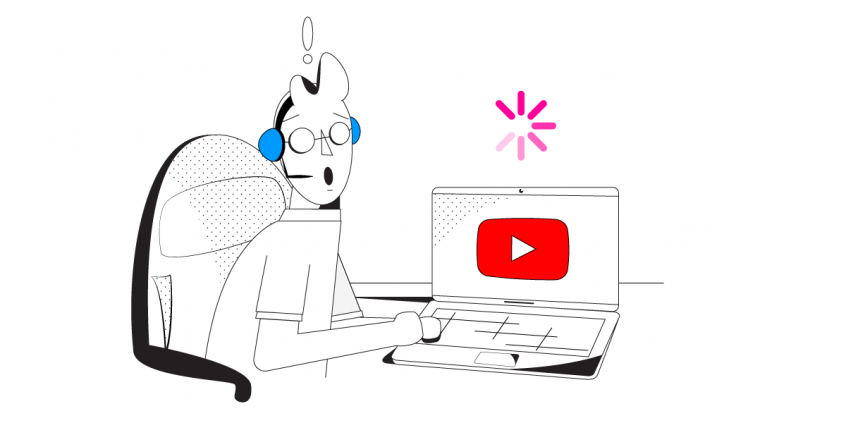
Is YouTube Buffering for You? Combine Multiple Internet Connections Together – Like Starlink, Wi-Fi, 4G, 5G, and DSL – with Speedify
YouTube is the place to turn when you need a laugh, have to figure out how to do a simple auto repair yourself, or just have some time to kill.
The reason why YouTube might be buffering for you is most likely a poor connection to the Internet. You can solve YouTube issues by joining your main Internet connection with another Internet source like a Starlink or DSL, 4G, 5G. Whether at home, work, or on-the-go, Speedify works with all live streaming software and social platforms to get you faster, more reliable and secure Internet.
In this article we’ll show you how you can fix YouTube buffering to fully enjoy the world’s biggest video platform.
Should you have a backup 4G, 5G, Starlink, or cable internet connection?
Yes — every internet connection goes down, including Starlink, which drops for ~34 minutes a day on average. A backup connection from a different provider means one outage never takes you fully offline. The most common options are a 4G/5G cellular hotspot, a cable or DSL line, or a second satellite dish.
4G/5G cellular
Works anywhere. Just a SIM or hotspot — no installation needed.
Learn more →Cable / DSL
Best for fixed locations. Different network, so outages rarely overlap.
Learn more →Second Starlink
Adds redundancy and throughput for remote sites or heavy usage.
Learn more →Speedify bonds any two connections into one — automatic failover, more speed, no dropped calls.
Try Speedify free →Why Is YouTube Buffering?
The reason for your slow YouTube experience is most likely your Internet connection. This doesn’t necessarily mean that your Internet is too slow. People with fast fiber optic connections also experience YouTube buffering. It’s all about your Internet connection to the YouTube servers.
If you see YouTube buffering while traveling or on the move, the cause is most likely your Internet connection. Specifically – it’s the signal quality of Wi-Fi or cellular networks you connect to on your iPhone, Android smartphone or laptop.
Here are some other common causes for YouTube buffering:
- not enough bandwidth for your connection when watching HD videos
- browser issues on Mac and PC (cache, add-ons), and app issues on iPhone and Android smartphones
- slow YouTube server
Troubleshooting YouTube Buffering Issues
Due to the high number of potential causes, there is no universal fix for YouTube buffering. It’s a try-and-see troubleshoot process. Below are some suggestions:
- Test your Internet speed. Even if you’ve got a fast connection, it’s possible your ISP has some temporary technical issues. Don’t worry – you can choose a lower video quality if you want to watch videos till they fix it.
- Check if your ISP is throttling YouTube – if other streaming video sites work fine, it’s very likely.
- Restart your router and make sure it has the latest firmware. Go to the manufacturer’s website to find out or contact your ISP.
- Restart your computer or mobile device. This will get rid of any potential app or cache related issues.
- On your computer – use a different browser – preferably Google Chrome. This one has all the plugins and functionalities to work almost always.
- Use Speedify, the only app that can combine multiple internet sources into one bonded super-connection for more stable and secure live streaming, video calling, and web browsing. Going through such a VPN can help get more bandwidth and avoid internet disconnects. If your ISP is throttling YouTube streaming, then this issue should also be solved with the use of a VPN.
Our recommendation: just get Speedify and fix your YouTube buffering issues quickly and easily!
Speedify Is Fast, Secure and Reliable Internet to Avoid YouTube Buffering
Speedify goes beyond just increasing your bandwidth by combining multiple internet connections in order to stop YouTube buffering. Speedify is a fast bonding VPN service. While other VPNs slow down your Internet connection by as much as 50%, Speedify uses an advanced new protocol. This keeps your data safe from hackers and snoops, even on compromised Wi-Fi networks. All without slowing down your Internet connection.
Often when you are using a mobile device, your cell signal or your Wi-Fi connection fluctuate. This can cause buffering, or even a total loss of connection. Speedify monitors the quality of your connection in the background. If one of your connections becomes unstable, the app automatically reroutes all of your data so that you stay connected and don’t miss a frame of your YouTube video. Once the lost connection is available, Speedify starts to use it again.
Watch YouTube videos without buffering. Speedify delivers you the ultimate Internet experience. You get a fast, secure, and reliable connection every time.
Alex and the Speedify team are always exploring the latest in networking and security technology—like 5G, 6G, WiFi 7, laser and satellite internet—and sharing it in new discussion content across YouTube, TikTok, Instagram, and LinkedIn every week.
Got a tech question? Let's go deeper! Pop into Speedify Office Hours live every Wednesday at 10 AM Eastern. Speedify CEO Alex Gizis and our network engineers are standing by to break down your questions about networks, tech updates, and Speedify features.

Speedify
Get started with Speedify today.
Combine Wi-Fi, 4G/5G cellular, Ethernet, Starlink, and more into one faster, steadier connection. Free to try — no credit card required.
🚀 Speed
Faster uploads and downloads by bonding all your connections at once.
📶 Stability
Automatic failover in under a second when any connection drops.
🔒 Security
AES-256 encryption on every connection, on every network you join.



15M+ downloads worldwide. 75K+ five-star reviews on iOS and Android.