

Speedify Lets You Get a Second Starlink and Use Both Internet Connections at Once for Faster Uploads and Downloads
Getting a second Starlink is a practical way to increase your internet reliability and combined throughput. Each Starlink dish is a separate internet connection.
This guide covers what to consider before getting a second Starlink, how Speedify makes the most of both internet connections, and how to get set up.
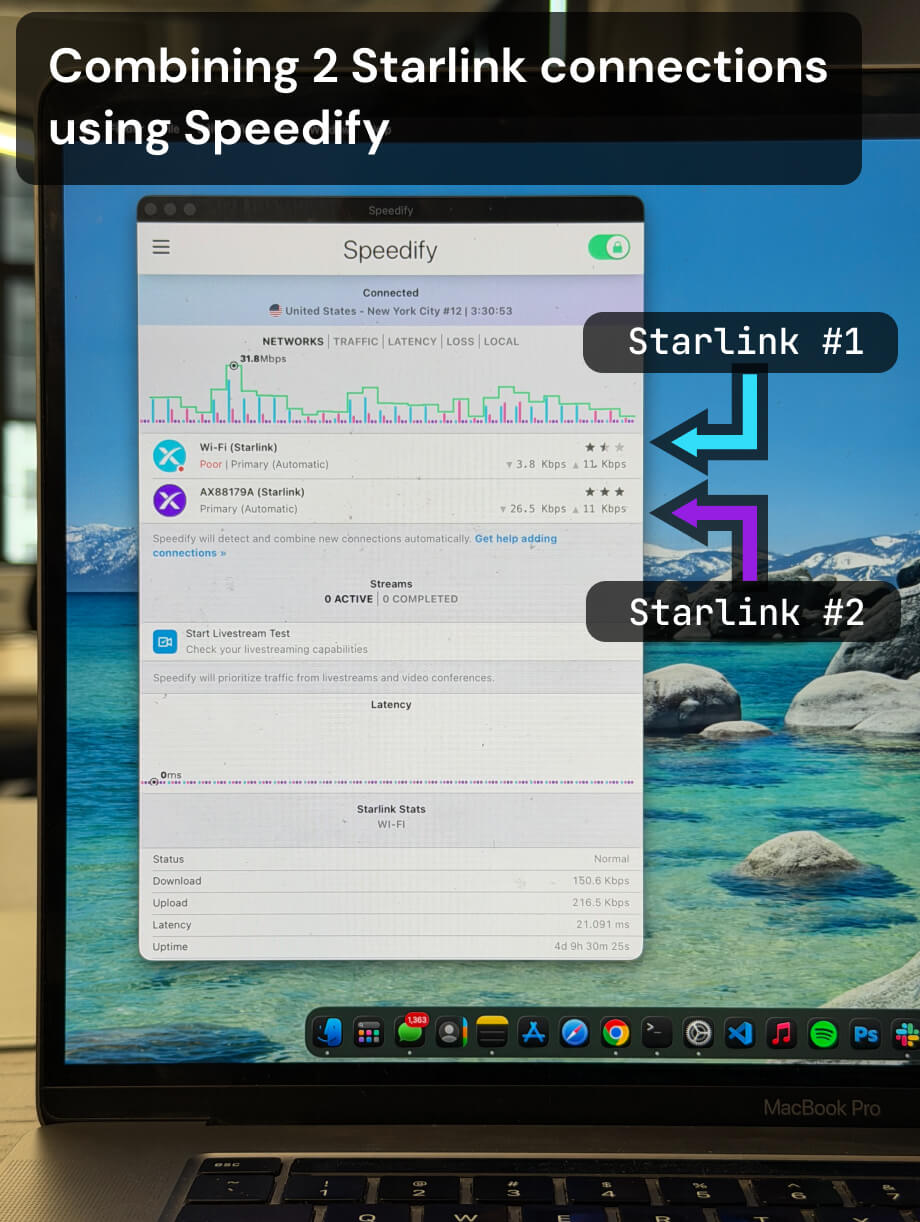
Multiple Starlink dishes, one faster and more reliable connection.
Speedify bonds all your Starlink dishes simultaneously — so you get the combined bandwidth of all your Starlink dishes, and stay online when any one drops.
What to Know Before Getting a Second Starlink
A second Starlink dish gives you a second independent internet connection. Whether you add it to your existing account or create a separate account affects how much true redundancy you get.
Two dishes on the same Starlink account are served from the same satellite infrastructure pool. During periods of heavy congestion in your area, both may be affected at the same time. Two dishes on separate accounts draw from different pools, making simultaneous congestion-related slowdowns less likely.
In either case, having a second Starlink only delivers a speed or reliability benefit if something manages both internet connections simultaneously. Without software like Speedify, your device uses one dish at a time and fails over manually. Speedify removes that limitation. Both connections run at once, traffic is distributed automatically, and failover is instant.
How Speedify Makes the Most of a Second Starlink Dish
Speedify runs on your device and monitors both Starlink internet connections simultaneously, measuring latency, packet loss, and available bandwidth on each every few milliseconds. When both dishes are performing well, Speedify uses both and delivers up to 95% of their combined upload and download capacity. When one dish degrades or drops, Speedify shifts all traffic to the working connection at the packet level. Sessions stay live.
Speedify also encrypts all your internet traffic across both connections, keeping your data protected on every path.
How to Use Your Existing Starlink with a Second One Using Speedify
Step 1: Set Up Your Second Starlink Dish
Install the second dish and activate it through the Starlink app, either under your existing account or a new one. Confirm it has its own router and is delivering an active internet connection.
Step 2: Connect Your Device to Both Starlink Networks
Connect to your first Starlink router via Ethernet or Wi-Fi. Connect to your second Starlink router via a second Ethernet port or a USB Wi-Fi adapter. Confirm both connections show as active in your network settings.
Step 3: Download and Run Speedify
Download Speedify and install it on your device. Speedify will detect both Starlink connections and begin bonding them immediately. No manual configuration is needed.
Speedify manages both in the background from that point: combining them for faster upload and download speeds, monitoring both paths, failing over instantly when needed, and encrypting all traffic.
Who Should Get a Second Starlink and Use It with Speedify
- Remote workers and households whose single Starlink dish is not consistently reliable enough for daily calls, uploads, and video conferencing
- Small businesses at rural or remote locations that need higher combined upload and download throughput and cannot afford downtime
- Content creators and live streamers who want the combined upload capacity of two Starlink connections for broadcasts from remote locations
- Field teams and mobile operations where internet reliability is critical and a second dish provides a live fallback
- Anyone already considering a second Starlink who wants to confirm it will actually deliver a speed and reliability benefit before purchasing
Speedify Is Used on Millions of Devices Worldwide
Speedify has powered stronger Internet for millions of consumers since 2014
15M
Millions of Speedify downloads worldwide, and growing every day5⭐️
More than 75,000 5-star reviews for Speedify in the iOS and Android app stores82
Points of Speedify presence in datacenters around the globe500TB
Hundreds of terabytes of fast, secure data streamed every week via SpeedifySpeedify Partners
Speedify partners with these amazing organizations to deliver better internet and next-generation networking technology to their customers and employees.


Speedify Also Monitors Both Starlink Dishes
Speedify displays real-time Starlink dish alerts for each connected dish in the app dashboard. If either dish detects a stuck actuator motor, a non-vertical mast, or a thermal throttle condition, Speedify shows the alert immediately. Alerts appear when the condition has been active for at least 15 seconds and clear once the issue is resolved.
With two Starlink dishes active, Speedify monitors the hardware health of both from the same dashboard where it manages your connections.
Speedify Business Solutions
Speedify Teams
Speedify for Routers

Speedify Embedded Solutions and Integrations
Embed Speedify software into your app or hardware products and leverage the core channel bonding technology of Speedify in new and interesting ways.