
Use Speedify as Your Starlink Companion
The Starlink “Motors Stuck” alert means the motors that tilt and turn your Starlink dish can’t move, so it can’t aim itself at the best part of the sky, and your internet weakens or drops. The usual causes are something in the way of the Starlink dish as it moves, ice or snow, a software glitch, or a broken motor.
Speedify is an app that uses Starlink and a second internet connection, like a phone hotspot or 4G/5G cellular, at the same time, so you stay online while you restart your Starlink dish or clear whatever is blocking its motors.
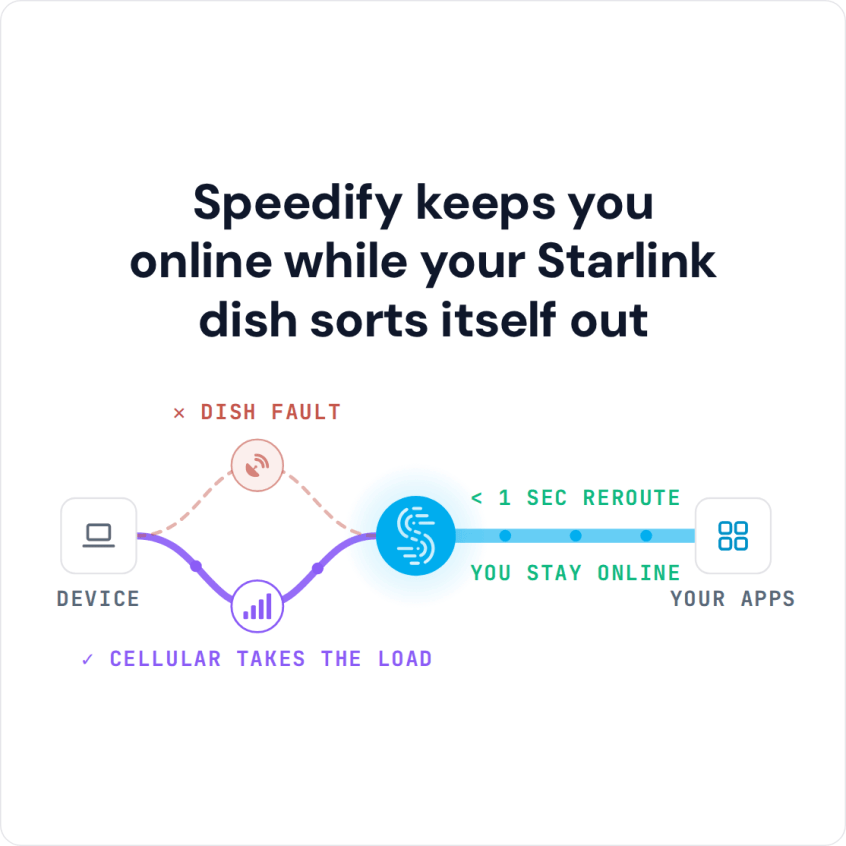
Speedify keeps you online while your Starlink dish sorts itself out
Starlink Internet Connection Drops Happen to Everyone
Speedify measures thousands of Starlink users in more than 140 countries. In September 2026, fixed Starlink dishes went offline for about 38 minutes a day on average, and Starlink dishes on RVs and boats for about 46 minutes a day.
All Starlink dishes also see short dropouts roughly every 15 seconds as the Starlink internet connection switches from one moving satellite to the next. Even a perfectly installed Starlink dish goes offline, and about 7 in 10 Starlink users on Speedify use Starlink together with a second internet connection, like 4G/5G cellular.
Why Starlink Motors Get Stuck
Only Starlink dishes that aim themselves have motors, and these are the common reasons they get stuck:
- Something in the way. The most common cause. The Starlink dish is installed too close to a wall or a roof, which stops it from tilting or turning all the way.
- Ice and snow. Snow or ice builds up on your Starlink dish and stops the motors from moving freely.
- A broken or jammed motor. The motor itself has failed or is jammed.
- A software glitch. A bug in the Starlink dish’s software can cause the alert, and a simple restart usually fixes it.
How to Fix the Starlink Motors Stuck Alert
- Check the alert in the Starlink app first. Make sure it’s the Motors Stuck alert and not a different problem. For what the other statuses and alerts mean, see how to check your Starlink status.
- Restart your Starlink. Unplug the power for 20 seconds, then plug it back in. This clears software glitches.
- Clear the space around your Starlink dish. Move it away from walls and roof edges, so it has room to tilt and turn.
- Clear ice and snow off your Starlink dish.
- Check that your Starlink dish is still standing. Sometimes a Starlink dish falls or gets knocked over.
- Contact Starlink support if the alert keeps coming back, since the motor may be broken.
For other Starlink problems, see why your Starlink isn’t working.
Use a Second Internet Connection with Speedify While Starlink Motors Are Stuck
You can’t climb onto the roof to clear ice, or restart your Starlink, while you’re in a video call, live streaming or playing a game online. That’s why a second internet connection used together with Starlink matters. Speedify can use Starlink together with any other internet connection you have:
- 4G/5G cellular
- DSL or cable internet
- Public Wi-Fi within range
- A phone’s hotspot
When stuck Starlink motors weaken or cut your Starlink internet connection, Speedify switches your traffic to your other internet connection automatically, so you stay online. With Starlink alone, Speedify can’t stop the drop: it needs that second internet connection.
How to Set Up Speedify So Stuck Starlink Motors Don’t Take You Offline
- Get the Speedify app on your devices. It runs on Windows, Mac, Linux, Android, iOS and OpenWrt routers.
- Connect to your Starlink and to your second internet connection.
- Speedify starts using both internet connections together on its own.
- Stay online while you fix the Starlink dish’s motors.


With both internet connections working, Speedify also gives you the speed of both combined, not only failover for when Starlink motors are stuck.
Speedify also shows Starlink dish alerts, like stuck motors, right in the app, so you can see the problem without opening the Starlink app.
Download Speedify and stay online while you fix your Starlink.
Speedify
Get started with Speedify today.
Combine Wi-Fi, 4G/5G cellular, Ethernet, Starlink, and more into one faster, steadier connection. Free to try — no credit card required.
🚀 Speed
Faster uploads and downloads by bonding all your connections at once.
📶 Stability
Automatic failover in under a second when any connection drops.
🔒 Security
AES-256 encryption on every connection, on every network you join.



15M+ downloads worldwide. 75K+ five-star reviews on iOS and Android.