

The Starlink Dish Orientation Card in Speedify’s Starlink Control Center Shows Where Every Dish Is Aimed
This article explains what Speedify’s Starlink Dish Orientation card reports, how to read it, and how to use it to aim each dish at a different slice of sky.
Starlink disconnects all the time for ALL Starlink users. The Speedify Starlink Index report found that Starlink connections are down for an average of ~33 min per day. Plus, all Starlink dishes experience small drops and packet loss every 15 seconds, when the moving Starlink satellites hand off the connection to the next satellite overhead.
The best way to fix Starlink's connection drops is to combine your Starlink connection with another internet connection, such as 4G/5G cellular, cable, fiber, DSL, or another Starlink connection. Speedify makes this possible with channel bonding.
Speedify Starlink Index — real-world performance from 6,228 Starlink users: 2.3% downtime, about 33 minutes a day for always-on connections
Your Starlink loses connection every day.
Speedify’s Starlink Index reports Starlink performance data from a sample of thousands of real-world Starlink dishes.
Daily Starlink downtime
~33 min
2.3% of connected time unreachable
Avg packet loss
0.17%
vs 0.08% on T-Mobile
71% of Starlink users ran at least one other internet connection — 4,400 of 6,228 users. Cellular is the most common backup.
Should you get a backup connection for Starlink?
Yes. Starlink goes down every day — an always-on dish averages about 34 minutes of downtime daily from routine satellite handoffs. A second connection keeps you online when Starlink drops.
What’s the best backup connection for Starlink?
A 4G/5G cellular hotspot or SIM is the most practical backup for most Starlink users — it works anywhere Starlink works, requires no installation, and uses a different network so outages rarely overlap. Cable or DSL broadband is a strong option if you have it at a fixed location. A second Starlink dish is also possible if you need maximum throughput.
How do you use two internet connections at once with Starlink?
Speedify combines Starlink with any other connection — cellular, cable, Wi-Fi, or a second dish — into one bonded connection. Speedify runs on your phone, laptop, or router. When Starlink drops, Speedify moves your traffic to the backup instantly, so calls don’t cut out and downloads don’t stall. Speedify is free to try.
71% of Speedify’s Starlink users already run a second connection. Speedify’s Starlink Index tracks real-world Starlink performance data from thousands of dishes.
See the full dataset →Use Speedify to stay online during Starlink satellite handoffs every 15 seconds
Research confirms Starlink switches between satellites every 15 seconds on a fixed schedule. Each satellite handoff is a potential dropout, and on a congested network or with any obstruction, those Starlink dropouts become real interruptions.
Speedify fixes Starlink connection drops by combining your Starlink internet connection with another satellite dish, Wi-Fi, 4G/5G cellular, or wired Ethernet at the same time. When Starlink drops, Speedify keeps your traffic moving on the backup internet connection instantly.

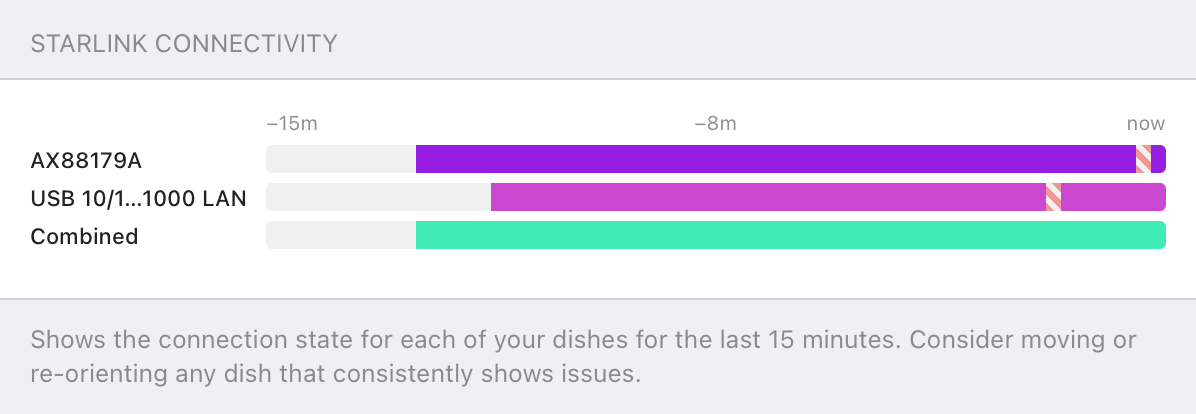
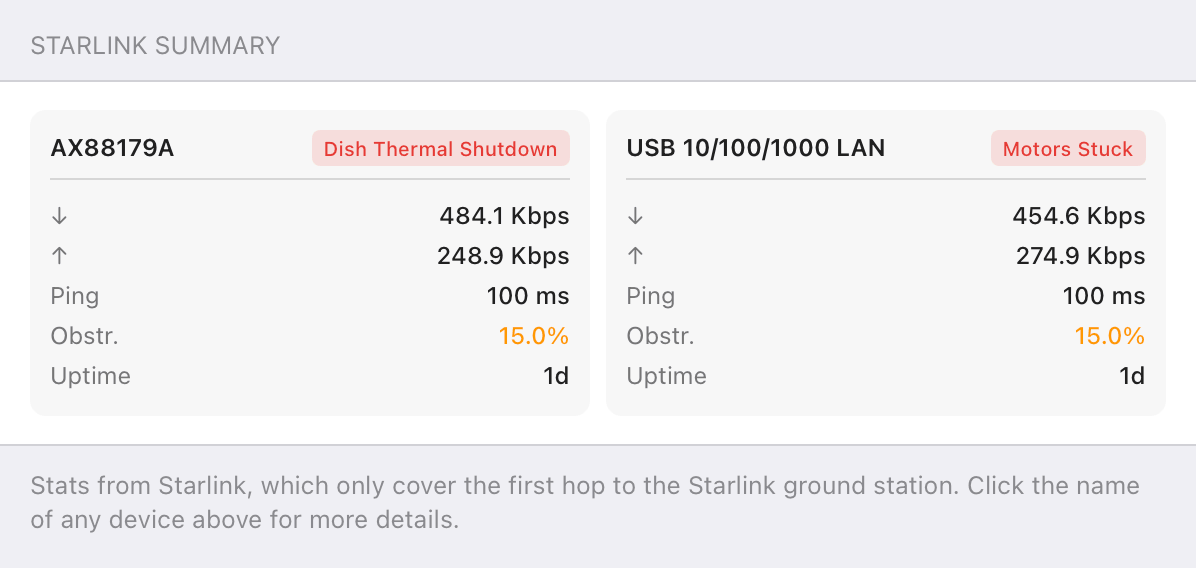
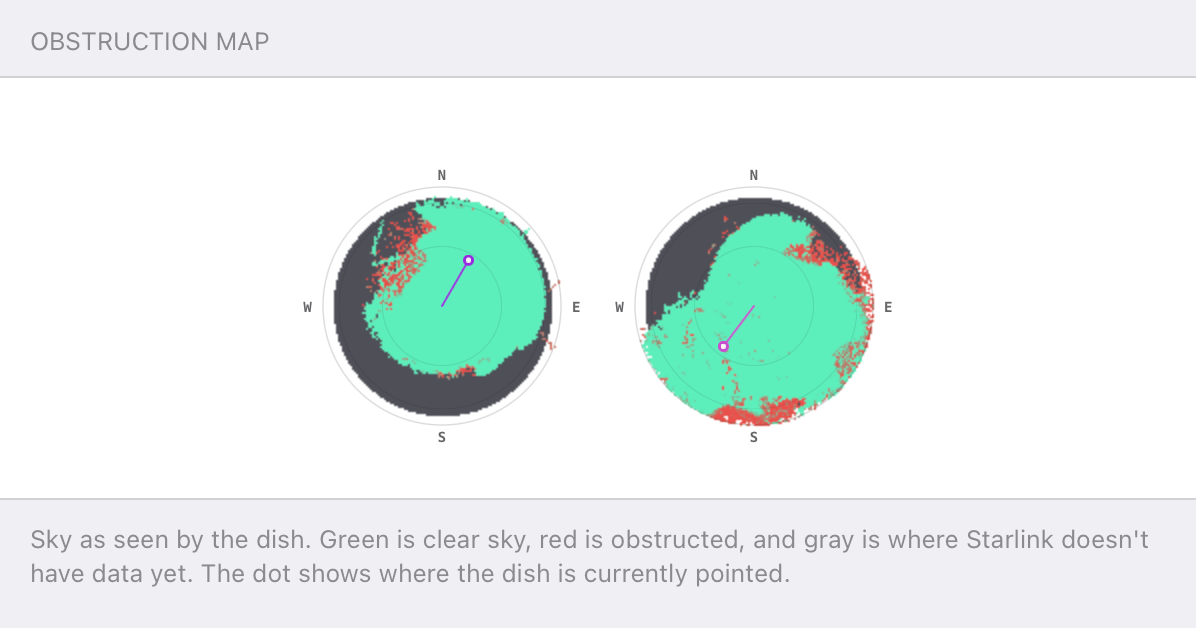
Speedify alerts you about your Starlink dish status
Speedify software alerts you about your Starlink dish status as soon as your dish experiences an issue - e.g. when your actuator motor is stuck, the mast is not vertical or there's a thermal throttle.
Speedify's Starlink Control Center helps you monitor all your Starlink dishes, read obstruction maps, and align multiple dishes all in the Speedify app. Get a real-time view of each dish's health and optimize the position of each Starlink dish, so you get the best possible performance out of your Starlink connections.
What the Starlink Dish Orientation Card Reports
- Azimuth (az). The compass heading the dish is aimed at.
- Tilt. The dish’s angle from horizontal.
- Obstruction percentage. How blocked each dish’s current view is, shown next to its heading.
Two dishes sitting at nearly the same azimuth are the tell-tale sign of overlap. One of them can be rotated to cover a different direction.
How to Aim Two Starlink Dishes Apart
Starlink asks for roughly 20° of elevation clearance across a full 360° azimuth per antenna, and explicitly notes that multiple dishes can be used where a single dish can’t get a clear view.
The Dish Orientation card turns that into a concrete target: separate the two azimuths so each dish works a different region of sky and the obstruction percentages drop. Select a dish on the card to open its Alignment Wizard, then rotate the hardware until the heading matches.
How an Optimal Starlink Dish Orientation Improves Speedify’s Bonding
Aiming dishes apart isn’t just about avoiding shared obstructions. Dishes on different sky connect to different satellites, which means more independent capacity for Speedify’s channel bonding technology to combine.
Speedify distributes your traffic across both dishes at the packet level and fails over instantly if one drops, so the more independent the two connections are, the more the bonded result gains.
Who Benefits from the Starlink Dish Orientation Card
- Maritime and broadcast operators. Crews running two or more dishes on a vessel or truck use the card to confirm each one is earning its place.
- RV and remote-site users. The compass view makes it obvious when a quick re-park has left both dishes facing the same trees.
- Anyone adding a second dish. The card shows whether the new dish actually expands coverage or just duplicates the first.
Speedify and Starlink: Aim the Starlink Dishes Apart, Then Bond Together
The Dish Orientation card shows you where each Starlink dish points and where two of them overlap. Speedify’s channel bonding technology then combines the dishes into one faster, more resilient connection, and the further apart they’re aimed, the more there is to combine. For the bigger picture, see when running multiple Starlink dishes makes sense.
Get started with Speedify today!
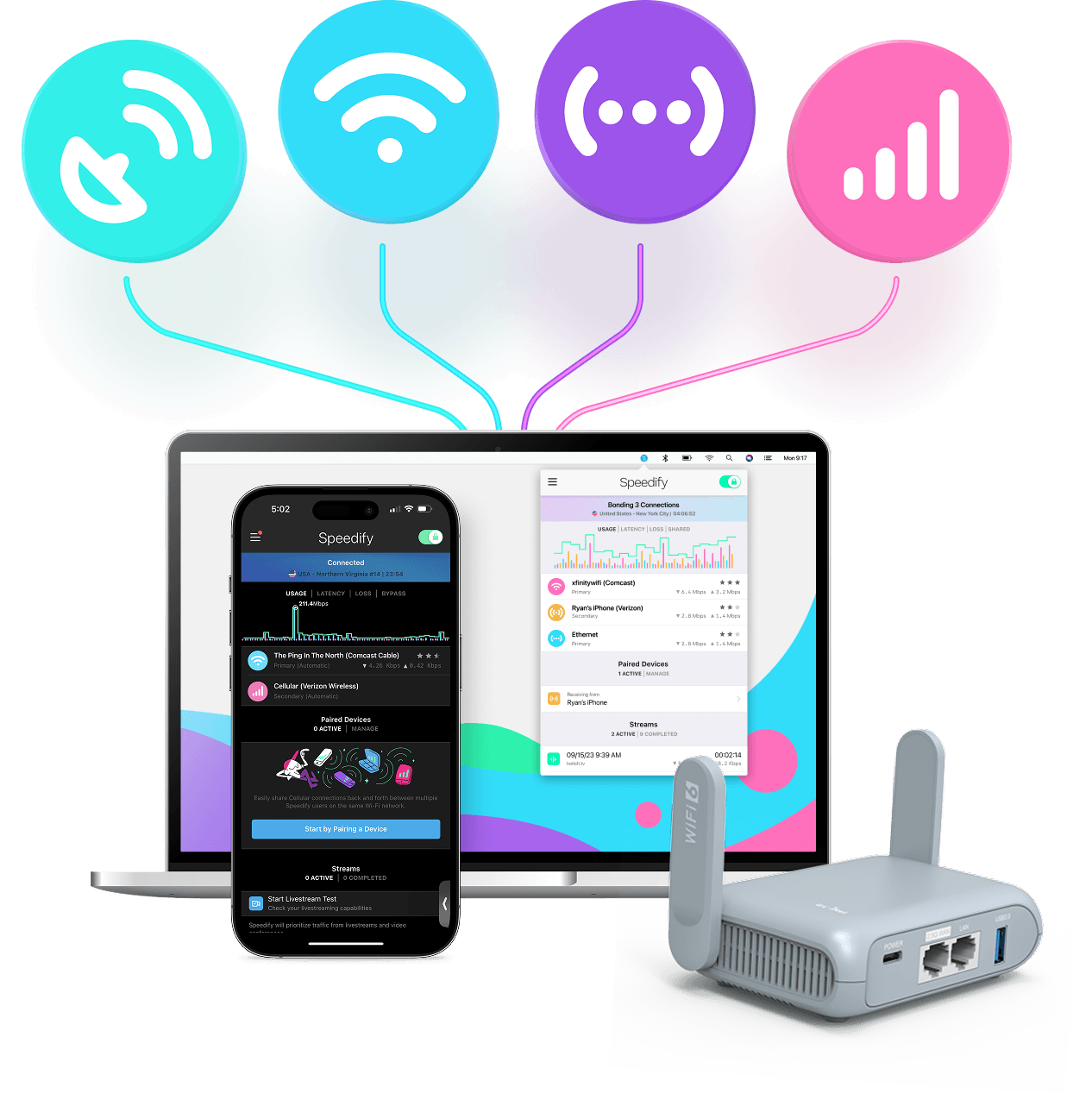
With Speedify you can combine Wi-Fi, 4G / 5G cellular, Ethernet, Starlink and other satellites into one bonded super-connection to improve livestreaming, video calling, gaming, web browsing, and everything else you do online.




Speed
Stability
Security
Speedify engineers love talking tech on YouTube, Tiktok, and Instagram!
Alex Gizis and the Speedify engineers discuss and explain technology including Starlink satellites, Wi-Fi 7 routers, Apple networking features, fiber optics, broadband internet, 5G mobile networks, AI, networking protocols, and much more. Follow Speedify on YouTube, TikTok, Instagram, and LinkedIn!
Alex and the Speedify team are always exploring the latest in networking and security technology—like 5G, 6G, WiFi 7, laser and satellite internet—and sharing it in new discussion content across YouTube, TikTok, Instagram, and LinkedIn every week.
Got a tech question? Let's go deeper! Pop into Speedify Office Hours live every Wednesday at 10 AM Eastern. Speedify CEO Alex Gizis and our network engineers are standing by to break down your questions about networks, tech updates, and Speedify features.
